
Better FPS & Visuals Boost FPS
A Modpack that improves your performance and visuals as highest possible
Screenshots
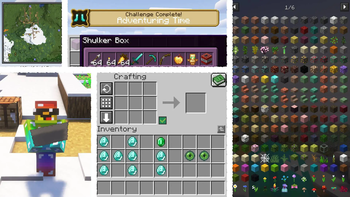
About this Modpack
Are tired of old minecraft vanilla? do you want to play minecraft and feel enjoyable? me to :)
Because of this i design this modpack so we can play Hours of minecraft and not got bored for lag and old visuals
why Better FPS?
Better FPS is not only improves your performance and visuals as highest possible, but adds more than +100 features to your game to make your playing enjoyable
best part is it's all client_side and achieved without majorly changing the core game,so you can use it on any server you like without getting any issues.
i recommend to install version 1.20.1 Because pack are complete but other version mods not update yet and some features does not have

- FreshAnimations installed
- Smooth Swapping
- Leaves falling animation
- shaders suppurted
- More player animation
- Remove Reloading Screen
- Dynamic Lights
- Xaero's World Map
- 3D skin layers
- Wavey Capes
- Better Third Person
- and moree...

- See further than the servers render distance
- Easily swap items without opening the inventory
- Inventory Sorting
- Improved mouse dragging mechanics
- Crafting Tweaks
- Zoom Button
- Click through signs
- and more

- All Optifine Features support
- Download resourcepacks
- Customizable Cape
- Download Vanilla Tweak resourcepacks
- Never clear caht history
- EasierVillagerTrading
this modpack already has some resourcepacks and shaders to make minecraft a little differen, if you don't like it you can disable it on menu,i hope you enjoy the packs
if have any Question and suggest feel free to message me on my Discord server :click here
Available Versions
How to Set Up a Better FPS & Visuals Boost FPS Server
Order Server
Choose at least 4 GB RAM (6 GB recommended for Better FPS & Visuals Boost FPS). Based on player count: per 8 players.
Install Modpack in Dashboard
Open the modpack browser in the dashboard, search for "Better FPS & Visuals Boost FPS" and click "Install". The fabric loader and Minecraft 1.21 are configured automatically.
Start Server & Play
Start the server – all mods are loaded automatically. Share the server IP with friends and play together!
Frequently Asked Questions
Better FPS & Visuals Boost FPS server crashes or won't start – what to do?
Most common causes: insufficient RAM or wrong fabric loader. Check latest.log for "OutOfMemoryError" → increase RAM to at least 6 GB. For "Mixin" or "ClassNotFoundException" errors: modpack version and loader don't match. With Mado Hosting, loader and Minecraft version are auto-configured on modpack install – preventing most startup issues.
How much RAM does a Better FPS & Visuals Boost FPS server really need?
Minimum 4 GB, recommended 6 GB for stable performance. per 8 players. Important: Minecraft modpacks need more RAM than vanilla – plan extra per additional player. With Mado Hosting, you can scale RAM up live at any time without data loss (from €5.2/month).
Can I add custom mods to Better FPS & Visuals Boost FPS without conflicts?
Yes, but check compatibility: only use mods for the same loader (fabric) and same Minecraft version (1.21). Common issues: ID conflicts with recipe mods and incompatible coremod versions. The Mado dashboard mod browser only shows compatible mods and warns about known conflicts.
Better FPS & Visuals Boost FPS server lagging – performance tips
1) Increase RAM to 6 GB+. 2) Reduce server view-distance to 8 (server.properties). 3) Pre-generate chunks with the "Chunky" plugin. 4) Use /spark profiler to check which mods consume the most tick time. With Mado Hosting, all servers run on NVMe SSDs with dedicated CPU cores – eliminating hardware as a bottleneck.
Similar Modpacks


![Better MC [FABRIC] - BMC2](https://cdn.modrinth.com/data/shFhR8Vx/a19c2bcb51d38f32f138d3607e91cb2b7b8e387f_96.webp)
![Better MC [FORGE] - BMC4](https://cdn.modrinth.com/data/4BV47HRn/7f5ef7cc61b2593609aabef3ed07a866a4f11b73_96.webp)


Rent Better FPS & Visuals Boost FPS Server
Start your own server with automatic modpack installation.
Supported Versions
Start your Better FPS & Visuals Boost FPS Server now
From €5.20/month; 6 GB RAM is recommended for best performance.
Configure Server →