
Create OneBlock | by Saurier.xyz
A create oneblock modpack made for those who enjoy a rather time consuming but fun modpack ;D
Screenshots


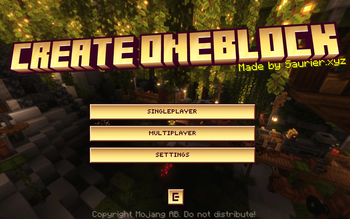
About this Modpack

OneBlock progression for Create. You get one block that regenerates into something new every time you break it, and everything you build comes from it.
Features
- Fully void world. The overworld and the Nether are both empty, no structures anywhere. Everything you need comes from the block.
- Seven tiers of drops. The block starts on stone and cobble and works up through ores, deepslate, Create's stones, Nether materials, and endgame stuff like ancient debris and echo shards. It levels up as you break it.
- Built around Create 6.0.10. The block feeds you raw materials and you build the sifters, washers, and machines that turn them into every metal and part in the pack.
- Everything is obtainable. Items that normally come from villages, fortresses, or strongholds have crafting or farming paths added, so nothing gets locked out by the empty world.
- Beatable end to end. Craft your own End portal without a stronghold, grow a Nether forest, and get all the way to netherite, beacons, and elytra.
- Loot chests and a wandering trader. The block drops chests, and a trader shows up to cover animals, seeds, and a few materials the block can't provide.
- Kickstart rewards and a quest tree. Each tier gives you a starter reward, and a vanilla advancement tree tracks your progress from first iron to the dragon.
- Shared block for multiplayer. One block for the whole server, so you and your friends progress the same world together.
- Void fall protection. Fall off and you get placed back on the block instead of dying.
Support
- ** Please report issues eather in our discord or the issue tracker on github.
- ** Everything you need is linked in the modrinth page, and ingame is also a button for discord and github links. :D
Details
- Minecraft 1.21.1, NeoForge
- Works in singleplayer and on servers!
By saurier.xyz.

Available Versions
How to Set Up a Create OneBlock | by Saurier.xyz Server
Order Server
Choose at least 6 GB RAM (8 GB recommended for Create OneBlock | by Saurier.xyz). Based on player count: per 5 players.
Install Modpack in Dashboard
Open the modpack browser in the dashboard, search for "Create OneBlock | by Saurier.xyz" and click "Install". The neoforge loader and Minecraft 1.21.1 are configured automatically.
Start Server & Play
Start the server – all mods are loaded automatically. Share the server IP with friends and play together!
Frequently Asked Questions
Create OneBlock | by Saurier.xyz server crashes or won't start – what to do?
Most common causes: insufficient RAM or wrong neoforge loader. Check latest.log for "OutOfMemoryError" → increase RAM to at least 8 GB. For "Mixin" or "ClassNotFoundException" errors: modpack version and loader don't match. With Mado Hosting, loader and Minecraft version are auto-configured on modpack install – preventing most startup issues.
How much RAM does a Create OneBlock | by Saurier.xyz server really need?
Minimum 6 GB, recommended 8 GB for stable performance. per 5 players. Important: Minecraft modpacks need more RAM than vanilla – plan extra per additional player. With Mado Hosting, you can scale RAM up live at any time without data loss (from €7.800000000000001/month).
Can I add custom mods to Create OneBlock | by Saurier.xyz without conflicts?
Yes, but check compatibility: only use mods for the same loader (neoforge) and same Minecraft version (1.21.1). Common issues: ID conflicts with recipe mods and incompatible coremod versions. The Mado dashboard mod browser only shows compatible mods and warns about known conflicts.
Create OneBlock | by Saurier.xyz server lagging – performance tips
1) Increase RAM to 8 GB+. 2) Reduce server view-distance to 8 (server.properties). 3) Pre-generate chunks with the "Chunky" plugin. 4) Use /spark profiler to check which mods consume the most tick time. With Mado Hosting, all servers run on NVMe SSDs with dedicated CPU cores – eliminating hardware as a bottleneck.
Similar Modpacks

![COBBLEVERSE - Pokemon Adventure [Cobblemon]](https://cdn.modrinth.com/data/Jkb29YJU/581ecf54530972afb18a04660afd820f2f24f6c7.png)




Rent Create OneBlock | by Saurier.xyz Server
Start your own server with automatic modpack installation.
Details
- License
- Creative Commons Attribution Non Commercial No Derivatives 4.0 International
- Server-side
- Required
- Client-side
- Required
Supported Versions
Start your Create OneBlock | by Saurier.xyz Server now
From €7.80/month; 8 GB RAM is recommended for best performance.
Configure Server →