
Enhanced Vanilla
A modpack that improves vanilla Minecraft: more convenience, beauty and optimization.
Screenshots
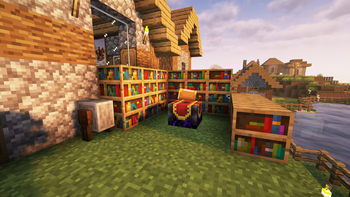
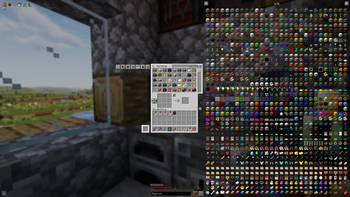
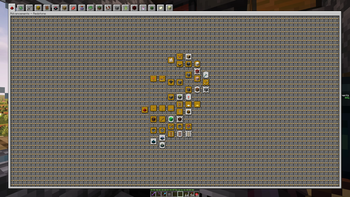
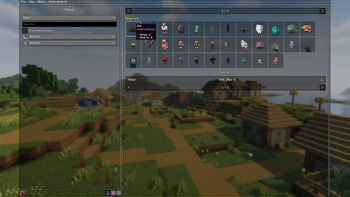
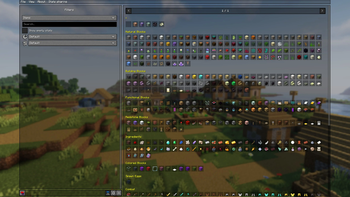
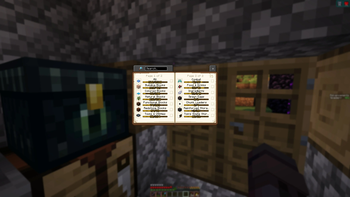
About this Modpack


⚡Performance optimization
Sodium, Sodium Extra, ImmediatelyFast, Lithium, FerriteCore, EntityCulling, ScalableLux, Clumps, More Culling, Let Me Despawn, Noisium, Smoke Suppression, Fast Item Frames, BadOptimizations, Concurrent Chunk Management Engine (C2ME), ModernFix, ThreadTweak.✨Improved graphics, visual effects, realism, atmospherics
Visuality, Better Snow Coverage, Snow Under Trees, Particle Rain, Explosive Enhancement, Particular, Falling Leaves, Continuity, 3D Skin Layers, Female Gender Mod, My Totem Doll, Boat Item View, Diagonal Fences, Diagonal Walls, Diagonal Windows, Elytra physics, Entity Model Features, Entity Texture Features, Iris, Particle Effects Reforged, Voxy, WaveyCapes.🖥️Improved interface
Xaero's Minimap, Xaero's World Map, Advancements Reloaded, Almanac, AppleSkin, Better Mount HUD, Better Statistics Screen, BetterCommandBlockUI, BetterF3, Blur Perfected, Chat Heads, Chat Patches, ChatAnimation, Dark Loading Screen, Durability Tooltip, GUI Clock, GUI Effect Timer, Jade, Language Reload, Mod Menu, Reese's Sodium Options, Shulker Box Tooltip, Smooth Scroll, Zoomify.🔊Sounds
AmbientSounds, CoolRain, Presence Footsteps, Sound Physics Remastered, Sounds🕺Animations
NotEnoughAnimations, Fresh Animations.⚙️QoL features
Inventory Profiles Next, BetterThanMending, Enchanting Infuser, Bedrock Miner, CalcMod, Carry On, Cherished Worlds, ClickThrough Plus, Dismount Entity, Double Doors, e4mc, Easy Anvils, Harvest with ease, Infinite Trading, ItemSwapper, Jump Over Fences, Leaves Be Gone, Lighty, Litematica, Litematica Printer, Map Distance Fix, Chunk Loaders, Chunky, Folders!, LANLock, Mouse Tweaks, Nature's Compass, NetherPortalFix, No Feather Trample, Playtime Command, Remove Reloading Screen, SchematicPreview, Screencopy, Tree Harvester, Veinminer, Villager Trading Plus, VisualKeys, ModListMemory.🗄️Improved storage
Tom's Simple Storage Mod, Nether Chested.🎨More creative possibilities
Axiom, WorldEdit, Litematica, Flashback🏆More than 1000 achievements, index for collecting every single block
BlazeandCave's Advancements Pack, Completionist's IndexHow to use it:
Create New World > More > Data Packs > Open Pack Folder
Open .minecraft\datapacks and move "BlazeandCave's Advancements Pack [Version]" to the mcworld-numbers folder, and move it from Available to Selected and click Done
To open the settings:
Open to LAN, Allow Commands: ON
Write to chat /function blazeandcave:config_menu
You can enable Cooperative Mode if you want to share your achievements with a friend.
To track the number of achievements made:
Advancement Scoreboard Display Settings > Advancements Scoreboard > On sidebar / On tab list
🔧Slightly adjusted settings: controls, mods, graphics
📄Mod list
📄Shaders list
📄Resource packs

Available Versions
How to Set Up a Enhanced Vanilla Server
Order Server
Choose at least 6 GB RAM (8 GB recommended for Enhanced Vanilla). Based on player count: per 5 players.
Install Modpack in Dashboard
Open the modpack browser in the dashboard, search for "Enhanced Vanilla" and click "Install". The fabric loader and Minecraft 1.21.11 are configured automatically.
Start Server & Play
Start the server – all mods are loaded automatically. Share the server IP with friends and play together!
Frequently Asked Questions
Enhanced Vanilla server crashes or won't start – what to do?
Most common causes: insufficient RAM or wrong fabric loader. Check latest.log for "OutOfMemoryError" → increase RAM to at least 8 GB. For "Mixin" or "ClassNotFoundException" errors: modpack version and loader don't match. With Mado Hosting, loader and Minecraft version are auto-configured on modpack install – preventing most startup issues.
How much RAM does a Enhanced Vanilla server really need?
Minimum 6 GB, recommended 8 GB for stable performance. per 5 players. Important: Minecraft modpacks need more RAM than vanilla – plan extra per additional player. With Mado Hosting, you can scale RAM up live at any time without data loss (from €7.800000000000001/month).
Can I add custom mods to Enhanced Vanilla without conflicts?
Yes, but check compatibility: only use mods for the same loader (fabric) and same Minecraft version (1.21.11). Common issues: ID conflicts with recipe mods and incompatible coremod versions. The Mado dashboard mod browser only shows compatible mods and warns about known conflicts.
Enhanced Vanilla server lagging – performance tips
1) Increase RAM to 8 GB+. 2) Reduce server view-distance to 8 (server.properties). 3) Pre-generate chunks with the "Chunky" plugin. 4) Use /spark profiler to check which mods consume the most tick time. With Mado Hosting, all servers run on NVMe SSDs with dedicated CPU cores – eliminating hardware as a bottleneck.
Similar Modpacks
![Cobblemon Official Modpack [Fabric]](https://cdn.modrinth.com/data/5FFgwNNP/e7f9ee2e9d361623847853fe2ddce42f519ee64f.png)
![COBBLEVERSE - Pokemon Adventure [Cobblemon]](https://cdn.modrinth.com/data/Jkb29YJU/581ecf54530972afb18a04660afd820f2f24f6c7.png)
![Better MC [FABRIC] - BMC2](https://cdn.modrinth.com/data/shFhR8Vx/a19c2bcb51d38f32f138d3607e91cb2b7b8e387f_96.webp)


![Better MC [FORGE] - BMC4](https://cdn.modrinth.com/data/4BV47HRn/7f5ef7cc61b2593609aabef3ed07a866a4f11b73_96.webp)
Rent Enhanced Vanilla Server
Start your own server with automatic modpack installation.
Supported Versions
Start your Enhanced Vanilla Server now
From €7.80/month; 8 GB RAM is recommended for best performance.
Configure Server →