Cobblemon Official Modpack [Fabric]

Cobblemon Official Modpack [Fabric]

The official modpack of the Cobblemon mod, for Fabric!

by Reisen
8.5M Downloads
0 Followers
fabricMC 1.21.1adventurelightweightmultiplayer

Screenshots

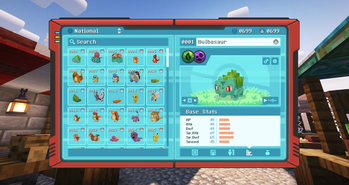
Pokédex
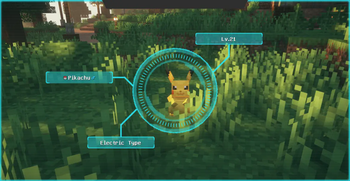
Pokédex Scanning
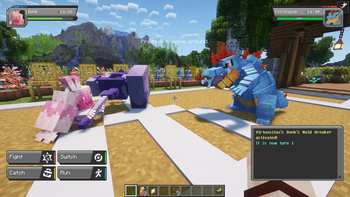
Battle!
Berry Mutation
Fishing
Fossil Revival

About this Modpack

The Official Modpack of the Cobblemon Mod for Fabric

Cobblemon Features (so far!):

  • Capture Pokémon to expand your team, battle wild Pokémon to gain experience, level up to unlock new moves, and evolve your Pokémon. There are over 700 Pokémon to catch!
  • Battles using the Pokémon Showdown! engine for accurate competitive battle mechanics.
  • Some Legends Arceus-style mechanics, such as move relearning, physically running from battle, and evolving your Pokémon when you decide.
  • Toggle free-movement during battles. You can build, mine, or fight mobs while in Pokémon battles!
  • Record the Pokémon you see and catch with a Pokédex. They come with a scanning feature to analyze wild Pokémon!
  • Explore the Minecraft world in style by riding your Pokémon!
  • You can trade and battle with your friends in multiplayer.
  • Let your Pokémon roam free wherever you want using pastures!
  • Berries which can be found in the wild, grown on farmland, mulched for bonuses, and cross-bred to mutate new berries.
  • Medicine items can be made by putting crops and berries into a brewing stand. Brewed potions heal more!
  • Ancient structures in the world to discover. Some of these structures have gilded chests, which may contain valuable loot or other surprises!
  • Fossils can be found by excavating suspicious gravel or sand at certain locations, which can then be revived using a resurrection machine.
  • All Pokémon from generations 1 to 9 can be spawned and battled with, but if they don't have a model yet then they will display as a substitute doll.
  • Full support for custom variations and fakemon using data packs and resource packs. You can find out how to do it using our guide!
  • ... and many more to come!

About This Modpack:

The Cobblemon modpack is designed to make your Minecraft experience immersive with improved visuals and audio while running better than vanilla Cobblemon by using many optimization mods. There are also some quality-of-life features added to improve gameplay without making any significant alterations to vanilla Minecraft. Included are optional extras such a recommended resource pack and shader pack, disabled by default.

Technical Details:

  • Both the modpack and server package are able to connect with vanilla Cobblemon servers and clients.
  • Recommended to run with a minimum of 2.5 GB of memory. Use 3 GB or more for best performance.
  • This modpack is for Fabric, but a NeoForge version is available here. It is recommended to play the Fabric version because it has better performance.
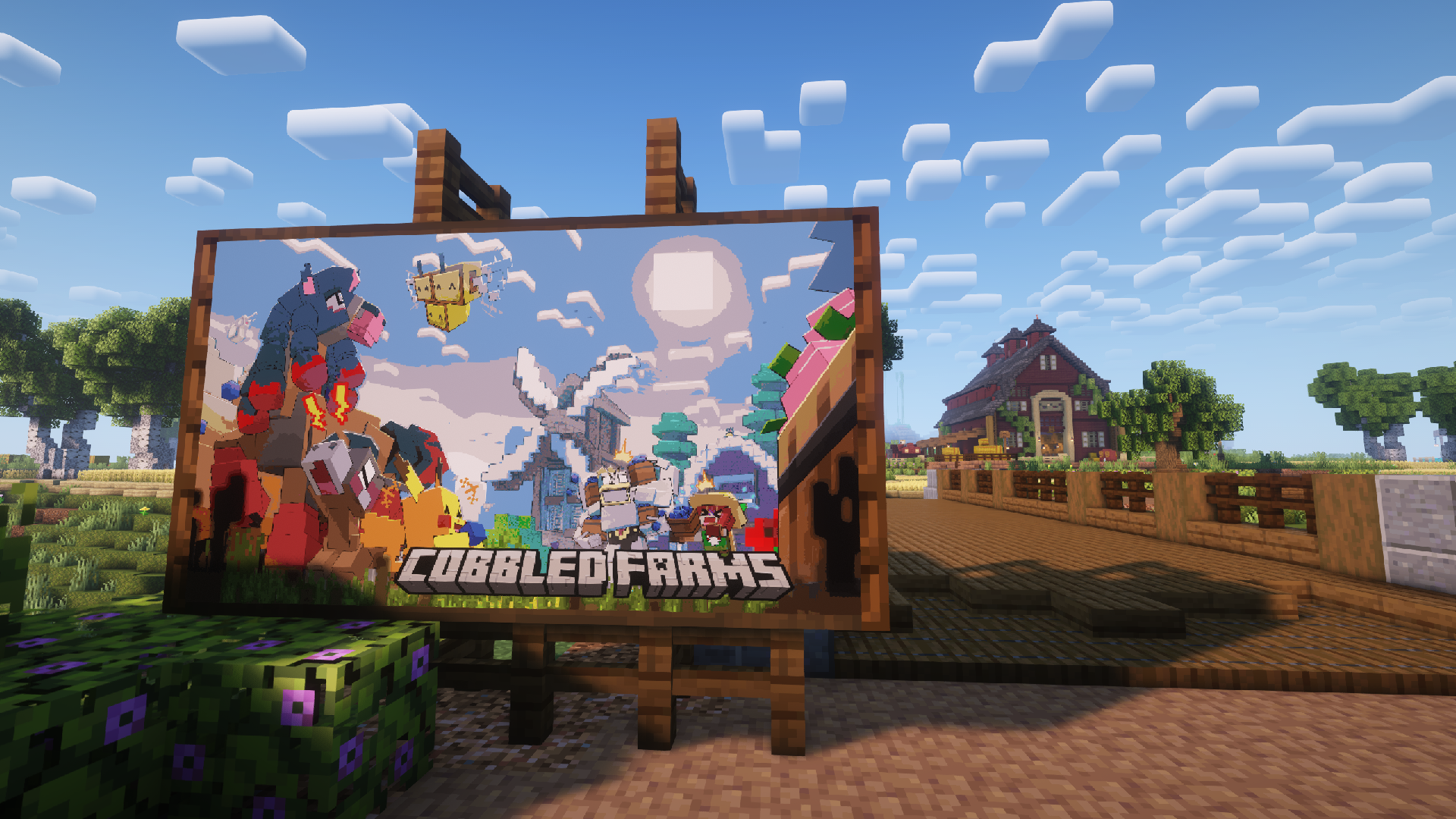
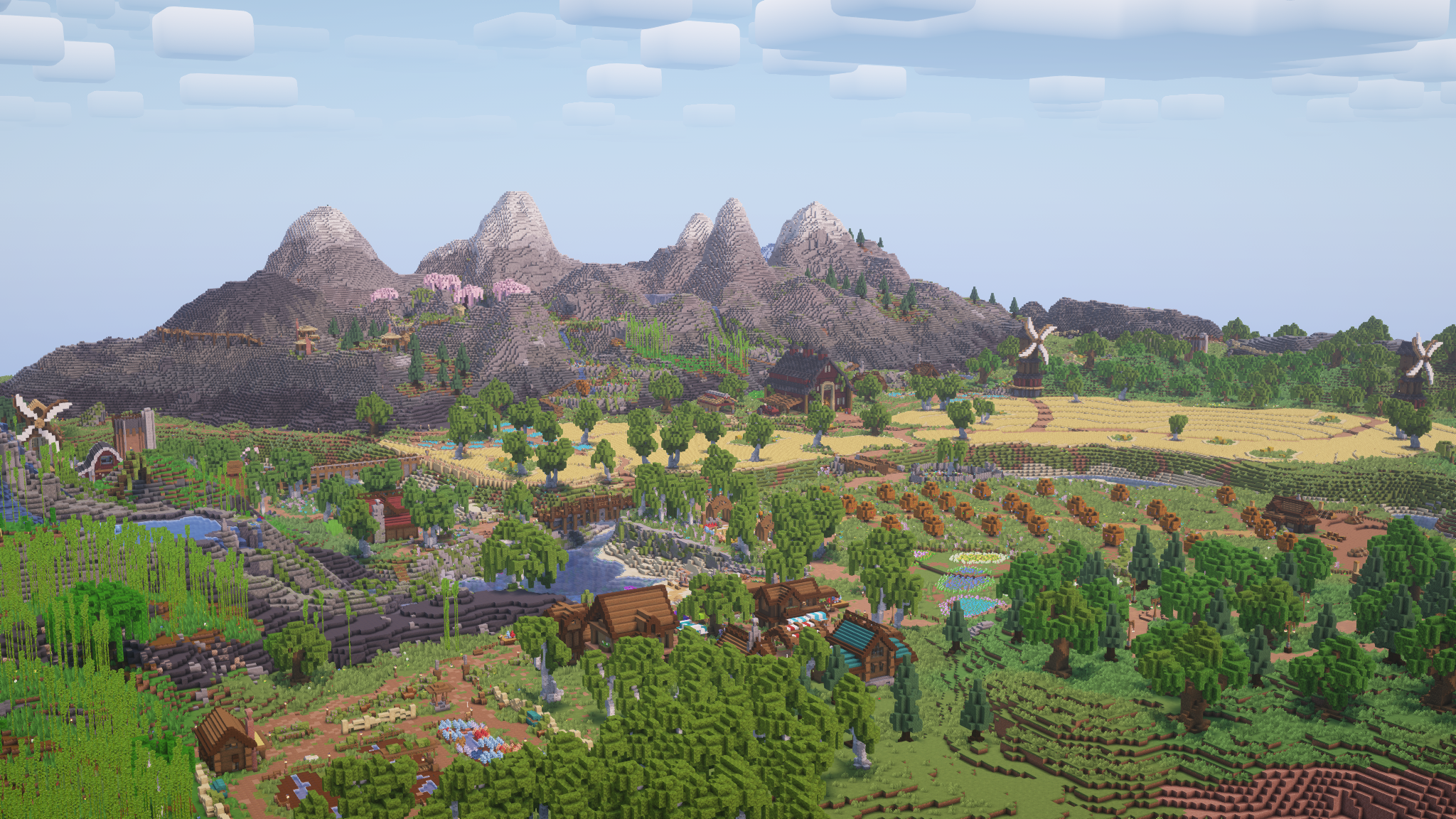
Welcome to Cobbled Farms!

Welcome to Cobbled Farms, a bundled single-player world that explains the features of Cobblemon to both fresh and veteran trainers! Your job is to help the locals of this small farming community maintain their beautiful home while they're away. Thankfully, they took time to leave behind books to explain everything you would need to know to maintain Cobbled Farms, and even create your own farming community in your own world or server! Be sure to check back on new versions of the tutorial world every major update to learn about any new features the Cobblemon development team may have added. Happy farming!

Note: The Cobblemon mod is still in development and is being actively updated. There are many features that are work-in-progress or placeholders until things are finished. There are also some existing features that will be getting more polish as we keep moving. Many more features are planned, including but not limited to things like NPCs, riding Pokémon, breeding, and structures.

Join our Discord to follow development progress, chat with the team, ask questions, and get sneak peeks into upcoming features!

Modpack Contents:

This modpack will allow clients to connect to servers that only run Cobblemon and Fabric API.

If you want to get any of these mods for personal use, please download them from their original pages to support their authors.

Mods:

  • Advanced Loot Info - EMI plugin for displaying loot table information.
  • Ambient Environment - Adds color noise to biome colors.
  • AppleSkin - Displays more information about food-related values.
  • Bad Wither No Cookie - Reloaded - Changes many loud server-wide broadcast sounds to be local.
  • Better Advancements - Enlarges the advancement page and displays progress info.
  • Better Ping Display - Displays each player's ping in the player list as a number in (ms).
  • Better Third Person - Allows independent rotation of the camera in third-person view. Permission
  • Cherished Worlds - Adds the ability to bookmark and search worlds.
  • CIT Resewn - Adds support for MCPatcher's Custom Item Textures (CIT) for resource packs.
  • Clumps - Groups EXP orbs in close proximity together into a single entity to reduce lag.
  • Cobblemon - Adds the Pokémon to your Minecraft.
  • Crafting Tweaks - Allows you to rotate, balance, or clear the crafting grid using buttons. Permission
  • CraftPresence - Displays info about the game being played on Discord.
  • Dynamic Crosshair - Changes the crosshair depending on what is being looked at.
  • EMI - Adds an item and recipe viewer, integrates with JEI.
  • EMI Enchanting - EMI Plugin that gives basic enchantment information.
  • EMI Ores - EMI plugin that displays information about how ores generate in the world.
  • EMI professions (EMIP) - EMI plugin that adds information about profession workstations.
  • Enchantment Descriptions - Adds descriptions of enchantments to the tooltips of enchanted books.
  • Enhanced Attack Indicator - Shows the attack indicator progress meter on more actions.
  • Entity Culling - Skips rendering entities you can't see to improve performance.
  • Entity Model Features (EMF) - Adds support for OptiFine's Custom Entity Models (CEM) for resource packs.
  • Entity Texture Features (ETF) - Adds support for OptiFine's Entity Texture Features (ETF) for resource packs.
  • Falling Leaves - Adds falling leaf and snow particles.
  • FancyMenu - Customizes the main menu.
  • FerriteCore - Optimizes memory usage.
  • ImmediatelyFast - Optimizes immediate rendering.
  • InvMove - Adds the ability to walk around while in inventories.
  • InvMoveCompats - Adds InvMove compatibility with EMI and JEI.
  • Just Enough Effect Descriptions (JEED) - JEI plugin that displays information on all status effects.
  • Just Enough Items - Adds an item and recipe viewer.
  • Krypton - Optimizes the networking stack.
  • LambDynamicLights - Adds dynamic lights.
  • Language Reload - Improves the language selection menu.
  • Let Me Despawn - Allows mobs that pick up items to despawn.
  • Lithium - Adds many game optimizations.
  • Make Bubbles Pop - Makes bubble particles pop.
  • Monsters in the Closet - Highlights any mobs that are preventing you from sleeping.
  • NetherPortalFix - Fixes a bug with nether portal linking in multiplayer. Permission
  • Not Enough Animations - Adds more animations to vanilla actions.
  • Particle Rain - Replaces the default weather with particle effects, better on performance than vanilla rain.
  • Particular - Enhances the ambience with particle-based visual effects.
  • Presence Footsteps - Makes footsteps sound better and more dynamic.
  • Reese's Sodium Options - Improves Sodium's options menu.
  • Satin Free Wakes - Adds wakes that trail behind things moving across water, updated version of Wakes.
  • ShulkerBoxTooltip - Allows viewing the contents of shulker boxes in your inventory with "Shift".
  • Sodium - Optimizes rendering.
  • Sodium Extra - Provides more options in the video settings.
  • Sodium Extras - Adds features to Sodium to improve the experience and performance.
  • Sodium Leaf Culling - Improves the performance of leaf rendering.
  • Sodium Shadowy Path Blocks - Smooths shading on path blocks with Sodium.
  • Stendhal - Better utilities for writing in books.
  • SwingThrough - Allows hitting enemies through obstructions like grass.
  • Tips - Adds tips to loading and pause menus.
  • ToolTipFix - Fixes tooltips runnning off-screen.
  • Visuality - Adds various particle effects to blocks and entities.
  • Xaero's Minimap - Displays a minimap of nearby terrain, players, and entities, and allows waypoint use.
  • Xaero's World Map - Adds a full-screen world map.
  • Your Options Shall Be Respected (YOSBR) - Prevents configs from being overwritten by updates.
  • Dependencies:

  • Almanac - Required by Let Me Despawn.
  • Balm - Required by Crafting Tweaks and NetherPortalFix. Permission
  • Bookshelf - Required by Enchantment Descriptions.
  • Cloth Config API - Required by many mods to use their in-game config menus.
  • Fabric API - Required by all Fabric mods.
  • Iris Shaders - Required by all shader packs.
  • Konkrete - Required by FancyMenu.
  • Melody - Required by FancyMenu.
  • Mod Menu - Allows in-game configuration of Fabric mods.
  • Open Loader - Required by Tips.
  • oωo-lib - Required by Particular.
  • Prickle - Required by Enchantment Descriptions.
  • Sodium Options API - Required by Sodium Leaf Culling, and Sodium Extras.
  • UniLib - Required by CraftPresence.
  • YetAnotherConfigLib - Required by Satin Free Wakes.
  • Resourcepacks:

  • Motschen's Better Leaves (not enabled by default) - Resource pack to make leaves look bushier.
  • Shaderpacks:

  • Complementary Shaders - Reimagined (not enabled by default) - Recommended shader pack.
  • Cobblemon is not affiliated with Pokémon nor Minecraft.

    Minecraft is a trademark of Mojang Synergies AB | Pokémon is a trademark of Nintendo, Creatures Inc. and GAME FREAK inc.

    Available Versions

    Cobblemon Official Modpack [Fabric] 1.7.3release
    MC 1.21.1fabric2.7M downloads
    January 31, 2026
    Cobblemon Official Modpack [Fabric] 1.7.2release
    MC 1.21.1fabric181.8K downloads
    January 25, 2026
    Cobblemon Official Modpack [Fabric] 1.7.1release
    MC 1.21.1fabric861.2K downloads
    November 29, 2025
    Cobblemon Official Modpack [Fabric] 1.7release
    MC 1.21.1fabric149.9K downloads
    November 22, 2025
    Cobblemon Official Modpack [Fabric] 1.6.1.4release
    MC 1.21.1fabric1.0M downloads
    July 1, 2025

    How to Set Up a Cobblemon Official Modpack [Fabric] Server

    1

    Order Server

    Choose at least 6 GB RAM (8 GB recommended for Cobblemon Official Modpack [Fabric]). Based on player count: per 5 players.

    2

    Install Modpack in Dashboard

    Open the modpack browser in the dashboard, search for "Cobblemon Official Modpack [Fabric]" and click "Install". The fabric loader and Minecraft 1.21.1 are configured automatically.

    3

    Start Server & Play

    Start the server – all mods are loaded automatically. Share the server IP with friends and play together!

    Frequently Asked Questions

    Cobblemon Official Modpack [Fabric] server crashes or won't start – what to do?

    Most common causes: insufficient RAM or wrong fabric loader. Check latest.log for "OutOfMemoryError" → increase RAM to at least 8 GB. For "Mixin" or "ClassNotFoundException" errors: modpack version and loader don't match. With Mado Hosting, loader and Minecraft version are auto-configured on modpack install – preventing most startup issues.

    How much RAM does a Cobblemon Official Modpack [Fabric] server really need?

    Minimum 6 GB, recommended 8 GB for stable performance. per 5 players. Important: Minecraft modpacks need more RAM than vanilla – plan extra per additional player. With Mado Hosting, you can scale RAM up live at any time without data loss (from €12/month).

    Can I add custom mods to Cobblemon Official Modpack [Fabric] without conflicts?

    Yes, but check compatibility: only use mods for the same loader (fabric) and same Minecraft version (1.21.1). Common issues: ID conflicts with recipe mods and incompatible coremod versions. The Mado dashboard mod browser only shows compatible mods and warns about known conflicts.

    Cobblemon Official Modpack [Fabric] server lagging – performance tips

    1) Increase RAM to 8 GB+. 2) Reduce server view-distance to 8 (server.properties). 3) Pre-generate chunks with the "Chunky" plugin. 4) Use /spark profiler to check which mods consume the most tick time. With Mado Hosting, all servers run on NVMe SSDs with dedicated CPU cores – eliminating hardware as a bottleneck.

    Rent Cobblemon Official Modpack [Fabric] Server

    Start your own server with automatic modpack installation.

    Recommended RAM:
    8 GB(min. 6 GB)
    From 12.00 / month
    Create Server Now
    1-Click Modpack Install
    NVMe SSD Storage
    DDoS Protection included
    Automatic Backups

    Details

    License
    Mozilla Public License 2.0
    Server-side
    Required
    Client-side
    Required

    Supported Versions

    1.21.11.20.1

    Start your Cobblemon Official Modpack [Fabric] Server now

    From €12.00/month with 8 GB RAM for the best performance.

    Configure Server →