
Frogcrafting's Hardcore Modpack
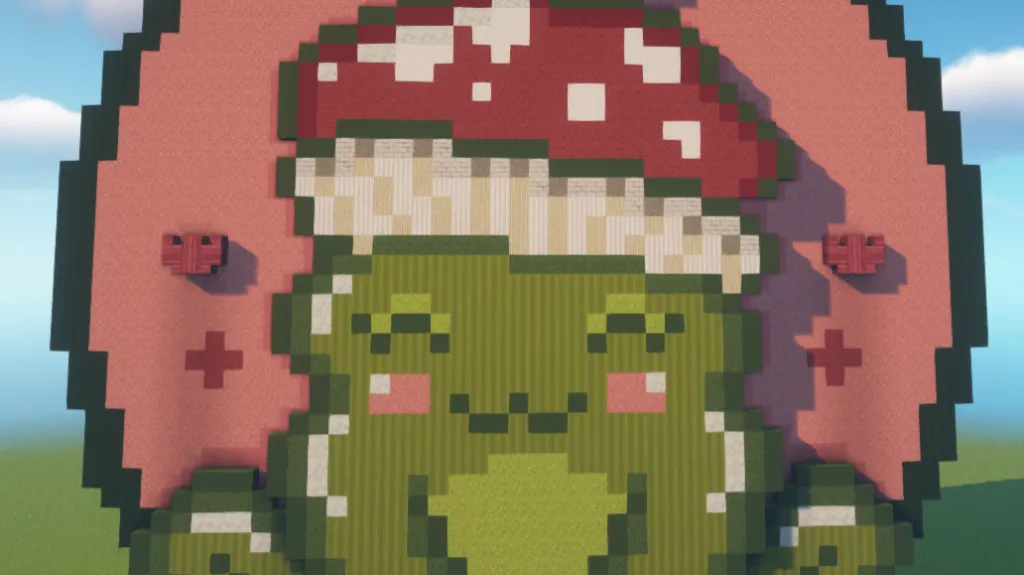
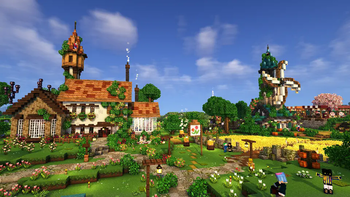
The modpack used in Frogcrafting's Hardcore stream world! Featuring vanilla+ additions, cozy aesthetics, and of course some light Create mod.
Screenshots

About this Modpack

Frogcrafting's Hardcore Modpack
Want to join in on the fun of Frogcrafting's weekly modded Twitch Streams?
This is the modpack for you!
This modpack features the exact configuration of mods, data packs, and resource packs used by Frogcrafting.
This is a vanilla+ modpack featuring mostly aesthetic changes and Frog's Custom Resource Packs, but rest assured there are plenty of mods included to help you manage your storage problems, and QoL features from Vanilla Tweaks!
Live out your cottage core dreams using the Let's Do series of mods, get just a tad industrial thanks to Create, or decorate with Another Furniture Mod, this pack gives you plenty of options while staying lightweight.
This project even includes the exact shaders and settings used by Frog on stream and is fully compatible with her existing World Downloads, or you could copy her world's seed when creating a new world of your own and take your adventure in its own direction!
Something missing?
While you may find Easy Mob Farm on Frog's twitch, this has not been included as it felt out of place with the rest of the pack, though, you are welcome to add it in yourself!



Available Versions
How to Set Up a Frogcrafting's Hardcore Modpack Server
Order Server
Choose at least 6 GB RAM (8 GB recommended for Frogcrafting's Hardcore Modpack). Based on player count: per 5 players.
Install Modpack in Dashboard
Open the modpack browser in the dashboard, search for "Frogcrafting's Hardcore Modpack" and click "Install". The fabric loader and Minecraft 1.20.1 are configured automatically.
Start Server & Play
Start the server – all mods are loaded automatically. Share the server IP with friends and play together!
Frequently Asked Questions
Frogcrafting's Hardcore Modpack server crashes or won't start – what to do?
Most common causes: insufficient RAM or wrong fabric loader. Check latest.log for "OutOfMemoryError" → increase RAM to at least 8 GB. For "Mixin" or "ClassNotFoundException" errors: modpack version and loader don't match. With Mado Hosting, loader and Minecraft version are auto-configured on modpack install – preventing most startup issues.
How much RAM does a Frogcrafting's Hardcore Modpack server really need?
Minimum 6 GB, recommended 8 GB for stable performance. per 5 players. Important: Minecraft modpacks need more RAM than vanilla – plan extra per additional player. With Mado Hosting, you can scale RAM up live at any time without data loss (from €7.800000000000001/month).
Can I add custom mods to Frogcrafting's Hardcore Modpack without conflicts?
Yes, but check compatibility: only use mods for the same loader (fabric) and same Minecraft version (1.20.1). Common issues: ID conflicts with recipe mods and incompatible coremod versions. The Mado dashboard mod browser only shows compatible mods and warns about known conflicts.
Frogcrafting's Hardcore Modpack server lagging – performance tips
1) Increase RAM to 8 GB+. 2) Reduce server view-distance to 8 (server.properties). 3) Pre-generate chunks with the "Chunky" plugin. 4) Use /spark profiler to check which mods consume the most tick time. With Mado Hosting, all servers run on NVMe SSDs with dedicated CPU cores – eliminating hardware as a bottleneck.
Similar Modpacks
![Cobblemon Official Modpack [Fabric]](https://cdn.modrinth.com/data/5FFgwNNP/e7f9ee2e9d361623847853fe2ddce42f519ee64f.png)
![COBBLEVERSE - Pokemon Adventure [Cobblemon]](https://cdn.modrinth.com/data/Jkb29YJU/581ecf54530972afb18a04660afd820f2f24f6c7.png)
![Better MC [FABRIC] - BMC2](https://cdn.modrinth.com/data/shFhR8Vx/a19c2bcb51d38f32f138d3607e91cb2b7b8e387f_96.webp)


![Better MC [FORGE] - BMC4](https://cdn.modrinth.com/data/4BV47HRn/7f5ef7cc61b2593609aabef3ed07a866a4f11b73_96.webp)
Rent Frogcrafting's Hardcore Modpack Server
Start your own server with automatic modpack installation.
Supported Versions
Start your Frogcrafting's Hardcore Modpack Server now
From €7.80/month; 8 GB RAM is recommended for best performance.
Configure Server →