
Zombie Apocalypse
Experience never seen zombie apocalypse with guns for fabric
Screenshots
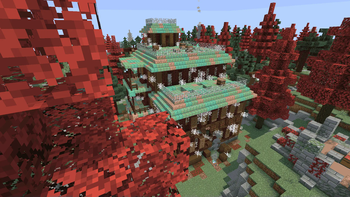
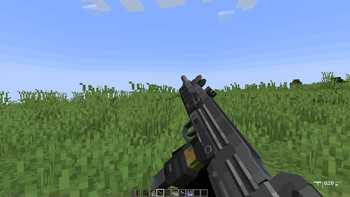
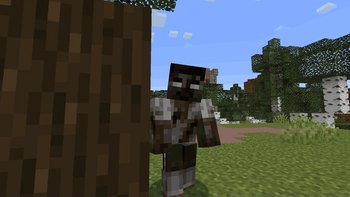
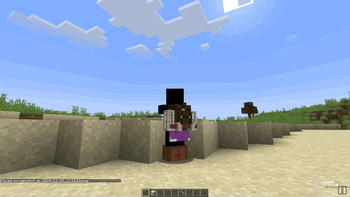
About this Modpack
Hey guys. I put this together mainly because vanilla zombies are basically a joke. You build a dirt wall on day one and the survival aspect is just gone. I wanted an actual apocalypse feel for Fabric, but without having to download one of those insane 300-mod bloatware packs that absolutely tanks your framerate.
So I'm just throwing my personal setup up here on Modrinth. It's really nothing crazy, but it gets the job done if you just want a decent survival challenge without a bunch of unnecessary junk.
Here is basically what's in it:
- Tougher mobs: Zombies are actually a threat now. I messed with the spawn rates and their AI so they'll actually swarm you instead of just wandering around in circles.
- Guns: Put some firearms in to deal with the swarms, but ammo is pretty hard to find. You actually have to aim and conserve shots instead of just holding down the trigger.
- World changes: Tweaked the world gen a bit so it feels more like an actual wasteland. Added some custom structures too—they're pretty tough to clear, but the loot is usually worth the headache.
- Performance: It's pretty lightweight. I didn't want to kill my own PC, so I made sure it runs decently whether you're on single-player or hosting a server.
Quick heads up: I'd highly suggest grabbing Tissou's Zombie Pack to go with this. I didn't pack it by default bcz i didn't have rights to upload it here, but it makes the mobs look way creepier and you should definitely use it.
Some other Versions:
- Zombie Apocalypse [MAP] (Client with Custom Map): Experience the apocalypse on a custom-crafted map designed to intensify gameplay.
- Zombie Apocalypse Server: Host a seamless multiplayer zombie apocalypse, with mods optimized for server stability and performance.
- Zombie Apocalypse Server [MAP]: Host multiplayer survival on the custom map, providing a unique and challenging experience for your friends or community.
Anyway, hope you guys get some fun out of it. Let me know if any of the mods randomly conflict or break.
Available Versions
How to Set Up a Zombie Apocalypse Server
Order Server
Choose at least 6 GB RAM (8 GB recommended for Zombie Apocalypse). Based on player count: per 5 players.
Install Modpack in Dashboard
Open the modpack browser in the dashboard, search for "Zombie Apocalypse" and click "Install". The fabric loader and Minecraft 1.20.1 are configured automatically.
Start Server & Play
Start the server – all mods are loaded automatically. Share the server IP with friends and play together!
Frequently Asked Questions
Zombie Apocalypse server crashes or won't start – what to do?
Most common causes: insufficient RAM or wrong fabric loader. Check latest.log for "OutOfMemoryError" → increase RAM to at least 8 GB. For "Mixin" or "ClassNotFoundException" errors: modpack version and loader don't match. With Mado Hosting, loader and Minecraft version are auto-configured on modpack install – preventing most startup issues.
How much RAM does a Zombie Apocalypse server really need?
Minimum 6 GB, recommended 8 GB for stable performance. per 5 players. Important: Minecraft modpacks need more RAM than vanilla – plan extra per additional player. With Mado Hosting, you can scale RAM up live at any time without data loss (from €7.800000000000001/month).
Can I add custom mods to Zombie Apocalypse without conflicts?
Yes, but check compatibility: only use mods for the same loader (fabric) and same Minecraft version (1.20.1). Common issues: ID conflicts with recipe mods and incompatible coremod versions. The Mado dashboard mod browser only shows compatible mods and warns about known conflicts.
Zombie Apocalypse server lagging – performance tips
1) Increase RAM to 8 GB+. 2) Reduce server view-distance to 8 (server.properties). 3) Pre-generate chunks with the "Chunky" plugin. 4) Use /spark profiler to check which mods consume the most tick time. With Mado Hosting, all servers run on NVMe SSDs with dedicated CPU cores – eliminating hardware as a bottleneck.
Similar Modpacks
![Cobblemon Official Modpack [Fabric]](https://cdn.modrinth.com/data/5FFgwNNP/e7f9ee2e9d361623847853fe2ddce42f519ee64f.png)
![COBBLEVERSE - Pokemon Adventure [Cobblemon]](https://cdn.modrinth.com/data/Jkb29YJU/581ecf54530972afb18a04660afd820f2f24f6c7.png)
![Better MC [FABRIC] - BMC2](https://cdn.modrinth.com/data/shFhR8Vx/a19c2bcb51d38f32f138d3607e91cb2b7b8e387f_96.webp)


![Better MC [FORGE] - BMC4](https://cdn.modrinth.com/data/4BV47HRn/7f5ef7cc61b2593609aabef3ed07a866a4f11b73_96.webp)
Rent Zombie Apocalypse Server
Start your own server with automatic modpack installation.
Supported Versions
Start your Zombie Apocalypse Server now
From €7.80/month; 8 GB RAM is recommended for best performance.
Configure Server →