
2032 World Height
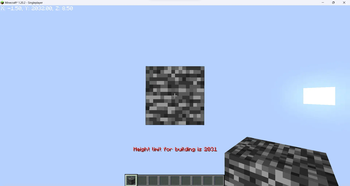
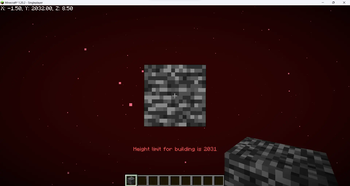
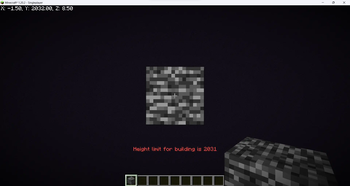
Increase your build limit to Y=2031 in all dimensions.
Screenshots
About this Mod
Increase the build limit to Y=2031 in all dimensions.
WARNING: Starting with Minecraft 1.21.2 removing the datapack/mod will corrupt your world! You can find a tutorial on how to remove it safely here.
Does this support custom world generation mods/datapacks?
This datapack doesn't change world generation by itself, but custom world generation mods/datapacks may hardcode the world height. A notable example is Tectonic. The mod version of it is not supported, but if you're using the datapack version you go to /data/minecraft/dimension_type/overworld.json inside the Tectonic datapack folder and change "logical_height" and "height" to 2096.
Does this work with existing worlds?
Officially no, but you can follow this tutorial to transfer existing chunks to a world made with this datapack.
What happens to existing worlds if I remove the mod/datapack?
Removing the datapack/mod in 1.17-1.21.1 will make everything above normal build limit disappear, but since 1.21.2 it will corrupt the world, thus the warning at the top.
Available Versions
How to Install 2032 World Height on Your Server
Order Server
Order a Minecraft Java server with at least 4 GB RAM (6 GB recommended).
Set datapack Loader
In the panel under "Egg", select the datapack loader and matching Minecraft version (26.4-snapshot-2).
Install Mod
Open the mod browser in the dashboard and search for "2032 World Height". Click "Install" – done! Alternatively, upload the .jar via SFTP to the /mods folder.
Compatibility
Mod Loaders
Minecraft Versions
26.4-snapshot-2, 26.4-snapshot-1, 26.3 (+34 more)
Server-side
✓ RequiredRecommended RAM
6 GB(min. 4 GB)Frequently Asked Questions
2032 World Height server crashes on startup – what to do?
Most common cause: wrong datapack version or insufficient RAM. Check the server log (latest.log) for "OutOfMemoryError" or "Mixin" errors. With Mado Hosting: ensure at least 4 GB RAM is allocated and the loader matches the mod version (26.4-snapshot-2). You can switch loaders with one click in the panel.
Is 2032 World Height compatible with datapack and fabric and forge and neoforge and quilt?
2032 World Height officially supports datapack, fabric, forge, neoforge, quilt for Minecraft 26.4-snapshot-2, 26.4-snapshot-1, 26.3. Note: Forge and Fabric mods are NOT cross-compatible – pick one loader and stick with it. The Mado dashboard automatically detects incompatible loader combinations.
Server lagging with 2032 World Height – how to optimize performance?
Recommended RAM: 6 GB (per 5 players). Use /spark profiler to check if 2032 World Height consumes the most tick time. Common fixes: reduce server view-distance to 8-10, install "performant" or "starlight" as supplementary mods on Forge. With Mado Hosting, your server runs on NVMe SSDs with dedicated CPU cores for minimal latency.
Similar Mods





Rent Modded Server
Install 2032 World Height with just one click on your server.