
Modrinth · Fabric, Forge, NeoForge, Quilt
VeinMiner on your Minecraft server
VeinMiner runs on Minecraft servers with Fabric or Forge or NeoForge or Quilt. Order your server, set the loader in the panel and install the mod with one click in the mod browser.
Mine the whole vein on mining a single ore/block. Make the tedious mining experience to something satisfying and fun! FTB Ultimine alternative
- Downloads
- 106.4M
- Author
- Miraculixx
- Loader
- Fabric, Forge, NeoForge, Quilt
- Minecraft
- 1.17 – 26.3
- Updated
- –
Screenshots
What VeinMiner looks like

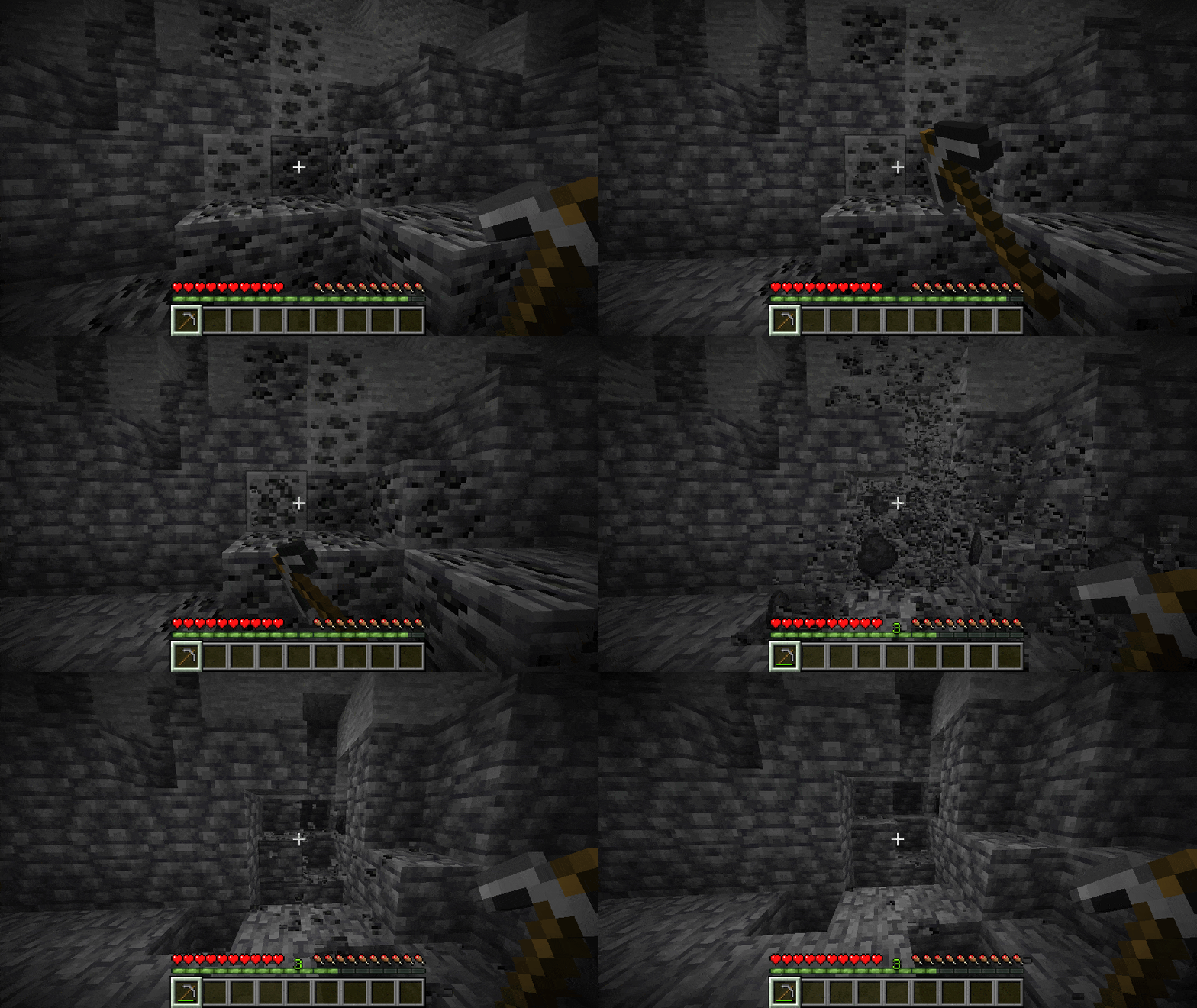
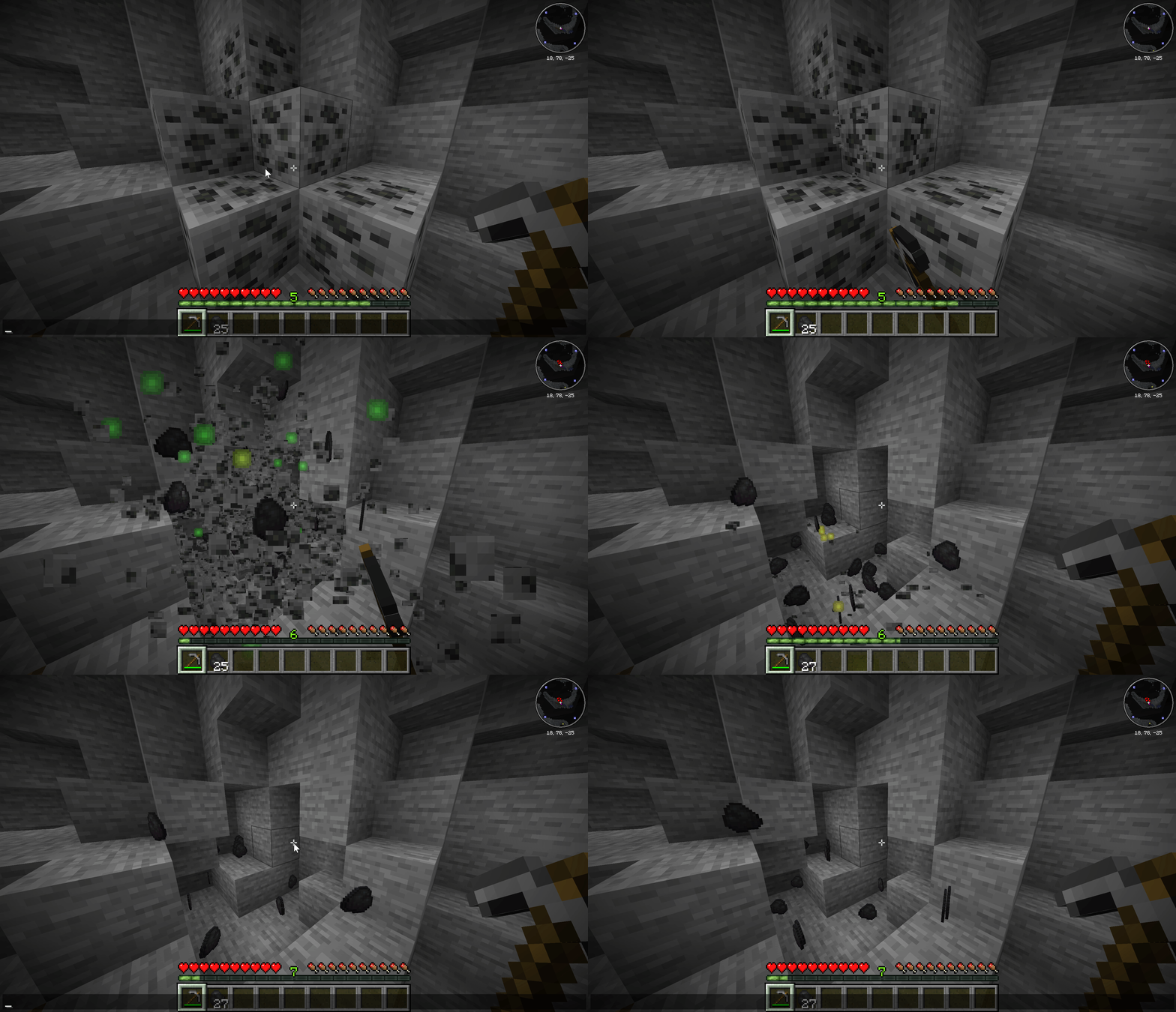
Images: VeinMiner on Modrinth, published by the project team.
Setup
Install VeinMiner on your server
The server and players need the same loader and Minecraft version. Back up the world before adding or updating mods.
- 01
Configure
4 GB of RAM is preselected. You choose the term and add-ons and pay by credit card or PayPal.
- 02
Set the loader
In the panel, set the server software to Fabric or Forge or NeoForge or Quilt and choose the matching Minecraft version, for example 26.3.
- 03
Install the mod
Search the mod browser for “VeinMiner” and install the release for your loader. Alternatively, upload the .jar to the mods folder via SFTP. Required dependencies are listed on the project page.
- 04
Connect
VeinMiner is optional on the client. Players connect using the server address from the panel.
- On the server
- Required
- On the client
- Optional
- Loader
- Fabric, Forge, NeoForge, Quilt
- Minecraft
- 26.3, 26.2, 26.1.2 +31 more
- License
- GNU Affero General Public License v3.0 only
The panel
Install mods, find errors.
Real screenshots from the Mado panel. Both come with every Minecraft server.
Mod browser
Modrinth and CurseForge, right in the panel.
The browser filters by your Minecraft version. Install mods with one click, without uploading .jar files.

AI crash analysis
When a mod crashes, the analyzer reads the log.
Mods often fail on a wrong loader version, Java version or missing dependency. The analyzer names a likely cause and suggests a fix.

Releases
Published releases
Pick the file that matches your server’s loader and Minecraft version. The server and players need the same release.
VeinMiner · Modrinth- Veinminer NeoForge - 2.14.0November 14, 2026Minecraft 1.21.1 · NeoForge
- Veinminer Fabric - 2.14.0November 14, 2026Minecraft 1.21.1 · Fabric, Quilt
- Veinminer Paper - 2.14.0November 14, 2026Minecraft 1.21.1 · folia, paper, purpur
- Veinminer NeoForge - 2.14.0November 14, 2026Minecraft 1.21.11 · NeoForge
- Veinminer Fabric - 2.14.0November 14, 2026Minecraft 1.21.11 · Fabric, Quilt
Original description by the project author


Mine a single block to mine the whole vein!
Highly configurable and works everywhere, even on your vanilla server.
Make the tedious mining experience to something satisfying and fun!
Veinminer works server side, so all clients are supported. Even cross loaders & versions for addons!
Client Hotkey & Highlighting
Add the Hotkey Addon to only veinmine when pressing a hotkey & get a mining preview
Use as Enchantment?
Add the Veinminer Enchantment Addon to limit veinmining to only enchanted tools!

⚙️ Customization & Settings
Veinminer comes in two different versions
• Version 2.x -> Full customizable mod & plugin
• Version 1.x -> Light DataPack with vanilla & snapshot support
Both comes with preconfigured for ores and pickaxes. Read below how to extend it.
Affordable Servers? In this time?! Clicking below supports me and saves you 10% + 2 Days free ♥️

#AD - Your support helps to keep this project alive :)
Mod/Plugin Version (2.x)
The advanced (V2) version is a more powerful version that is only usable with Fabric/Quilt, Paper/PurPur/Folia & NeoForge servers.
| Command | Permission | Short Description |
|---|---|---|
| /veinminer blocks | veinminer.blocks |
Edit blocks that are veinmineable with every tool |
| /veinminer groups | veinminer.groups |
Edit blocks & tools with precise rules |
| /veinminer toggle | veinminer.toggle |
Toggle Veinminer (server wide) |
| /veinminer settings | veinminer.settings |
Change settings like cooldown, max chain and more |
| /veinminer presets | veinminer.groups |
Quick setup some useful groups & settings |
General Settings
To change a setting, enter /veinminer settings ... [<new-value>].
To check the current state, leave out the new value argument.
| Setting | Description | Default |
|---|---|---|
mustSneak |
Players must sneak to veinmine | false |
cooldown |
Time between players are able to veinmine (in ticks) | 20 |
delay |
Time between each automated block breaking (in ticks) | 1 |
maxChain |
Max amount of blocks that can break from one source block | 100 |
needCorrectTool |
If blocks have a required tool, this must be used | true |
searchRadius |
Amount of blocks around connected blocks to search (max 5) | 1 |
permissionRestricted |
Only players with veinminer.use permission can veinmine |
false |
mergeItemDrops |
All item drops are merged to the source block | false |
autoUpdate |
Check for updates and download new version if available | true |
durabilityDecrease |
If each mined block should reduce durability | true |
miningSpeedModifier |
Increase block mining duration based on vein size | 0.0 |
hungerPerBlock |
Drain saturation per veinmined block (vanilla 0.005) | 0.0 |
Block Groups - Advanced Settings
Block groups can hold multiple blocks together that will be treated like the same block./veinminer groups create <name> [<block1>] [<block2>]
All blocks inside one group will be mined together.
A block can be in multiple groups. New blocks can be added or removed from groups with the following commands:/veinminer groups edit <name> add-block <block>/veinminer groups edit <name> remove-block <block>
Groups can be limited to certain tools, for example group wood can only be mined by axes.
If no tool is added to a group, all tools are allowed. If a block is in multiple groups, all tools from those groups are allowed.
(If a block is in one unlimited tool group and one limited to axes, only axes work for this block)/veinminer groups edit <name> add-tool <item>/veinminer groups edit <name> remove-tool <item>
Example (Logs)
1. /veinminer groups create Logs
2. /veinminer groups edit Logs add-block #minecraft:logs
3. /veinminer groups edit Logs add-tool #minecraft:axes
Block and item inputs allow block and item tags for easier editing.
For example, to add all logs enter #minecraft:logs into any block input.
Visit the wiki for a full list or look at a block with F3 under "looking at".
You can also modify the group file directly inside .../veinminer/default_groups.json (config/... for mods, plugins/... for plugins)
Setting Overrides - Too Advanced Settings
Overrides are optional settings, that will override the normal setting if the player is effected by it.
See examples underneath for a better understanding, I don't blame you if you think "why...".
Client Overrides
Those settings will be applied to all users that use the client addon (hotkey).
E.g. you want to have mustSneak enabled in general, but disabled for hotkey users:
/veinminer settings mustSneak true- True for all/veinminer settings client override mustSneak false- False override for hotkey users
Group Overrides
Those settings will be applied to all users that mine a block from this specific group.
Each group can have a different override, if a block is in multiple groups, only the override from the oldest group count (this behavior may see improvement later).
E.g. you dont want that your sand & dirt group consumes durability:
/veinminer settings decreaseDurability true- True for all blocks/veinminer groups shovel edit override decreaseDurability false- False override for this group
If both, client and group overrides, collide the group override takes priority (normal < client < group).
You can remove overrides with /veinminer ... override unset <setting>.
OP players will have all permissions. To manually grant permissions see Luckperms (NeoForge not supported yet).
DataPack Version (1.x)
The DataPack (V1) version is a simple version that is usable on every server and world.
Enter the config command to open an interactive chat menu to edit all settings.
| Command | Permission | Description |
|---|---|---|
| /function veinminer:_config | OP/Cheats |
Access the full settings menu in chat |
If you get prompted something like {category:"pickaxe", namespace:"", id:""}, you need to fill in the item/block namespace & ID (press F3+H to see them), e.g. {category:"pickaxe", namespace:"minecraft", id:"sand"} for minecraft:sand
Some Advice
- To veinmine, your tool must be able to mine the block in normal conditions (unless disabled in V2)
- While Veinminer is running very lightweight, mining unnatural big veins can lag the client and the server through the amount of items
If you need any help or want to share some ideas to add, just hop on our Discord (dc.mutils.net)
Platform Notice: No reuploads or forks are allowed on Modrinth & CurseForge
VeinMiner server crashes on startup – what to do?
Common causes: the loader or Minecraft version does not match the mod file, a dependency is missing, or RAM is too low. Check the log (latest.log) for “OutOfMemoryError”, “Mixin” or missing mods. At Mado, the AI crash analysis reads the log and suggests a cause. You can change the loader and version in the panel.
Which loader does VeinMiner run on?
According to Modrinth, VeinMiner supports Fabric, Forge, NeoForge, Quilt for Minecraft 26.3, 26.2, 26.1.2. Forge and Fabric files are not interchangeable: pick one loader for the server and clients.
How much RAM does a server with VeinMiner need?
As guidance, 3–4 GB for a server with this mod. This is an estimate, not a measured minimum. More mods, many players and long view distances need more. The spark profiler shows whether a mod is costing tick time.
Similar mods
Popular mods in the same category
 Client only

VeinMiner Hotkey
by Miraculixx
Veinminer Addon - Use a hotkey to veinmine with a dynamic crosshair & block highlighting
 Server-ready

Curios API
by TheIllusiveC4
A flexible and expandable accessory/equipment API for users and developers.
 Server-ready

[TaCZ] Timeless and Classics Zero
by craneblock6666
The most Immersive and Customizable modern FPS experience in Minecraft - A complete Remaster of the TaC gun mod by the original team.
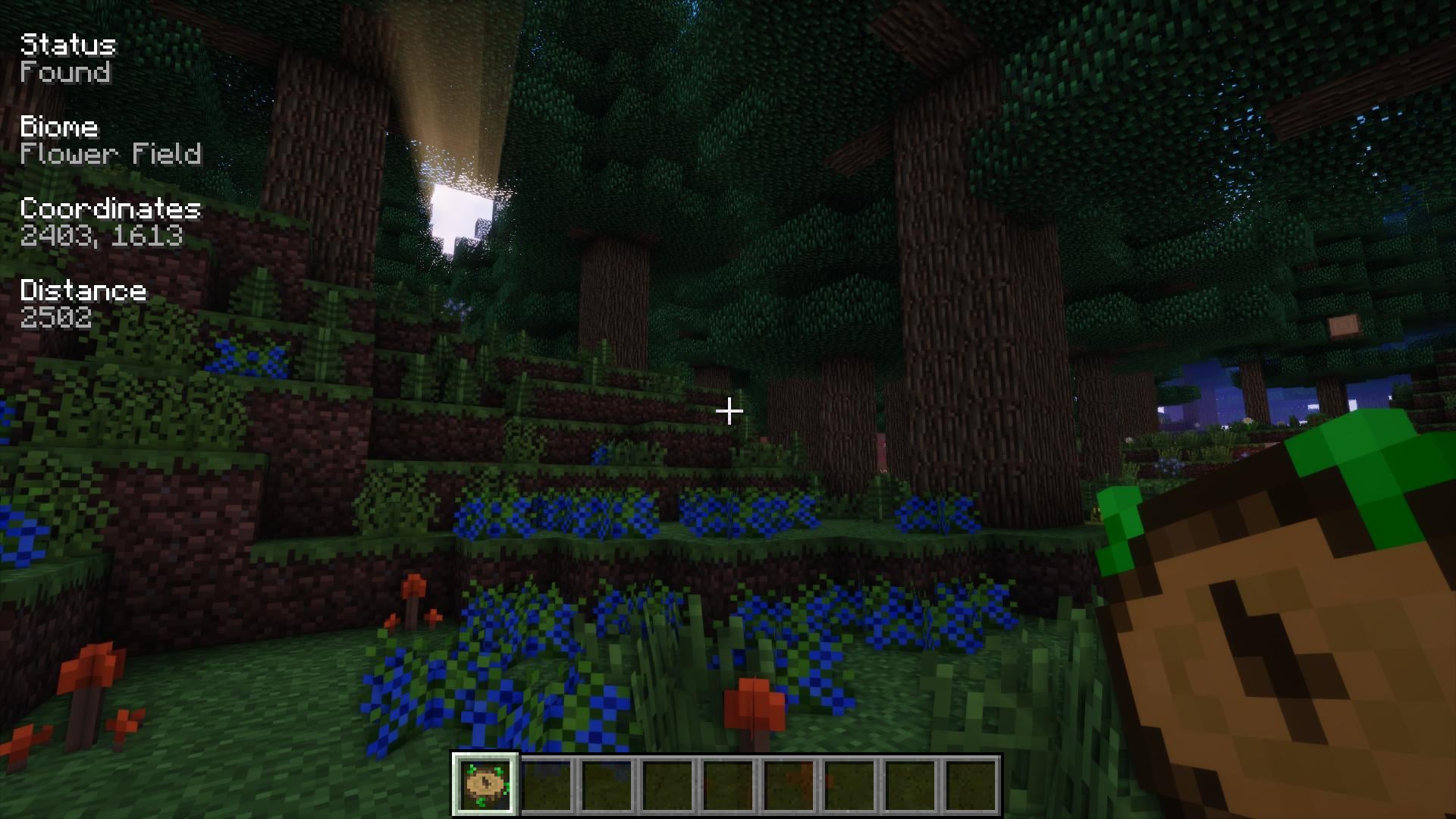 Server-ready

Nature's Compass
by Chaosyr
Allows you to locate biomes anywhere in the world.
Ready for your server with VeinMiner?
4 GB of RAM from €8.00 per month. 35% off your first month with MADO35.