
A* Pathfinding
Minecraft Pathfinder for Entities
Screenshots
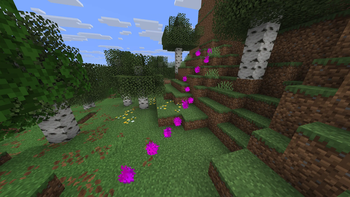
About this Mod
Please also contribute to this project. I don't have infinite time on my hands 🥺
✅ Features
- Function to find the path to a destination
📖 Usage
Call the astar:_ function and use the remaining markers tagged astar to guide anything
The starting position of the path will be located at the current entity, with the end position being the current position in the context
E.g. execute as @s at @p[distance=1..] run function astar:_
Note that floating destinations & unreached targets will result in failure
I recommend setting the maxCommandChainLength gamerule high enough for your terrain, or restrict the path to a maximum of ~10 blocks — otherwise, temporary markers may stay once the limit is reached
Config
The configuration is stored in the astar.config scoreboard objective.scoreboard players set maxDistance astar.config <maxDistance> — default: 100 (10 blocks) — max distance the pathfinder may travel till finalizing the path.scoreboard players set maxStepHeight astar.config <maxStepHeight> — default: 1 — how many blocks it may walk up at once.scoreboard players set maxFallDistance astar.config -<maxFallDistance> — default: -3 — negative value, how many blocks it may fall each step.
To avoid conflicts with others' usage, run function astar:default_config or scoreboard players reset * astar.config before your logic
Block Tags
#astar:climbable — climbable#astar:obstructs_floor — traversable, no descent#astar:impassable_floor — impassable floor#astar:impassable_wall — impassable wall
Penalty Block Tags
#astar:penalty/damage 160 — nearby#astar:penalty/danger 80 — nearby#astar:penalty/disliked 80
You may add a function to the #astar:eval_node tag to modify costs — return <any> results in only impassable being effective
— impassable via kill @s — add/remove cost via scoreboard players add/remove @s astar.f <amount>
Penalties increase the cost of a path segment, so the algorithm prefers other routes.
Example code
#code:loop.mcfunction:

data modify storage code:pathfinding points append from entity @s Pos
kill @s
execute as @n[type=marker,tag=astar] at @s run function code:loop

#code:main.mcfunction:

execute store success score found my_score at @n[tag=target] if function astar:_ as @n[type=marker,tag=astar,sort=furthest] at @s run function code:loop
execute unless score found my_score matches 1 run function code:set_direct_target # Walk directly towards target if no path is found
Available Versions
How to Install A* Pathfinding on Your Server
Order Server
Order a Minecraft Java server with at least 3 GB RAM (4 GB recommended).
Set datapack Loader
In the panel under "Egg", select the datapack loader and matching Minecraft version (26.4-snapshot-2).
Install Mod
Open the mod browser in the dashboard and search for "A* Pathfinding". Click "Install" – done! Alternatively, upload the .jar via SFTP to the /mods folder.
Compatibility
Mod Loaders
Minecraft Versions
26.4-snapshot-2, 26.4-snapshot-1, 26.3 (+86 more)
Server-side
✓ RequiredRecommended RAM
4 GB(min. 3 GB)Frequently Asked Questions
A* Pathfinding server crashes on startup – what to do?
Most common cause: wrong datapack version or insufficient RAM. Check the server log (latest.log) for "OutOfMemoryError" or "Mixin" errors. With Mado Hosting: ensure at least 3 GB RAM is allocated and the loader matches the mod version (26.4-snapshot-2). You can switch loaders with one click in the panel.
Is A* Pathfinding compatible with datapack and fabric and forge and neoforge and quilt?
A* Pathfinding officially supports datapack, fabric, forge, neoforge, quilt for Minecraft 26.4-snapshot-2, 26.4-snapshot-1, 26.3. Note: Forge and Fabric mods are NOT cross-compatible – pick one loader and stick with it. The Mado dashboard automatically detects incompatible loader combinations.
Server lagging with A* Pathfinding – how to optimize performance?
Recommended RAM: 4 GB (per 8 players). Use /spark profiler to check if A* Pathfinding consumes the most tick time. Common fixes: reduce server view-distance to 8-10, install "performant" or "starlight" as supplementary mods on Forge. With Mado Hosting, your server runs on NVMe SSDs with dedicated CPU cores for minimal latency.
Similar Mods



Rent Modded Server
Install A* Pathfinding with just one click on your server.