
Alternative Lamps BTA
Adds modern-ish redstone lamps to BTA!
Screenshots
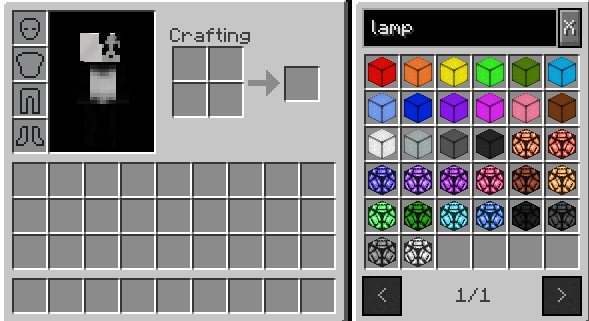
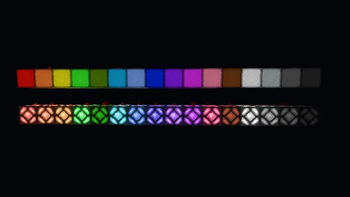
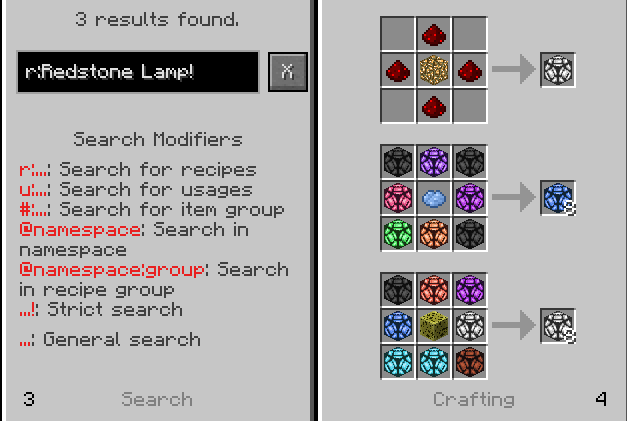
About this Mod
Alternative Lamps BTA!
Simple BTA! mod which adds redstone lamps.
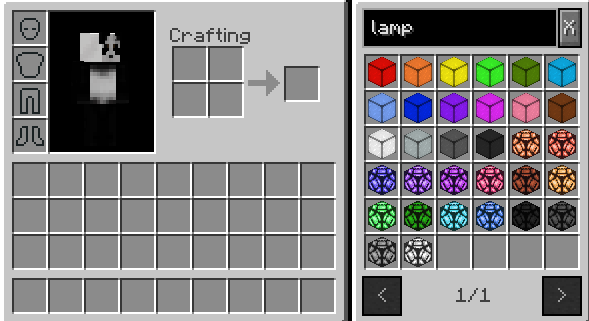
Textures by callmeiko.
A lot of this mod referenced Better With Enchanting and the recipes from Extra Dyables so credit to redart15 and horiuchii.
Thanks a lot to both.
Available Versions
How to Install Alternative Lamps BTA on Your Server
Order Server
Order a Minecraft Java server with at least 3 GB RAM (4 GB recommended).
Set bta-babric Loader
In the panel under "Egg", select the bta-babric loader and matching Minecraft version (b1.7.3).
Install Mod
Open the mod browser in the dashboard and search for "Alternative Lamps BTA". Click "Install" – done! Alternatively, upload the .jar via SFTP to the /mods folder.
Compatibility
Mod Loaders
Minecraft Versions
b1.7.3
Server-side
✓ RequiredRecommended RAM
4 GB(min. 3 GB)Frequently Asked Questions
Alternative Lamps BTA server crashes on startup – what to do?
Most common cause: wrong bta-babric version or insufficient RAM. Check the server log (latest.log) for "OutOfMemoryError" or "Mixin" errors. With Mado Hosting: ensure at least 3 GB RAM is allocated and the loader matches the mod version (b1.7.3). You can switch loaders with one click in the panel.
Is Alternative Lamps BTA compatible with bta-babric?
Alternative Lamps BTA officially supports bta-babric for Minecraft b1.7.3. The Mado dashboard automatically detects incompatible loader combinations.
Server lagging with Alternative Lamps BTA – how to optimize performance?
Recommended RAM: 4 GB (per 8 players). Use /spark profiler to check if Alternative Lamps BTA consumes the most tick time. Common fixes: reduce server view-distance to 8-10, install "performant" or "starlight" as supplementary mods on Forge. With Mado Hosting, your server runs on NVMe SSDs with dedicated CPU cores for minimal latency.
Similar Mods

![[ETF] Entity Texture Features](https://cdn.modrinth.com/data/BVzZfTc1/af683d206d50b05258d865b0d6e4aa2f2cee12f2_96.webp)
![[EMF] Entity Model Features](https://cdn.modrinth.com/data/4I1XuqiY/6e5bbd0d06b1741bfdab6c0cfab6de8fdaf0064c_96.webp)



Rent Modded Server
Install Alternative Lamps BTA with just one click on your server.