
Animatium
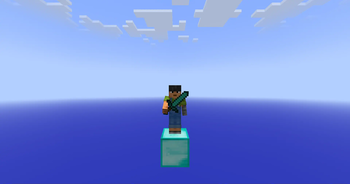
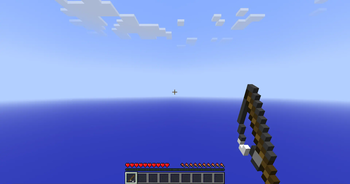
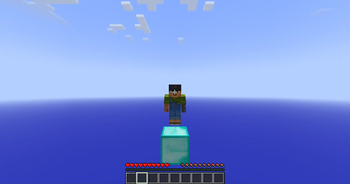
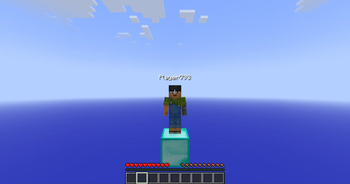
The all-you-could-want legacy animations mod for modern minecraft versions. Brings back animations from the 1.7/1.8 era and more.
Screenshots
About this Mod
Animatium

The all-you-could-want legacy animations mod for modern minecraft versions. Brings back animations from the 1.7/1.8 era
and more.
Nostalgica Reverie
Consider joining the Nostalgica Reverie Discord for sneak peeks and updates on development! By joining, you can:
- Get installation help and technical support for alot of nostalgic projects
- Get the latest updates about development
- Talk with and collaborate with our team
- And just hang out with the rest of our community!
Dependencies
This mod uses YACL as it's config library of choice. Make sure you install the correct
version to prevent crashing.
Notes
If you are using Lunar Client, some features will not work as intended.
If you find anything else not working, please report it on the GitHub and we will try to fix it.
Do note that, Lunar does take priority in some places for enabled/disabled settings.
Support
Have any issues or need support? Feel free to use
our issue tracker to address that. If you are reporting a
crash, make sure you include information about the mods you are using and attach any relevant log files you have. If you
want to suggest features, join our discord!
Enums
Feature
| Feature Name | Identifier | Description |
|---|---|---|
| All | all | Turn on all of these features. |
| Miss Penalty | miss_penalty | Turn on/off the swing miss penalty. |
| Left Click Item Usage | left_click_item_usage | Turn on/off the ability to start using a item whilst holding left click. |
| Mining Item Usage | mining_item_usage | Turn on/off the ability to start mining/break blocks whilst using a item like in 1.7. |
| Hide Attached Fishing Rod Bobber | hide_rod_bobber | Turn on/off the rendering of the fishing rod bobber when attached to you in first-person. |
| Pick Inflation | pick_inflation | Turn on/off the 0.1 pick (hitbox) inflation when attacking an entity. |
| Old Sneak Height | old_sneak_height | Turn on/off the old hitbox/eye height size when sneaking like it was in <=1.8. |
| Client-Sided Entity Movement | clientside_entities | Turn on/off the entity movement calculations from the client. (In 1.7, entity movement was handled by the client) |
Payloads
Allows the server to enable/disable server-only features that enhance gameplay.
| Identifier | Direction | Field Name | Field Type | Description |
|---|---|---|---|---|
| animatium:info | Server | Version | Double | Current release version of the mod. |
| Development Version | Optional |
Current dev build commit of the mod. Only provided when mod is a development build. | ||
| Config Category Count | Var Int | |||
| Config Entry* | Config Category (x)^* | |||
| animatium:set_features | Client | Features List | EnumSet<Feature> | List of server-features the client should use currently. |
Config Category
| Field Name | Field Type | Description |
|---|---|---|
| Entry | Config Entry (x)* | Each entry of the config category |
Config Entry
| Field Name | Field Type | Description |
|---|---|---|
| Name | String | The id of the config field |
| Type | Enum |
The type used to determined the type of the value provided. |
| Value | T | Value based on type. (Boolean, Float, Enum) |
Available Versions
How to Install Animatium on Your Client
Install the Mod Loader Locally
Install fabric for your local Minecraft version.
Download the Matching File
Choose the Animatium file for fabric and Minecraft 26.2.
Install Mod
Place the .jar file in your local .minecraft/mods folder and restart Minecraft. No server-side installation is required.
Compatibility
Mod Loaders
Minecraft Versions
26.2, 26.1.2, 26.1.1 (+10 more)
Server-side
✗ UnsupportedRecommended RAM
4 GB(min. 3 GB)Frequently Asked Questions
Does Animatium need to be installed on the Minecraft server?
No. Modrinth marks Animatium as unsupported on the server side. Install it only in your local Minecraft mods folder. Your server can remain unchanged unless the mod page lists an additional dependency.
Which version and loader does Animatium require?
Use a file for fabric and your exact Minecraft version. Supported versions include 26.2, 26.1.2, 26.1.1. Files for different loaders are not interchangeable.
Animatium is not working – what should I check?
First check the Minecraft version, loader version and required dependencies. Put the .jar file in your local .minecraft/mods folder and remove older duplicates. Because this mod is client-side, adding server RAM will not fix it.
Similar Mods





Minecraft Server for Your Group
Animatium stays on your client. Host a compatible world for your group.