
Better loading screen
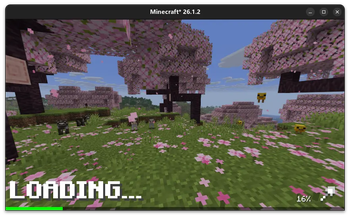
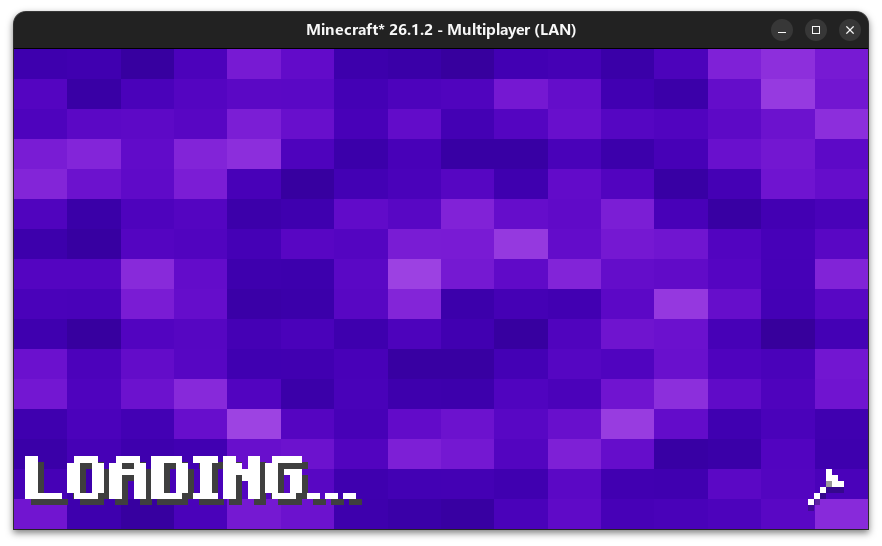
Enjoy a more beautiful loading screen when you load world!
Screenshots

About this Mod
更好的加载屏幕
此 Mod 彻底重构了原版游戏传统的存档加载界面,将其替换为更具现代感的全新加载动画与 UI。

(包含优雅的 LOADING 文本提示、实时进度百分比以及平滑的加载动画)
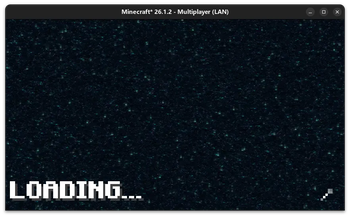
此外,该优化界面同样完美支持玩家在切换维度(如进入下界、末地)时的加载过程,带来全程无缝、统一的视觉体验。
依赖
- 必要依赖
- Cloth Config API: >= 26.3.159
- 可选依赖
- Mod Menu: >= 21.0.0
如果你不添加 Mod Menu 模组,你将无法打开配置页面
Better loading screen
This mod completely reconstructs the vanilla game's traditional world-loading interface, replacing it with a more modern
new loading animation and UI.
(Features a clean "LOADING" text, real-time progress percentage, and smooth loading animations)
Furthermore, this enhanced loading screen seamlessly applies to dimension transitions (e.g., traveling to the Nether or
the End), ensuring a consistent and visually pleasing experience throughout your journey.
Dependencies
- Required Dependencies
- Cloth Config API: >= 26.3.159
- Optional Dependencies
- Mod Menu: >= 21.0.0
If you do not include the Mod Menu mod, you will not be able to open the configuration screen.
Available Versions
How to Install Better loading screen on Your Client
Install the Mod Loader Locally
Install fabric for your local Minecraft version.
Download the Matching File
Choose the Better loading screen file for fabric and Minecraft 26.3.
Install Mod
Place the .jar file in your local .minecraft/mods folder and restart Minecraft. No server-side installation is required.
Compatibility
Mod Loaders
Minecraft Versions
26.3, 26.2, 26.1.2 (+15 more)
Server-side
✗ UnsupportedRecommended RAM
4 GB(min. 3 GB)Frequently Asked Questions
Does Better loading screen need to be installed on the Minecraft server?
No. Modrinth marks Better loading screen as unsupported on the server side. Install it only in your local Minecraft mods folder. Your server can remain unchanged unless the mod page lists an additional dependency.
Which version and loader does Better loading screen require?
Use a file for fabric and your exact Minecraft version. Supported versions include 26.3, 26.2, 26.1.2. Files for different loaders are not interchangeable.
Better loading screen is not working – what should I check?
First check the Minecraft version, loader version and required dependencies. Put the .jar file in your local .minecraft/mods folder and remove older duplicates. Because this mod is client-side, adding server RAM will not fix it.
Similar Mods


Minecraft Server for Your Group
Better loading screen stays on your client. Host a compatible world for your group.