
Better Resolution
Better Resolution improves GPU performance by lowering Minecraft’s internal render resolution and then reconstructing it back to native resolution using smart and lightweight algorithms.
Screenshots
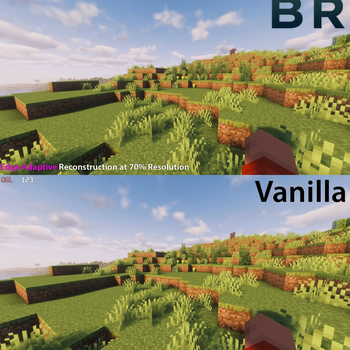
About this Mod
Better Resolution
Better Resolution improves GPU performance by rendering Minecraft’s 3D world at a configurable internal resolution, then back to native resolution using smart and lightweight algorithms.
It is both higher quality and higher performance than alternatives. It was created because I had a personal gripe with how pixelated, aliased and blurry the game becomes when using other scaling mods.
Performance Benefits
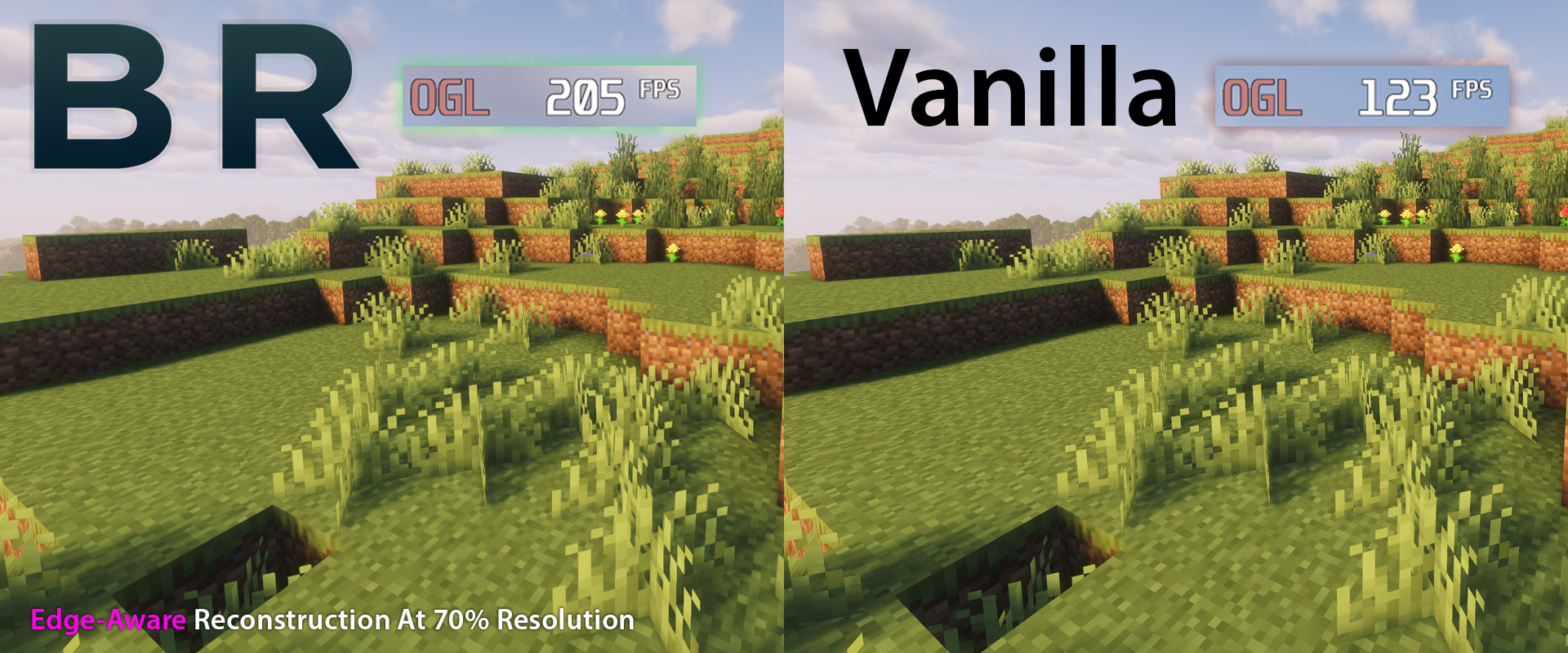
Better Resolution provides a large GPU performance boost, especially on systems limited by graphics performance.
The benefit can be even more significant with shaders, where lowering the world render resolution can greatly reduce the cost of shader rendering.
For lower-end GPUs, this can make higher settings or shaders much more practical.
What Does The Mod Do?
The world is rendered at the selected internal resolution and reconstructed to your display resolution. This keeps the interface sharp while allowing the 3D scene to scale for better performance.
Resolution Scaling
You can use built-in presets or manually adjust the internal world resolution with a slider.
Lower scales improve performance more. Higher scales increase the quality of the render.
Upscaling Methods
Better Resolution includes two upscaling methods.
Smooth
The default option.
Smooth uses lightweight edge-aware reconstruction to reduce harsh aliasing, pixelation and improve line stability.
This helps the image feel closer to how it should look while keeping the upscale fast.
Sharp
A lightweight sharp reconstruction option.
Sharp keeps the image crisp with smart sharpening. This option is useful if you prefer a sharper look. Provides the highest performance without any blurring.
Configuration
Available in Sodium’s Video Settings.
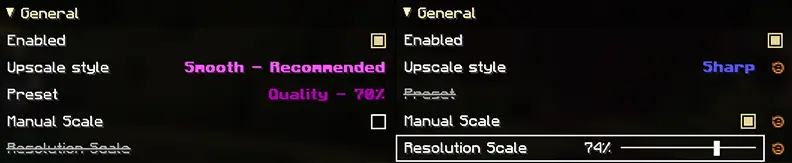
You can enable or disable the mod, choose the upscaling method, select a resolution preset, or enable the manual resolution scale slider.
The manual slider is disabled when presets are enabled.
Mod Compatibility
Better Resolution is a client-side Fabric mod.
It is designed to work with Sodium and popular performance mods. If you find an incompatibility, please report it and I will check it out.
Updates & Future Plans
I will be updating this mod to every stable Minecraft release.
Further image quality improvements and performance optimizations, new features will be added over time.
The mod will be ported back to some earlier versions of Minecraft. Head over to Discord if the mod isn't available in a version you are playing in.
Contact
You can join the Discord server to report bugs, request features, ask questions, or reach out to me.
Available Versions
How to Install Better Resolution on Your Client
Install the Mod Loader Locally
Install fabric for your local Minecraft version.
Download the Matching File
Choose the Better Resolution file for fabric and Minecraft 26.3.
Install Mod
Place the .jar file in your local .minecraft/mods folder and restart Minecraft. No server-side installation is required.
Compatibility
Mod Loaders
Minecraft Versions
26.3, 26.2, 26.1.2 (+4 more)
Server-side
✗ UnsupportedRecommended RAM
4 GB(min. 3 GB)Frequently Asked Questions
Does Better Resolution need to be installed on the Minecraft server?
No. Modrinth marks Better Resolution as unsupported on the server side. Install it only in your local Minecraft mods folder. Your server can remain unchanged unless the mod page lists an additional dependency.
Which version and loader does Better Resolution require?
Use a file for fabric and your exact Minecraft version. Supported versions include 26.3, 26.2, 26.1.2. Files for different loaders are not interchangeable.
Better Resolution is not working – what should I check?
First check the Minecraft version, loader version and required dependencies. Put the .jar file in your local .minecraft/mods folder and remove older duplicates. Because this mod is client-side, adding server RAM will not fix it.
Similar Mods


Minecraft Server for Your Group
Better Resolution stays on your client. Host a compatible world for your group.