Big Sign Writer

Big Sign Writer

Easily write large multi-line characters on signs!

by
152.1K Downloads
fabricforgeneoforgedecorationsocialutility
Configure a Compatible Minecraft Server

Screenshots

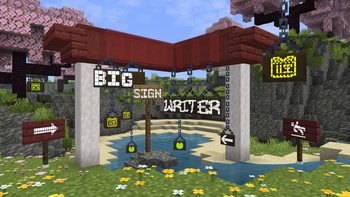
BIG SIGN WRITER
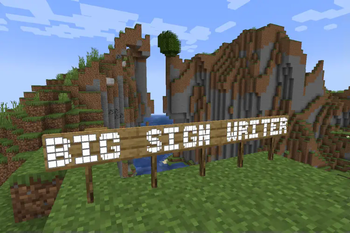
Big Sign Writer Screenshot 2
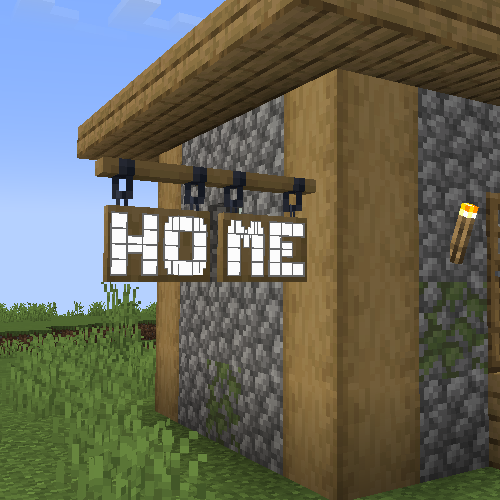
Big Sign Writer Screenshot 3
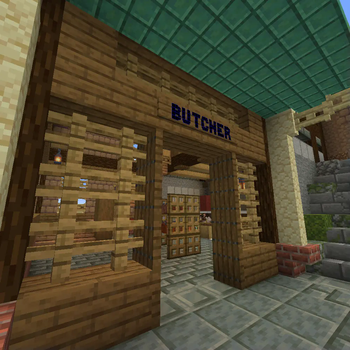
Big Sign Writer Screenshot 4
Big Sign Writer Screenshot 5
Big Sign Writer Screenshot 6

About this Mod

Due to MC-308809, all existing signs written with Big Sign Writer will appear broken in 26.2. This has been fixed in the 26.3 snapshots.

If you are playing on 26.2, a resource pack fixing the mod's fonts can be found here.


A client-side utility mod that eases inputting text onto signs that forms larger letters! Just turn the toggle on in the sign editing UI, and type as normal! Each large character is made up of smaller, normal Unicode characters from the vanilla Minecraft font, allowing this mod to work on most servers.

Certain resource packs may cause issues.
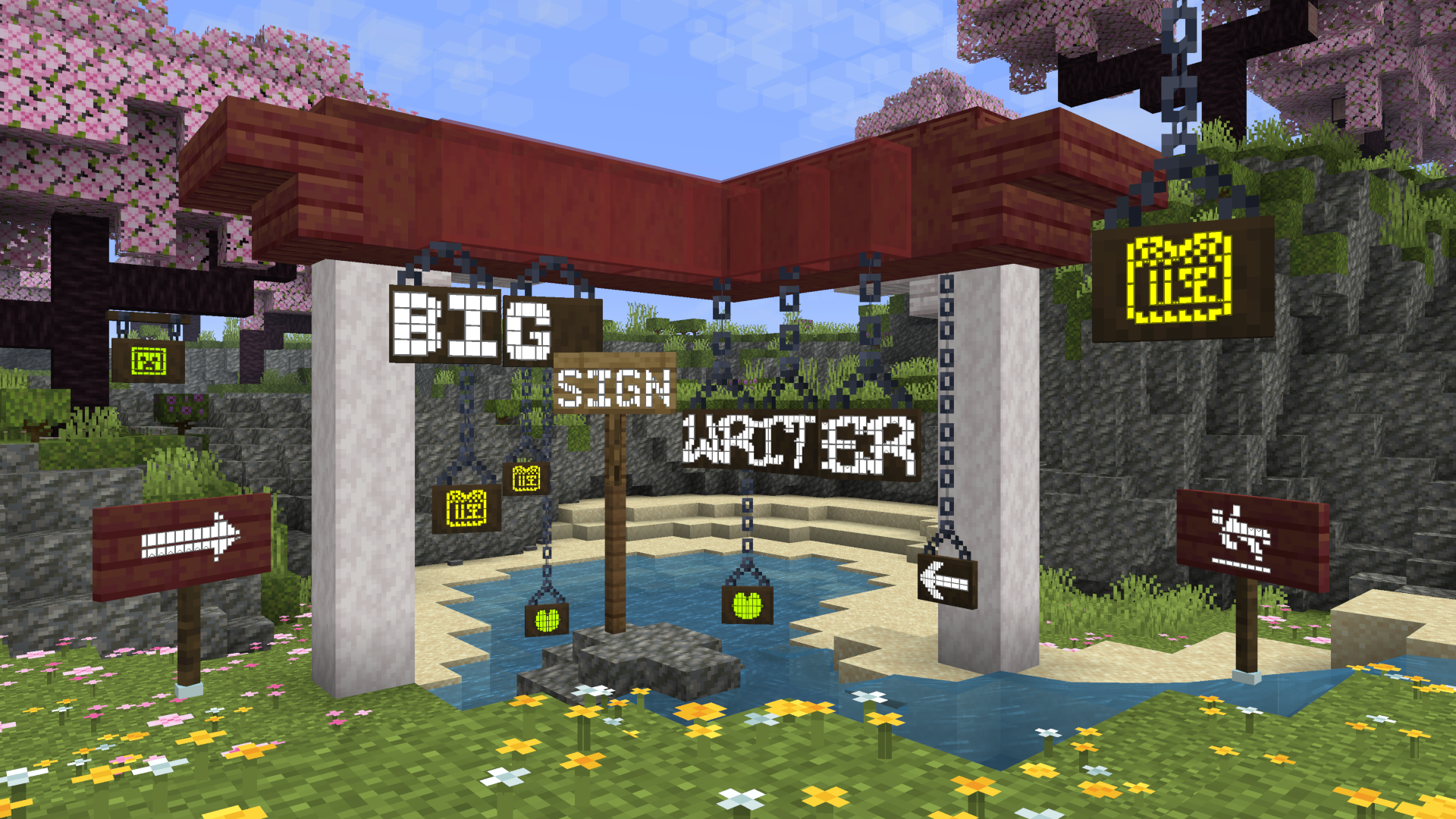

'BIG SIGN WRITER' written across several signs in large text


A button is added to the sign editing GUI to switch between large letter typing and normal. This button's position can be changed in the config file. (config/bigsignwriter/config.json)

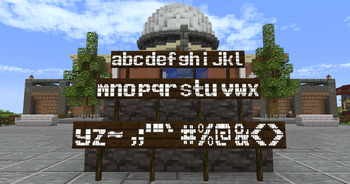
Most default fonts have large characters for all uppercase letters, all numbers, and a few additional symbols. Custom fonts can be added in the 'fonts' folder. (config/bigsignwriter/fonts/)


Configuration
The config and font files are loaded once at runtime, and can be reloaded through the in-game config screen.

config/bigsignwriter/config.json

Contains the general mod configuration. Can be edited through the in-game config screen, accessible by default through the sign edit screen, or Mod Menu on Fabric and NeoForge's mod list.


config/bigsignwriter/fonts/

Folder where you can put custom fonts! You can create copies of the default fonts from the in-game config screen, which will go here.

Custom fonts are .json files, which contain a "name":"" field, an optional "characterSeparator":"" field, which can override which character(s) to use in between letters, and a "characters":{} field containing every large character and the normal character they represent. You may add additional characters, as long as what you want replaced is a single, type-able character. There's also an optional "credits":"" field for adding credits, and an optional "parentFont":"" field for explicitly defining which font to inherit characters from (based on filename without ".json", or built-in id).

When editing/creating large characters, it is important that each line is the exact same width to maintain alignment. Different fonts will have different widths for different characters, so it is a good idea to make these directly inside Minecraft, and then copy each line into the config file.

The default 'T' is a good example, the top line is 3 blocks, which are 9 pixels wide each, making for a total of 27 pixels. Each subsequent line has one block, then on both sides of the block there is 1 space (4 pixels wide), and 1 "no-break space" (5 pixels wide), bringing the total in line at 27.

To check that your alignment is good, I like to copy three blocks β–ˆβ–ˆβ–ˆ onto both sides of each line, then modify each line until all the blocks are in line with each other.

A massively helpful tool to aid in this process is Symbol Chat, which adds a menu where you can filter every available Unicode character by their width, among other things.


Available Versions

Big Sign Writer 2.2.0+26.1-fabricrelease
MC 26.1, 26.1.1, 26.1.2fabric
June 23, 2026
Big Sign Writer 2.2.0+26.1-neoforgerelease
MC 26.1, 26.1.1, 26.1.2neoforge
June 23, 2026
Big Sign Writer 2.2.0+1.21.11-fabricrelease
MC 1.21.11fabric
June 23, 2026
Big Sign Writer 2.2.0+1.21.11-neoforgerelease
MC 1.21.11neoforge
June 23, 2026
Big Sign Writer 2.2.0+1.21.10-fabricrelease
MC 1.21.9, 1.21.10fabric
June 23, 2026

How to Install Big Sign Writer on Your Client

1

Install the Mod Loader Locally

Install fabric for your local Minecraft version.

2

Download the Matching File

Choose the Big Sign Writer file for fabric and Minecraft 26.1.2.

3

Install Mod

Place the .jar file in your local .minecraft/mods folder and restart Minecraft. No server-side installation is required.

Compatibility

Mod Loaders

fabricforgeneoforge

Minecraft Versions

26.1.2, 26.1.1, 26.1 (+21 more)

Server-side

βœ— Unsupported

Recommended RAM

4 GB(min. 3 GB)

Frequently Asked Questions

Does Big Sign Writer need to be installed on the Minecraft server?

No. Modrinth marks Big Sign Writer as unsupported on the server side. Install it only in your local Minecraft mods folder. Your server can remain unchanged unless the mod page lists an additional dependency.

Which version and loader does Big Sign Writer require?

Use a file for fabric, forge, neoforge and your exact Minecraft version. Supported versions include 26.1.2, 26.1.1, 26.1. Files for different loaders are not interchangeable.

Big Sign Writer is not working – what should I check?

First check the Minecraft version, loader version and required dependencies. Put the .jar file in your local .minecraft/mods folder and remove older duplicates. Because this mod is client-side, adding server RAM will not fix it.

Minecraft Server for Your Group

Big Sign Writer stays on your client. Host a compatible world for your group.

Recommended RAM
4 GBfrom €5.2/mo
Minimum 3 GB | per 8 players
Create Server Now
Client Compatibility Guide
NVMe SSD Storage
DDoS Protection included

Details

License
Mozilla Public License 2.0
Server-side
Unsupported

Supported Versions

26.1.226.1.126.126.1-rc-326.1-rc-21.21.111.21.101.21.91.21.81.21.7+14 more