
Boosters
Throttles distant mob AI, culls off-screen entities, slows down far-away block entity ticking (except the ones you'd actually notice, like hoppers and pistons), and cuts particle count — deferring to Sodium/Lithium/EntityCulling instead of fighting them.
About this Mod
Boosters
A performance mod. Built it because my singleplayer world started chugging once I had a proper base going and more mobs than I'd like to admit wandering around. Most performance mods try to do everything.
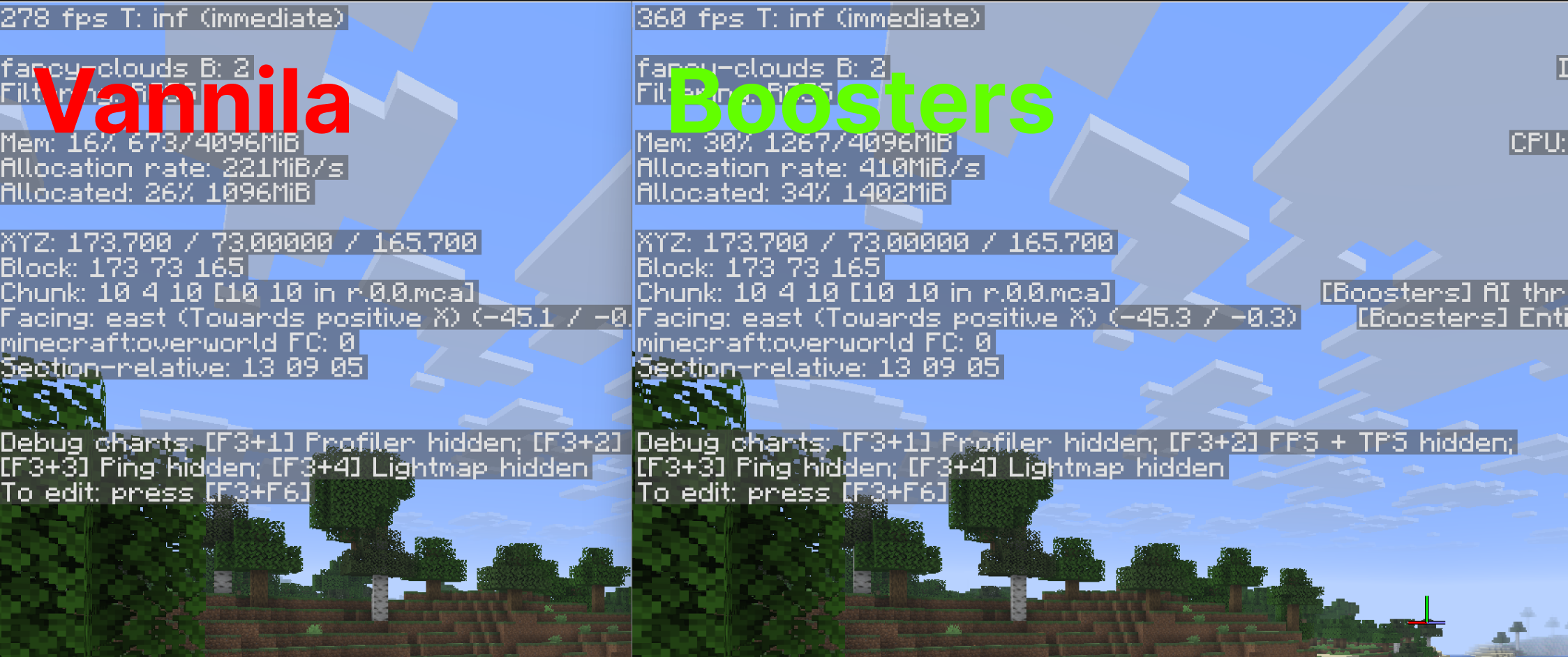
This one doesn't
it picks a few specific problems (mob AI, entity rendering, block entity ticking, particles) and leaves the rest to mods that already handle it better.
Features Mob AI throttling
mobs far from any player update their sensing, pathfinding and target selection less often, scaled by distance. Nothing changes for mobs near you. Entity culling - entities past a configurable distance simply don't get rendered. Same for nametags, with their own separate (tighter) cutoff.
Block entity throttling
furnaces, signs, and similar tick slower the farther they are from a player.
Hoppers, pistons, beacons, conduits, brewing stands and sculk are excluded by default, since those are the ones where throttling is actually noticeable (stuck items, stuttering pistons). The exclusion list is editable in the settings. Particle reduction - a density multiplier plus a hard distance cutoff for particle spawning.
Block entity renderers
shorter render distance specifically for chest lids, sign text, skulls and banners, separate from the block model itself. ## Plays well with others If you have EntityCulling installed, Boosters detects it and turns off its own entity culling automatically - no reason to duplicate worse occlusion logic when a dedicated mod already does it properly. Sodium, Lithium, C2ME, Starlight, FerriteCore, Krypton and Noisium are all detected too; they operate on different layers of the engine so there's nothing to disable there, they just coexist fine.
Configuration Full settings screen via Cloth Config, accessible from Mod Menu if installed, or through a keybind (; by default) if not.
Press F3 to see a live line of what the mod is actually doing per second - AI throttled, entities culled, particles dropped - instead of just a version number confirming it's loaded. ## One honest disclaimer This isn't a rendering engine rewrite, so don't expect Sodium-tier numbers from it alone. It's throttling and culling logic that reduces real work the game does - the gain depends entirely on your scene.
Big base, lots of mobs, storage rooms full of chests?
You'll feel it.
Empty superflat world?
Available Versions
How to Install Boosters on Your Server
Order Server
Order a Minecraft Java server with at least 3 GB RAM (4 GB recommended).
Set fabric Loader
In the panel under "Egg", select the fabric loader and matching Minecraft version (26.3).
Install Mod
Open the mod browser in the dashboard and search for "Boosters". Click "Install" – done! Alternatively, upload the .jar via SFTP to the /mods folder.
Compatibility
Mod Loaders
Minecraft Versions
26.3, 26.2
Server-side
✓ RequiredRecommended RAM
4 GB(min. 3 GB)Frequently Asked Questions
Boosters server crashes on startup – what to do?
Most common cause: wrong fabric version or insufficient RAM. Check the server log (latest.log) for "OutOfMemoryError" or "Mixin" errors. With Mado Hosting: ensure at least 3 GB RAM is allocated and the loader matches the mod version (26.3). You can switch loaders with one click in the panel.
Is Boosters compatible with fabric and neoforge?
Boosters officially supports fabric, neoforge for Minecraft 26.3, 26.2. The Mado dashboard automatically detects incompatible loader combinations.
Server lagging with Boosters – how to optimize performance?
Recommended RAM: 4 GB (per 8 players). Use /spark profiler to check if Boosters consumes the most tick time. Common fixes: reduce server view-distance to 8-10, install "performant" or "starlight" as supplementary mods on Forge. With Mado Hosting, your server runs on NVMe SSDs with dedicated CPU cores for minimal latency.
Similar Mods


Rent Modded Server
Install Boosters with just one click on your server.