
Caelum
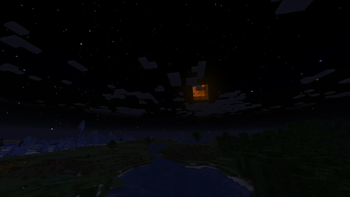
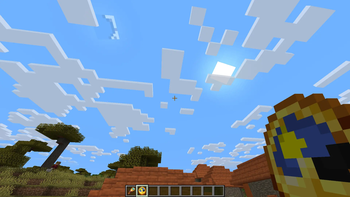
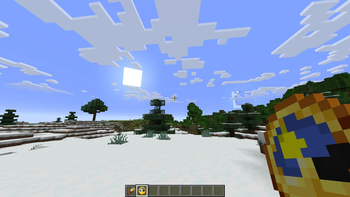
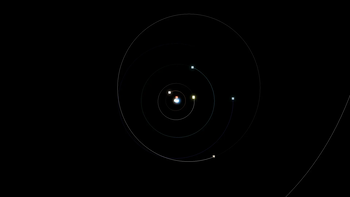
Realistic stars and Keplerian orbital mechanics of the Sun, Earth, Moon and the planets. Now with eclipses and stuff
Screenshots
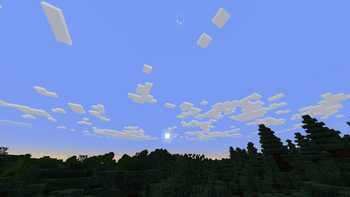
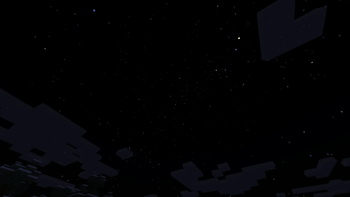
About this Mod
Caelum

Caelum is a Minecraft mod, that aims to make the Minecraft sky more realistic by calculating the positions of the major solar system objects (namely the Earth and Moon) based on their Keplerian** orbital elements for the given date.
Features
- choose whether to use the Vanilla or custom stars (or whether to render stars at all)
- add or even replace the custom stars using resource packs
- add and edit celestial objects like moons and planets
- enable/disable star color (does not apply to Vanilla stars)
- change star size (does not apply to Vanilla stars)
- change the speed of passage of time (i.e. how long the day and night are)
- have a different length of the day depending on your latitude (the Z coordinate) - resulting in polar days and nights near polar regions.
- experience solar and lunar eclipses and planet transits
The positions of the planets correspond to their positions IRL within some tolerance, thus resulting in solar/lunar eclipses on the same* dates as they would IRL.
Compatibility
Keep in mind that the shader support is partial at best. While the positions of the Sun and the Moon and their shadows should be right for a large portion of shaders, stuff like custom stars or planets are almost certainly not going to work, as the shaders do their own sky rendering.
The 3.0.0.0+ versions of the mod are client-side with optional server-side support - ideally, you want the mod both on the client side and the server side, so stuff like mob spawning is affected, though it is also possible to join with the mod servers without the mod. If the mod is present on the server side, all clients must have the mod.
*Vanilla Minecraft Sun and Moon are several times larger than they are IRL, resulting in more eclipses. Their size can be made more realistic in the config.
** Keplerian orbits apply to the 3.0.0.0+ versions of the mod, the previous versions use simpler circular orbit approximation for the Moon.
Available Versions
How to Install Caelum on Your Client
Install the Mod Loader Locally
Install forge for your local Minecraft version.
Download the Matching File
Choose the Caelum file for forge and Minecraft 1.21.1.
Install Mod
Place the .jar file in your local .minecraft/mods folder and restart Minecraft. No server-side installation is required.
Compatibility
Mod Loaders
Minecraft Versions
1.21.1, 1.20.1
Server-side
✗ UnsupportedRecommended RAM
4 GB(min. 3 GB)Frequently Asked Questions
Does Caelum need to be installed on the Minecraft server?
No. Modrinth marks Caelum as unsupported on the server side. Install it only in your local Minecraft mods folder. Your server can remain unchanged unless the mod page lists an additional dependency.
Which version and loader does Caelum require?
Use a file for forge, neoforge and your exact Minecraft version. Supported versions include 1.21.1, 1.20.1. Files for different loaders are not interchangeable.
Caelum is not working – what should I check?
First check the Minecraft version, loader version and required dependencies. Put the .jar file in your local .minecraft/mods folder and remove older duplicates. Because this mod is client-side, adding server RAM will not fix it.
Similar Mods

![[ETF] Entity Texture Features](https://cdn.modrinth.com/data/BVzZfTc1/af683d206d50b05258d865b0d6e4aa2f2cee12f2_96.webp)
![[EMF] Entity Model Features](https://cdn.modrinth.com/data/4I1XuqiY/6e5bbd0d06b1741bfdab6c0cfab6de8fdaf0064c_96.webp)



Minecraft Server for Your Group
Caelum stays on your client. Host a compatible world for your group.