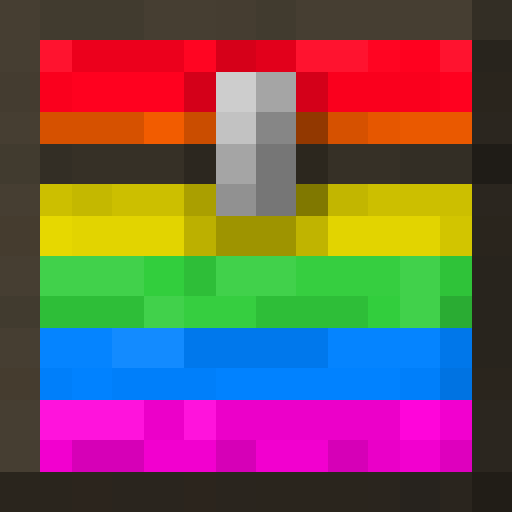
Chest Colorizer
Color-code your chests to easily distinguish between different types of items stored in them
Screenshots
About this Mod
Chest Colorizer


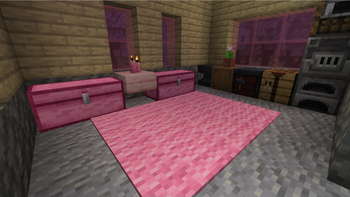
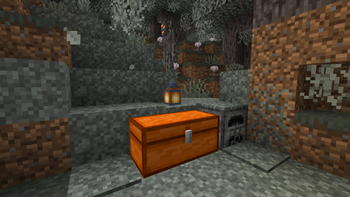
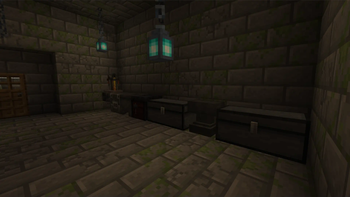
Color-code your chests and barrels to easily distinguish between different types of items stored in them. With this mod, you can use a variety of dyes to assign a specific color to a chest, making it easy to identify what's inside with just a quick glance. Works on all servers!
📁 Installation
- Download and install Fabric for Minecraft 26.2.
- Download Chest Colorizer mods.
- Place the downloaded mod file in the "mods" folder located in your Minecraft game directory.
- Launch Minecraft with the Fabric mod loader and enjoy the mod!
⚙️ Usage
- Place a chest in the game world.
- Right-click the chest with a dye to color-code the chest. The color of the dye will be applied to the chest.
- To clear the color of a chest, right-click the chest with paper.
Note: Chest colors are saved on the client-side and will not be visible to other players.
✉️ Feedback and Support

If you encounter any issues while using the BindCommands mod or have any suggestions for improvement, please feel free to open an issue on the mod's GitHub page or visit our Discord. We appreciate any and all feedback!
🔧 Compatibility
Chest Colorizer has been tested to work with Sodium. However, it is not compatible with Enhanced Block Entities, and users have reported issues when trying to use these mods together. If you experience any compatibility problems with other mods, please open an issue on our GitHub page.
Available Versions
How to Install Chest Colorizer on Your Client
Install the Mod Loader Locally
Install fabric for your local Minecraft version.
Download the Matching File
Choose the Chest Colorizer file for fabric and Minecraft 26.2.
Install Mod
Place the .jar file in your local .minecraft/mods folder and restart Minecraft. No server-side installation is required.
Compatibility
Mod Loaders
Minecraft Versions
26.2, 26.1.2, 26.1.1 (+26 more)
Server-side
✗ UnsupportedRecommended RAM
4 GB(min. 3 GB)Frequently Asked Questions
Does Chest Colorizer need to be installed on the Minecraft server?
No. Modrinth marks Chest Colorizer as unsupported on the server side. Install it only in your local Minecraft mods folder. Your server can remain unchanged unless the mod page lists an additional dependency.
Which version and loader does Chest Colorizer require?
Use a file for fabric and your exact Minecraft version. Supported versions include 26.2, 26.1.2, 26.1.1. Files for different loaders are not interchangeable.
Chest Colorizer is not working – what should I check?
First check the Minecraft version, loader version and required dependencies. Put the .jar file in your local .minecraft/mods folder and remove older duplicates. Because this mod is client-side, adding server RAM will not fix it.
Similar Mods

![[ETF] Entity Texture Features](https://cdn.modrinth.com/data/BVzZfTc1/af683d206d50b05258d865b0d6e4aa2f2cee12f2_96.webp)
![[EMF] Entity Model Features](https://cdn.modrinth.com/data/4I1XuqiY/6e5bbd0d06b1741bfdab6c0cfab6de8fdaf0064c_96.webp)



Minecraft Server for Your Group
Chest Colorizer stays on your client. Host a compatible world for your group.