
CLab
Bringing Hardware Occlusion Culling (HOC) to Minecraft entity rendering optimization.
Screenshots
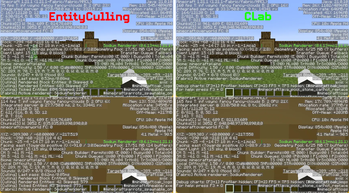
About this Mod
Bringing Hardware Occlusion Culling (HOC) to Minecraft entity rendering optimization.
CLab is a client-side rendering optimization mod. It leverages GPU OpenGL occlusion queries to determine entity visibility directly, eliminating the approximation errors and side effects inherent to traditional CPU-side pathtracing.
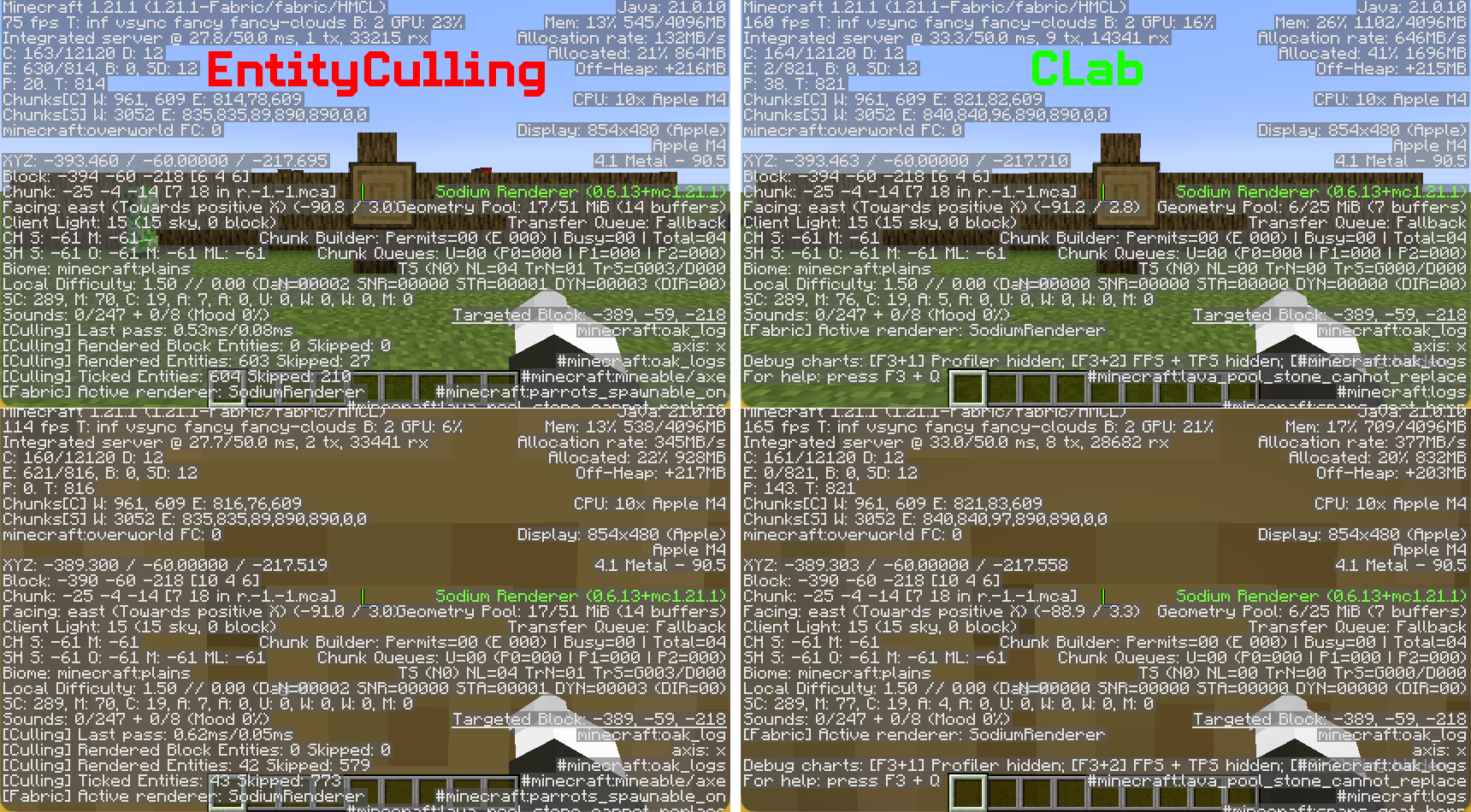
Core Features
Hardware Occlusion Culling (HOC)
Uses GPU queries to test entity bounding boxes against the depth buffer, measuring real occlusion against actually rendered terrain rather than CPU-side approximations of the world model.Zero False-Positive Culling
Based on ground-truth depth buffer testing. An entity is never hidden if even a single pixel is visible. No whitelist needed, no per-mod patches required.Render-Layer Only, Zero Intrusion
Only decides whether to invoke the entity render method. Does not interfere with client-side ticks, animation states, position interpolation, or any logic. Trains, vehicles, and contraptions behave normally.Built-in Leaf Face Culling
Automatically culls leaf faces occluded by adjacent leaves, reducing terrain rendering overhead.Zero-Config, Works Out of the Box
No entity whitelist, no distance threshold, no tick-culling toggle. Install and play.
Technical Overview
CLab uses Hardware Occlusion Culling:
- During entity rendering, submit the entity bounding box to the GPU as an occlusion query (OpenGL Query).
- The GPU compares the bounding box against the already-rendered terrain depth buffer at the hardware level.
- Read the previous frame's query result: if no pixels passed the depth test, skip rendering this entity.
This creates a fundamental difference:
| Aspect | CPU Pathtracing | CLab HOC |
|---|---|---|
| Occlusion basis | Simplified assumptions about world model | Actual GPU-rendered depth buffer |
| False positives (hiding visible entities) | Common (near non-solid blocks) | Extremely unlikely |
| Entity tick/animation | Often frozen or skipped | Completely unaffected |
| CPU overhead | Continuous background traversal | Render thread submits AABB only; GPU handles the rest asynchronously |
| Configuration required | Whitelists, distance limits, thresholds as compensatory mechanisms | None required |
⚠️ Important Compatibility Notes
- Hardware Requirement: CLab requires a dedicated graphics card with OpenGL 3.3 or higher. Most modern GPUs meet this requirement, but certain older integrated graphics or outdated drivers may not.
- Do NOT use with other entity culling mods: CLab should not be installed alongside EntityCulling or any other mod that modifies entity/block entity visibility. While these mods use different techniques, they all ultimately override the same visibility decisions. Running more than one will not improve performance — instead, they may conflict and cancel out each other's optimizations, resulting in wasted resources and potential visual inconsistencies. For the best results, keep only CLab active.
Compatibility & Future Optimizations
The current approach was chosen to maintain compatibility with older devices and macOS. A more advanced technique is available, but it would introduce compatibility problems on those systems. Development and testing are currently done on a Mac, which limits how far I can improve things today. I plan to transition to a machine with OpenGL 4.6 support soon, after which I’ll introduce a system that automatically selects the optimal method during loading.
Available Versions
How to Install CLab on Your Client
Install the Mod Loader Locally
Install fabric for your local Minecraft version.
Download the Matching File
Choose the CLab file for fabric and Minecraft 1.21.1.
Install Mod
Place the .jar file in your local .minecraft/mods folder and restart Minecraft. No server-side installation is required.
Compatibility
Mod Loaders
Minecraft Versions
1.21.1, 1.21, 1.20.1 (+1 more)
Server-side
✗ UnsupportedRecommended RAM
4 GB(min. 3 GB)Frequently Asked Questions
Does CLab need to be installed on the Minecraft server?
No. Modrinth marks CLab as unsupported on the server side. Install it only in your local Minecraft mods folder. Your server can remain unchanged unless the mod page lists an additional dependency.
Which version and loader does CLab require?
Use a file for fabric, forge, neoforge, quilt and your exact Minecraft version. Supported versions include 1.21.1, 1.21, 1.20.1. Files for different loaders are not interchangeable.
CLab is not working – what should I check?
First check the Minecraft version, loader version and required dependencies. Put the .jar file in your local .minecraft/mods folder and remove older duplicates. Because this mod is client-side, adding server RAM will not fix it.
Similar Mods


Minecraft Server for Your Group
CLab stays on your client. Host a compatible world for your group.