
Create: Nowheel
A powerful optimization mod for Create, unifying Flywheel and Entity Culling to improve frame rates, reduce micro-stutter, and fix bugs
About this Mod
Nowheel
Nowheel is a lightweight yet powerful optimization mod for Create, unifying Flywheel and Entity Culling to improve frame rates, reduce micro-stutter, and fix bugs.
New in 2.0: Pop-in and hitches should now be fully gone for most configurations!(Note: Indirect Flywheel is needed for this optimization. Colorwheel 1.3+ is needed if you are using shaders but other versions work)
Nowheel increases performance by improving how Create handles machines that are not visible to the player. This effect is greatly amplified in bigger factories where not many machines are actually visible.
Some of the optimizations that could impact visual fidelity or could have issues are disabled by default.
Enabling these optimizations in the mod's config should generally be pretty harmless and provide a nice little performance improvement without sacrificing much. Please report any issues that you experience with these options enabled.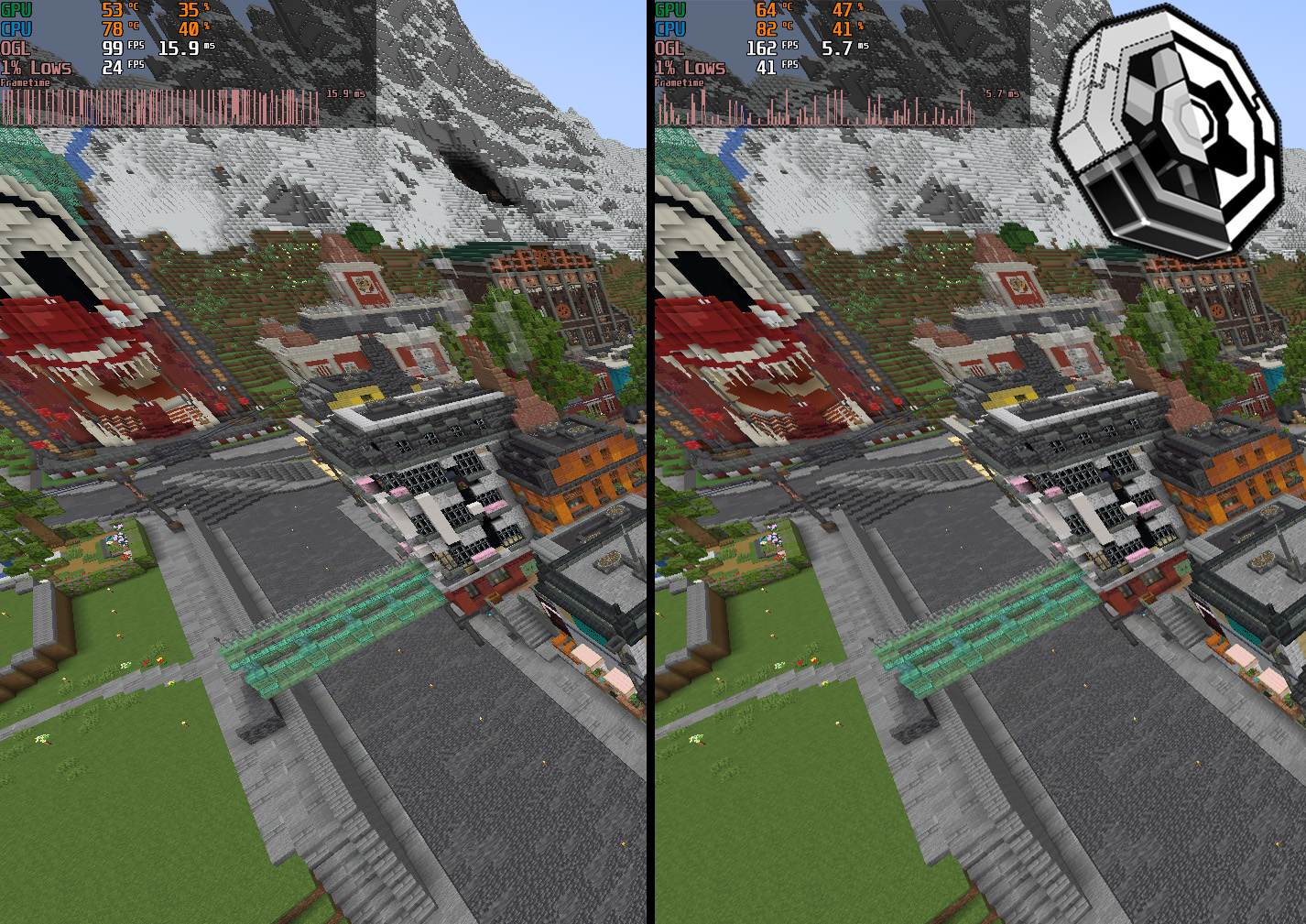
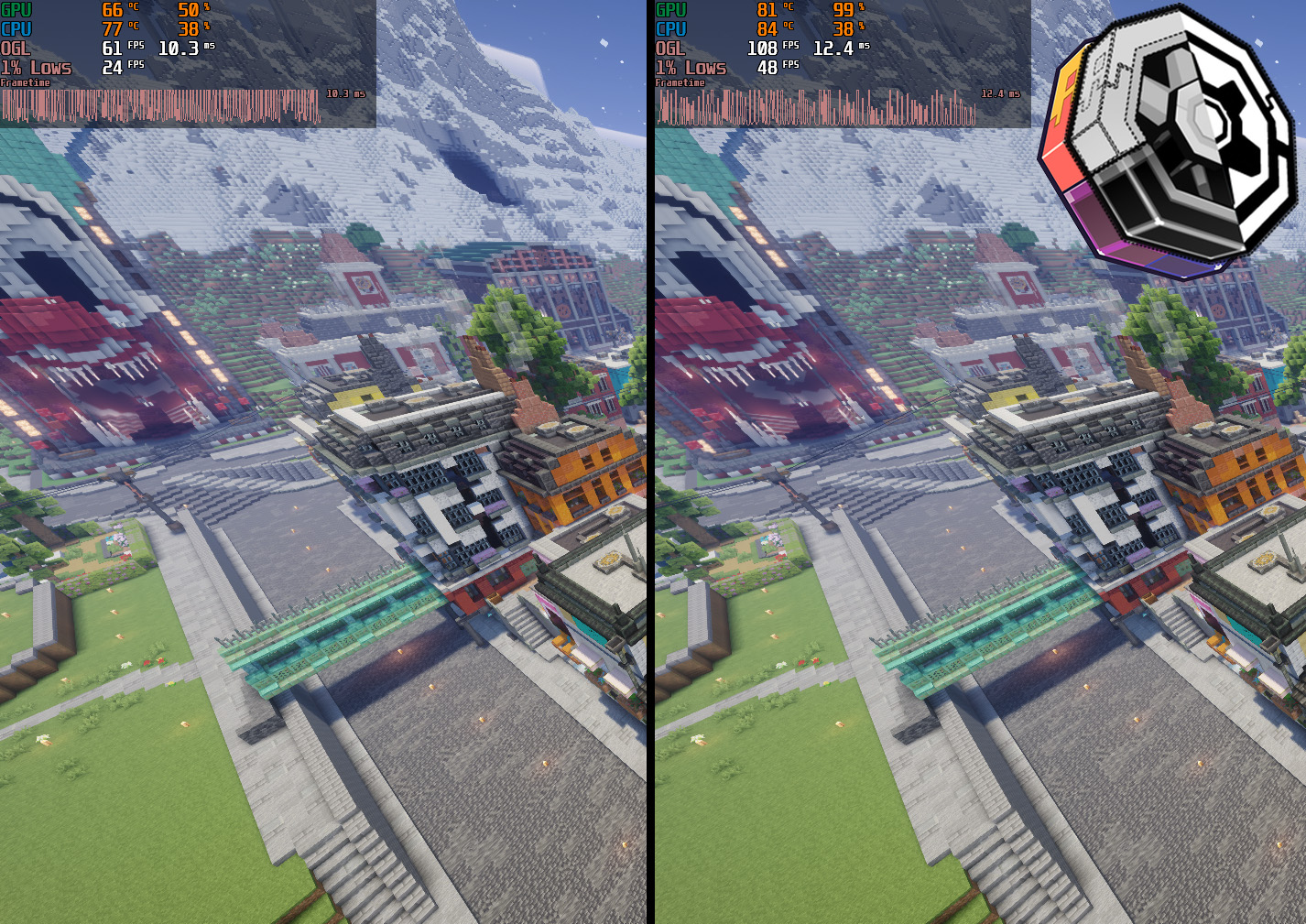
- World: Just Create SMP S1
- Flywheel backends are flywheel:indirect for no shaders and colorwheel:indirect for shaders (Colorwheel 1.3.0 beta3)
- Tick Culling and Distance Culling are enabled, render distance is at 16
Nowheel fixes an Entity Culling + Sable bug where mobs and players sometimes visually disappear on simulated contraptions
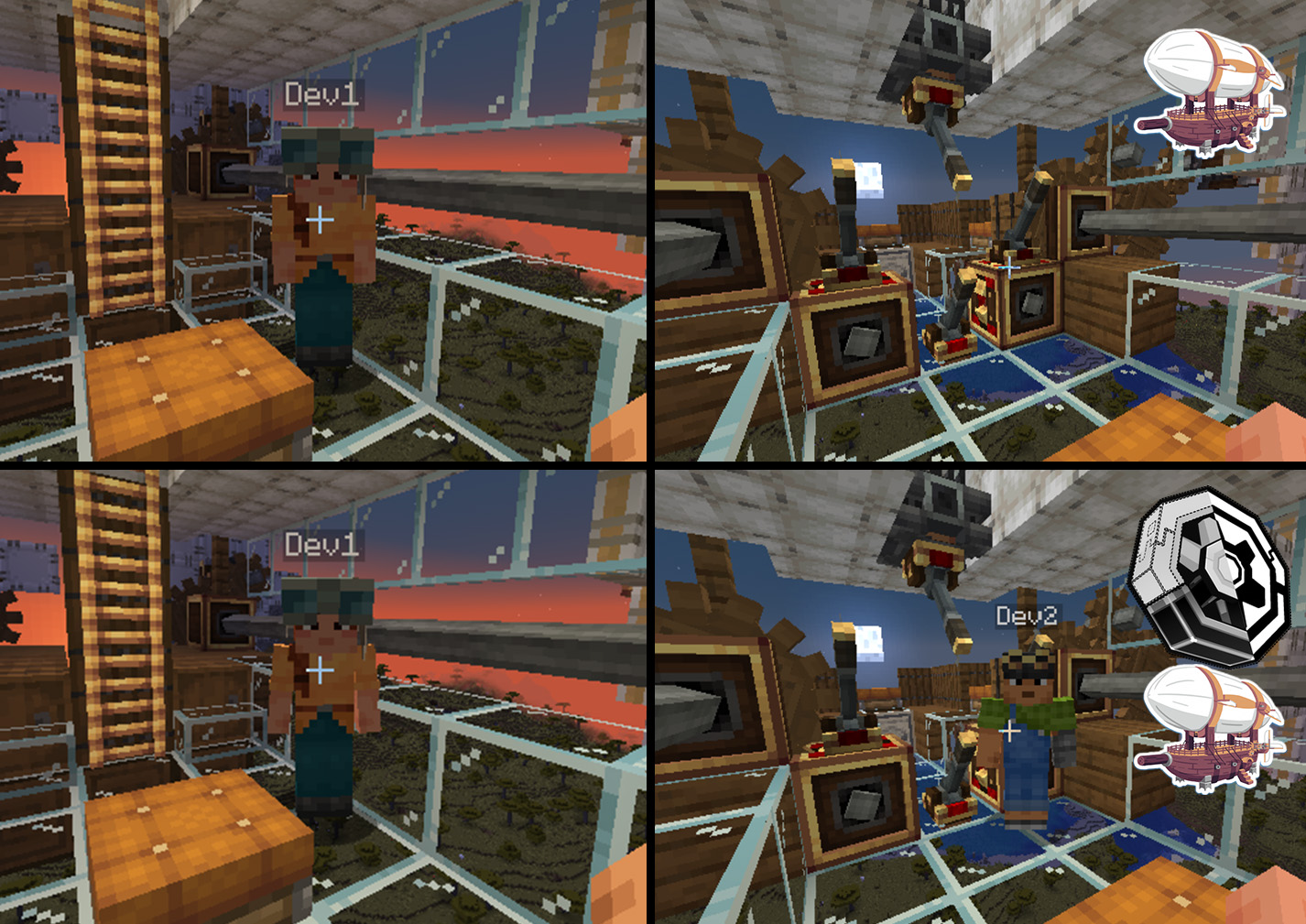
This mod is built on and requires Entity Culling
Create is also required (obviously)
Colorwheel is HIGHLY recommended if you use shaders
Credits
Belt and Chain conveyor AABBs are taken from Create Smart Bounds.
Available Versions
How to Install Create: Nowheel on Your Client
Install the Mod Loader Locally
Install fabric for your local Minecraft version.
Download the Matching File
Choose the Create: Nowheel file for fabric and Minecraft 1.21.1.
Install Mod
Place the .jar file in your local .minecraft/mods folder and restart Minecraft. No server-side installation is required.
Compatibility
Mod Loaders
Minecraft Versions
1.21.1, 1.20.1
Server-side
✗ UnsupportedRecommended RAM
6 GB(min. 4 GB)Frequently Asked Questions
Does Create: Nowheel need to be installed on the Minecraft server?
No. Modrinth marks Create: Nowheel as unsupported on the server side. Install it only in your local Minecraft mods folder. Your server can remain unchanged unless the mod page lists an additional dependency.
Which version and loader does Create: Nowheel require?
Use a file for fabric, forge, neoforge and your exact Minecraft version. Supported versions include 1.21.1, 1.20.1. Files for different loaders are not interchangeable.
Create: Nowheel is not working – what should I check?
First check the Minecraft version, loader version and required dependencies. Put the .jar file in your local .minecraft/mods folder and remove older duplicates. Because this mod is client-side, adding server RAM will not fix it.
Similar Mods


Minecraft Server for Your Group
Create: Nowheel stays on your client. Host a compatible world for your group.