
Display Delight
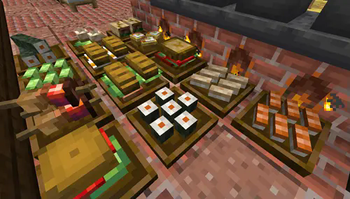
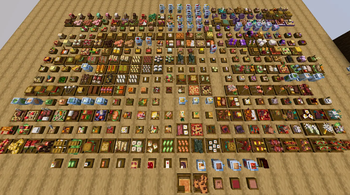
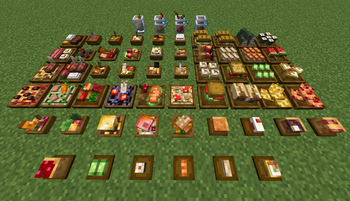
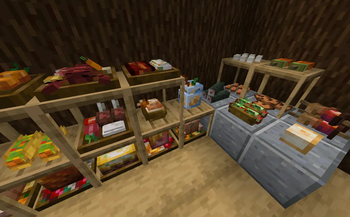
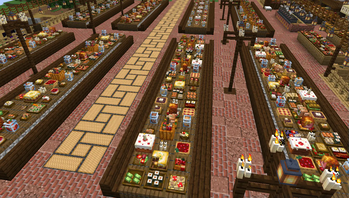
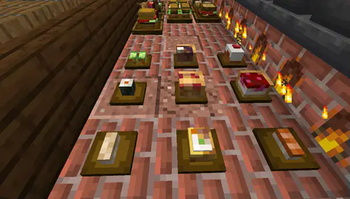
Allows to place every food item in Farmer's Delight in 3D
Screenshots
About this Mod
Placeable 3D Foods!
This addon lets you place EVERY food item in Farmer's Delight(and other addons) in 3D!
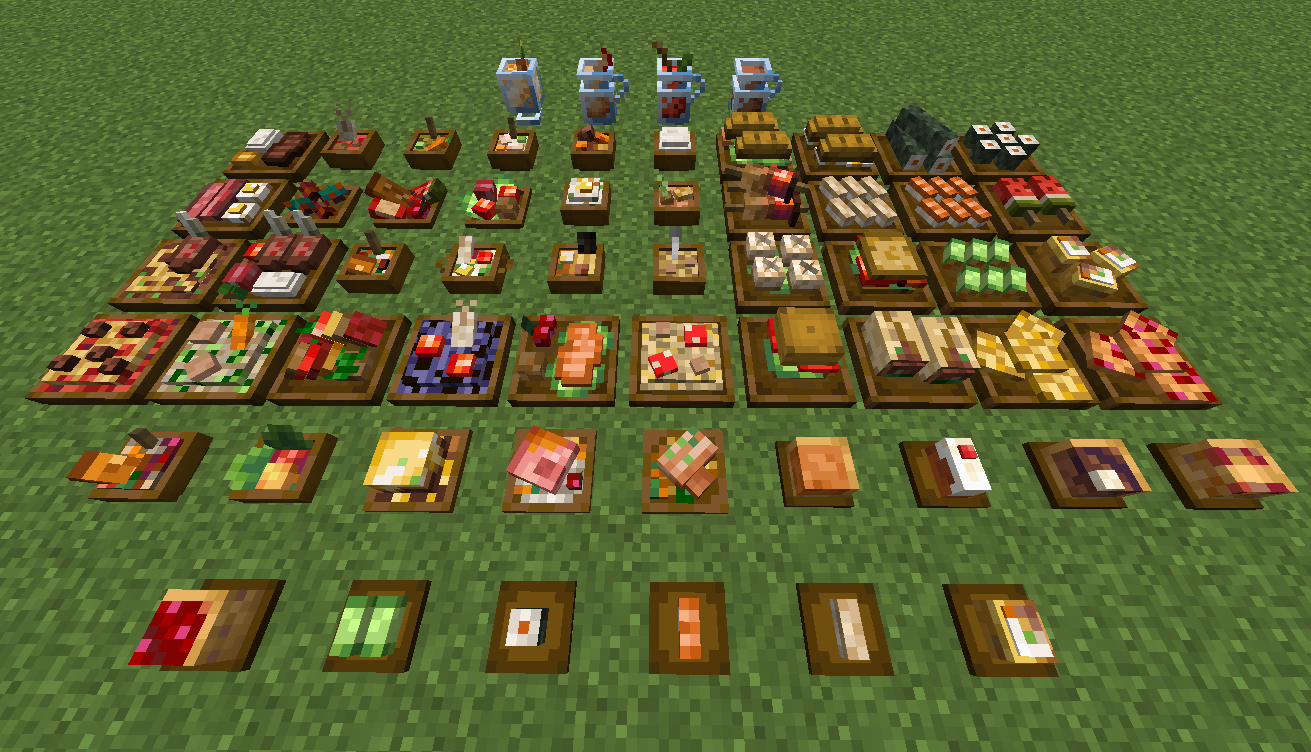
For foods already in containers (bowls, glass bottles, etc.), simply Sneak + Right-click to place them directly on the ground.
All placed food blocks are neither block entities nor entities, which makes them lag-friendly when placed in large amounts.
New Items: Food Plates
Crafted using any wooden slab, plates allow you to display smaller finger foods that don't come in a container.
Some finger foods in the larger plates are stackable. (maximum stack size varies)
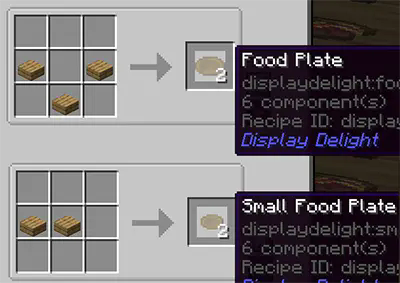
Plate Interactions
- Place All Items: Sneak + Right-click with the food.
- Take One Item: Right-click with an empty hand.
- Take All Items: Sneak + Right-click with an empty hand.
Hiding/showing plates
- Hide the plate: Right-click it with any Axe.
- Show the plate again: Right-click it with a right Food Plate item.
Obtaining Food Block Items in Survival
- Silk Touch: Mine placed foods to drop them as items. (Note: Plated foods must be at maximum stack capacity to drop).
- Wandering Traders: They sell food block items, prioritizing items from add-ons you don't have installed. This is the only way to obtain those specific food blocks in survival
Compatible Addons
- Corn delight - 8 foods
- Expanded Delight - 37 foods
- Delightful - 22 foods
- Pineapple Delight - 6 foods
- Ocean's Delight - 9 foods
- Alex's Delight - 8 foods
- Cultural Delights - 25 foods
- Large Meals - 13 foods
- Festive Delight - 3 foods
- 8 foods from Brewin' and Chewin'
- 15 foods from End's Delight
- 17 foods from Ender's Delight
- 15 foods from Crabber's Delight
- 18 foods from Aquaculture Delight
- 37 foods from My Nether's Delight
- 8 foods from Nether's Delight
- Abnormals Delight - 22 foods
- Miner's Delight+ - 12 foods
- Farmer's Respite - 14 foods
Credits
Farmer's 3D Resource pack by Pder
- Some 3D model designs are originally derived from this resource pack
Available Versions
How to Install Display Delight on Your Server
Order Server
Order a Minecraft Java server with at least 3 GB RAM (4 GB recommended).
Set forge Loader
In the panel under "Egg", select the forge loader and matching Minecraft version (1.21.1).
Install Mod
Open the mod browser in the dashboard and search for "Display Delight". Click "Install" – done! Alternatively, upload the .jar via SFTP to the /mods folder.
Compatibility
Mod Loaders
Minecraft Versions
1.21.1, 1.21, 1.20.1 (+1 more)
Server-side
✓ RequiredRecommended RAM
4 GB(min. 3 GB)Frequently Asked Questions
Display Delight server crashes on startup – what to do?
Most common cause: wrong forge version or insufficient RAM. Check the server log (latest.log) for "OutOfMemoryError" or "Mixin" errors. With Mado Hosting: ensure at least 3 GB RAM is allocated and the loader matches the mod version (1.21.1). You can switch loaders with one click in the panel.
Is Display Delight compatible with forge and neoforge?
Display Delight officially supports forge, neoforge for Minecraft 1.21.1, 1.21, 1.20.1. The Mado dashboard automatically detects incompatible loader combinations.
Server lagging with Display Delight – how to optimize performance?
Recommended RAM: 4 GB (per 8 players). Use /spark profiler to check if Display Delight consumes the most tick time. Common fixes: reduce server view-distance to 8-10, install "performant" or "starlight" as supplementary mods on Forge. With Mado Hosting, your server runs on NVMe SSDs with dedicated CPU cores for minimal latency.
Similar Mods

![[ETF] Entity Texture Features](https://cdn.modrinth.com/data/BVzZfTc1/af683d206d50b05258d865b0d6e4aa2f2cee12f2_96.webp)
![[EMF] Entity Model Features](https://cdn.modrinth.com/data/4I1XuqiY/6e5bbd0d06b1741bfdab6c0cfab6de8fdaf0064c_96.webp)



Rent Modded Server
Install Display Delight with just one click on your server.