
Distant Horizons for VulkanMod
VulkanMod compatible version of Distant Horizons
Screenshots
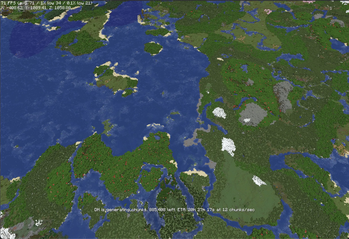
About this Mod
Distant Horizons — VulkanMod Extension

An extension mod that makes Distant Horizons (Modrinth) work with VulkanMod. Renders LOD terrain through VulkanMod's Vulkan backend instead of OpenGL.
What works:
- LOD terrain rendering with correct colors
- Lightmap (day/night lighting, block light)
- Depth compositing (LODs render behind normal terrain)
- Water and glass transparency
- Ambient occlusion (SSAO)
- Distance and height fog (all falloff types and mixing modes)
- Noise/dithering on LODs
- Fade/clip distance transitions
- Earth curvature
- Cloud rendering with correct depth against LOD terrain
What doesn't work yet:
- Shader packs (VulkanMod doesn't support them)
- Wireframe debug mode
Requirements:
- Fabric
- MC 1.20.6 or 1.21.11
- VulkanMod must be installed. 0.6+ for 1.21.11 and 0.4.2 for 1.20.6
- Distant Horizons 2.4.0+ or 3.0.0+ must be installed
This is not a standalone mod. Both Distant Horizons and VulkanMod are required.
This is not the official Distant Horizons mod. For the original, see the links above.
Available Versions
How to Install Distant Horizons for VulkanMod on Your Server
Order Server
Order a Minecraft Java server with at least 3 GB RAM (4 GB recommended).
Set fabric Loader
In the panel under "Egg", select the fabric loader and matching Minecraft version (1.21.11).
Install Mod
Open the mod browser in the dashboard and search for "Distant Horizons for VulkanMod". Click "Install" – done! Alternatively, upload the .jar via SFTP to the /mods folder.
Compatibility
Mod Loaders
Minecraft Versions
1.21.11, 1.20.6
Server-side
~ OptionalRecommended RAM
4 GB(min. 3 GB)Frequently Asked Questions
Distant Horizons for VulkanMod server crashes on startup – what to do?
Most common cause: wrong fabric version or insufficient RAM. Check the server log (latest.log) for "OutOfMemoryError" or "Mixin" errors. With Mado Hosting: ensure at least 3 GB RAM is allocated and the loader matches the mod version (1.21.11). You can switch loaders with one click in the panel.
Is Distant Horizons for VulkanMod compatible with fabric?
Distant Horizons for VulkanMod officially supports fabric for Minecraft 1.21.11, 1.20.6. The Mado dashboard automatically detects incompatible loader combinations.
Server lagging with Distant Horizons for VulkanMod – how to optimize performance?
Recommended RAM: 4 GB (per 8 players). Use /spark profiler to check if Distant Horizons for VulkanMod consumes the most tick time. Common fixes: reduce server view-distance to 8-10, install "performant" or "starlight" as supplementary mods on Forge. With Mado Hosting, your server runs on NVMe SSDs with dedicated CPU cores for minimal latency.
Similar Mods


Rent Modded Server
Install Distant Horizons for VulkanMod with just one click on your server.