
Euphonium
Ambient sounds based on biome and world features - a backfork of Charmonium.
Screenshots

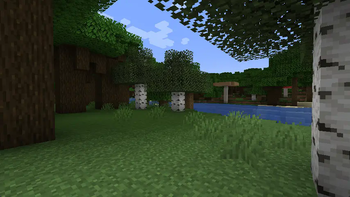
About this Mod
A backfork of Charmonium.
Requires Connector and FFAPI on (neo)forge.
Features
Charmonium (and therefore Euphonium) adds biome, structure, and environment-specific ambient sound to the game.
By default, volume can be tweaked through the "Ambient Sounds" slider.
Configuration
Euphonium can be configured via config/euphonium.toml, including:
- Sound channel
- Volume multiplier for world ambience
- Toggles for each type of ambience
- Tweaks for cave darkness ambience
Design
This is a fork and backport of Charmonium 6.0 - an excellent rewrite of the mod by svenhjol!
Charmonium 6.0 can't be reliably built from source. It's API, Charmony, is also not source-visible.
To remedy this, Euphonium has all new buildscripts and forgoes Charmony, using Kaleido for a toml config.
We recommend combining this with Presence Footsteps for further foley depth.
Afterword
All mods are built on the work of many others.
This mod is included in Tinkerer's Quilt - our modpack about rediscovering vanilla.
We're open to better ways to implement our mods. If you see something odd and have an idea, let us know!
Available Versions
How to Install Euphonium on Your Client
Install the Mod Loader Locally
Install fabric for your local Minecraft version.
Download the Matching File
Choose the Euphonium file for fabric and Minecraft 1.21.1.
Install Mod
Place the .jar file in your local .minecraft/mods folder and restart Minecraft. No server-side installation is required.
Compatibility
Mod Loaders
Minecraft Versions
1.21.1, 1.21, 1.20.4 (+5 more)
Server-side
✗ UnsupportedRecommended RAM
4 GB(min. 3 GB)Frequently Asked Questions
Does Euphonium need to be installed on the Minecraft server?
No. Modrinth marks Euphonium as unsupported on the server side. Install it only in your local Minecraft mods folder. Your server can remain unchanged unless the mod page lists an additional dependency.
Which version and loader does Euphonium require?
Use a file for fabric, forge, neoforge, quilt and your exact Minecraft version. Supported versions include 1.21.1, 1.21, 1.20.4. Files for different loaders are not interchangeable.
Euphonium is not working – what should I check?
First check the Minecraft version, loader version and required dependencies. Put the .jar file in your local .minecraft/mods folder and remove older duplicates. Because this mod is client-side, adding server RAM will not fix it.
Similar Mods

![[ETF] Entity Texture Features](https://cdn.modrinth.com/data/BVzZfTc1/af683d206d50b05258d865b0d6e4aa2f2cee12f2_96.webp)
![[EMF] Entity Model Features](https://cdn.modrinth.com/data/4I1XuqiY/6e5bbd0d06b1741bfdab6c0cfab6de8fdaf0064c_96.webp)



Minecraft Server for Your Group
Euphonium stays on your client. Host a compatible world for your group.