
Exordium
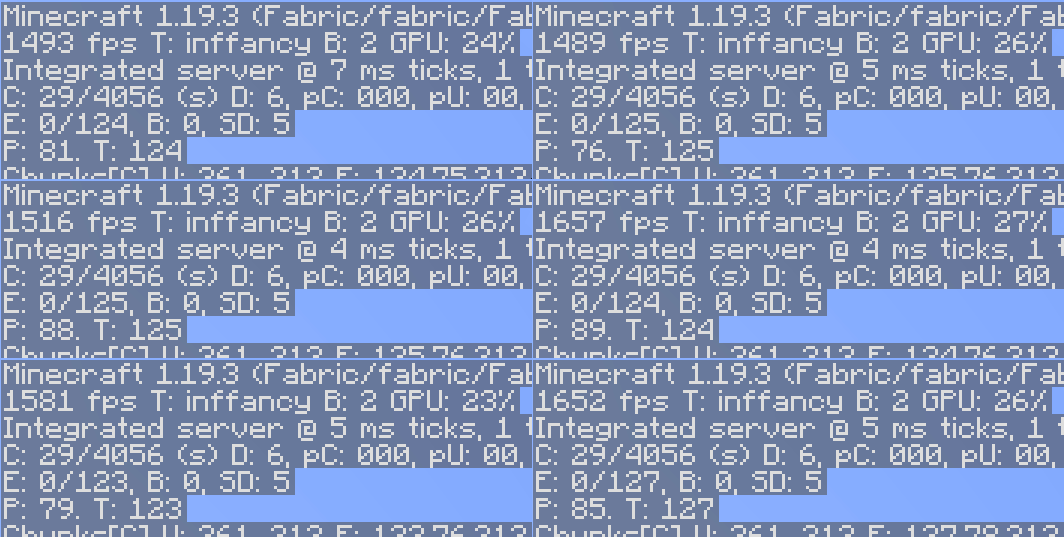
Render the GUI and screens at a lower framerate to speed up what's really important: the worldrendering.
Screenshots
About this Mod
Exordium
Render the GUI and screens at a lower framerate to speed up what's really important: the worldrendering.
Renders the GUI at a lower fixed framerate (configurable in the settings), freeing up CPU and GPU time for the world rendering. There is no good reason to render the hotbar at 100+ FPS.
Compatibility
This mod is not actively maintained! No new features will be added or bugs with other mods fixed! There will be visual issues/compatibility issues with other mods or even vanilla! Just don't use the mod if you have a problem with that.
Not compatible
- VulkanMod
- MiniHUD(bug on their side, the fps counter shows the gui fps instead of the world fps)
- Canvas
- Fast Crosshair will not work with ImmediatelyFast, just keep it off
- In BetterF3 disable the slide in Animation or Debug screen buffering
- Many other mods that render their own GUI elements, the wilder the mod, the more likely it is to not work with this mod. No point in reporting this, Exordium is for the Vanilla UI only
FAQ
When will it release for version 1.xx.xx?
This mod is not actively maintained. So any new versions might happen, once everything else is done and there is time.
(Neo)Forge support?
No. There is are builds for 1.21.8+, but with no guarantees for anything.
Does this work with mod xyz?
Try it and see. Keep in mind, only the Vanilla Gui is supported, don't ask about mods that replace stuff in the UI.
Backport to 1.16.5/1.12.2/1.8.9?
No backports are planned. Mainly due to engine limitations in older versions.
Available Versions
How to Install Exordium on Your Client
Install the Mod Loader Locally
Install fabric for your local Minecraft version.
Download the Matching File
Choose the Exordium file for fabric and Minecraft 26.1.2.
Install Mod
Place the .jar file in your local .minecraft/mods folder and restart Minecraft. No server-side installation is required.
Compatibility
Mod Loaders
Minecraft Versions
26.1.2, 26.1.1, 26.1 (+20 more)
Server-side
✗ UnsupportedRecommended RAM
4 GB(min. 3 GB)Frequently Asked Questions
Does Exordium need to be installed on the Minecraft server?
No. Modrinth marks Exordium as unsupported on the server side. Install it only in your local Minecraft mods folder. Your server can remain unchanged unless the mod page lists an additional dependency.
Which version and loader does Exordium require?
Use a file for fabric, forge, neoforge and your exact Minecraft version. Supported versions include 26.1.2, 26.1.1, 26.1. Files for different loaders are not interchangeable.
Exordium is not working – what should I check?
First check the Minecraft version, loader version and required dependencies. Put the .jar file in your local .minecraft/mods folder and remove older duplicates. Because this mod is client-side, adding server RAM will not fix it.
Similar Mods


Minecraft Server for Your Group
Exordium stays on your client. Host a compatible world for your group.