filament
Data driven Items, Blocks, Decorations and Mobs for Fabric based servers. No client mods required!
Screenshots


About this Mod
Filament: Custom Content Adder for Fabric Servers





filament simplifies adding custom content to Fabric-based Minecraft servers. It allows server owners to add new items, blocks, decorations and even mobs using JSON files—no coding required. Configure a block, item, decoration, or armor, and you're ready to go!
Clients can connect to servers using filament without installing any mods, as it relies on a resource pack, item display entities, and packet-based methods.
Decorations and other features have minimal server performance impact due to their packet-based nature.
Use Polymer's auto-hosting capability to host the resource pack—no third-party server required.
TLDR: ItemsAdder/Oraxen alternative for Fabric.
Features
Custom Items: Add items with unique behaviors, including:
- Armor
- Cosmetics
- Items running commands
- Bows/Crossbows
Custom Blocks: Add your own custom blocks like:
- Trapdoors
- Doors
- Crops
- Budding blocks
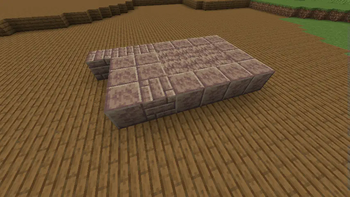
Custom Decorations: Add furniture and decorations with configurable placement and interactions:
- Benches
- Showcases/Item-Displays
- Container
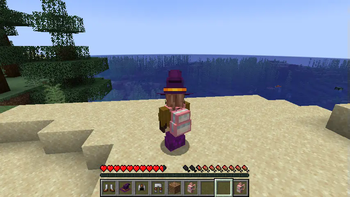
- Wearable & placeable backpacks
Custom Mobs: Add your own mobs with simple goal-based AI - supports custom models too! Create:
- Animals
- Hostile mobs
- Supports custom attributes
- Control spawn chances and biomes to spawn in

Installation
Requires Fabric API and Polymer.
Download filament and drop the example_datapack into the datapacks folder of your server world. filament uses Polymer's resource pack generation and hosting features.
Usage
An example datapack is available in the GitHub repo. Just drop it into your world's datapacks folder.
Check out the documentation!
Mods using filament
These mods & datapacks demonstrate filament's capabilities:
- Hat Club by MJRamon
- Backported Shelves by palm1
- Planked Chests by palm1
- Toms Server Additions: Decorations & Furniture
- Toms Server Additions: Stone!
- Toms Server Additions: Planks!
- Toms Server Additions: Concrete!
Archived:
Credits
This project includes code from FactoryTools by Patbox, specifically the Virtual Destroy stages for decorations.
A copy of the FactoryTools LGPL3 license is included in factorytools-license.txt.
Available Versions
How to Install filament on Your Server
Order Server
Order a Minecraft Java server with at least 3 GB RAM (4 GB recommended).
Set fabric Loader
In the panel under "Egg", select the fabric loader and matching Minecraft version (26.3).
Install Mod
Open the mod browser in the dashboard and search for "filament". Click "Install" – done! Alternatively, upload the .jar via SFTP to the /mods folder.
Compatibility
Mod Loaders
Minecraft Versions
26.3, 26.2, 26.1.2 (+25 more)
Server-side
✓ RequiredRecommended RAM
4 GB(min. 3 GB)Frequently Asked Questions
filament server crashes on startup – what to do?
Most common cause: wrong fabric version or insufficient RAM. Check the server log (latest.log) for "OutOfMemoryError" or "Mixin" errors. With Mado Hosting: ensure at least 3 GB RAM is allocated and the loader matches the mod version (26.3). You can switch loaders with one click in the panel.
Is filament compatible with fabric?
filament officially supports fabric for Minecraft 26.3, 26.2, 26.1.2. The Mado dashboard automatically detects incompatible loader combinations.
Server lagging with filament – how to optimize performance?
Recommended RAM: 4 GB (per 8 players). Use /spark profiler to check if filament consumes the most tick time. Common fixes: reduce server view-distance to 8-10, install "performant" or "starlight" as supplementary mods on Forge. With Mado Hosting, your server runs on NVMe SSDs with dedicated CPU cores for minimal latency.
Similar Mods

![[ETF] Entity Texture Features](https://cdn.modrinth.com/data/BVzZfTc1/af683d206d50b05258d865b0d6e4aa2f2cee12f2_96.webp)
![[EMF] Entity Model Features](https://cdn.modrinth.com/data/4I1XuqiY/6e5bbd0d06b1741bfdab6c0cfab6de8fdaf0064c_96.webp)



Rent Modded Server
Install filament with just one click on your server.