
Frustrator
Dynamically show/hide areas within your world to improve performance, depending on if they should be visible or not.
Screenshots
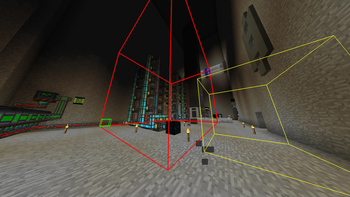
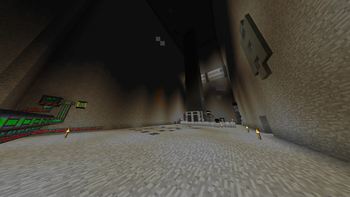
About this Mod
Frustrator
Frustrator is a Minecraft Forge 1.7.10 mod inspired by old 90s 3D video games which employed trigger areas to hide/show certain parts of the game level. The goal always was to improve performance while not impacting gameplay, which this mod also strives for.
Features
The mod adds two new items, namely the "Frustrator Main Area Tool" and "Frustrator Trigger Area Tool". The main tool is used to select/create a rendering area which should dynamically be rendered or hidden. The trigger tool can create additional areas which will interact with the corresponding main area, either showing or hiding it.
What does the project's name (Frustrator) mean?
When we started the project, we thought that it might be the best idea to use actual Frustums. But working with Frustums and also doing so efficiently was pretty frustrating, hence the name.
But there's a similar mod, RenHider, by AlexSocol. Why is this one special?
RenHider seems to be using a fairly inefficient way of switching between the "hidden" and "shown" state of zones (large zones either lag heavily or plainly kick you from the server when appearing). Thus we set out to create an alternative, written to be extremely scalable and (hopefully) reliable.
Available Versions
How to Install Frustrator on Your Server
Order Server
Order a Minecraft Java server with at least 3 GB RAM (4 GB recommended).
Set forge Loader
In the panel under "Egg", select the forge loader and matching Minecraft version (1.7.10).
Install Mod
Open the mod browser in the dashboard and search for "Frustrator". Click "Install" – done! Alternatively, upload the .jar via SFTP to the /mods folder.
Compatibility
Mod Loaders
Minecraft Versions
1.7.10
Server-side
✓ RequiredRecommended RAM
4 GB(min. 3 GB)Frequently Asked Questions
Frustrator server crashes on startup – what to do?
Most common cause: wrong forge version or insufficient RAM. Check the server log (latest.log) for "OutOfMemoryError" or "Mixin" errors. With Mado Hosting: ensure at least 3 GB RAM is allocated and the loader matches the mod version (1.7.10). You can switch loaders with one click in the panel.
Is Frustrator compatible with forge?
Frustrator officially supports forge for Minecraft 1.7.10. The Mado dashboard automatically detects incompatible loader combinations.
Server lagging with Frustrator – how to optimize performance?
Recommended RAM: 4 GB (per 8 players). Use /spark profiler to check if Frustrator consumes the most tick time. Common fixes: reduce server view-distance to 8-10, install "performant" or "starlight" as supplementary mods on Forge. With Mado Hosting, your server runs on NVMe SSDs with dedicated CPU cores for minimal latency.
Similar Mods


Rent Modded Server
Install Frustrator with just one click on your server.