
Gaming Furniture
Build your Gaming Setup in Minecraft!
Screenshots
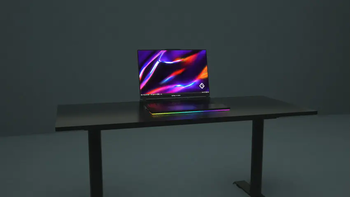
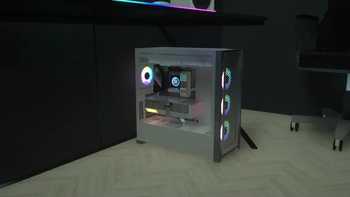
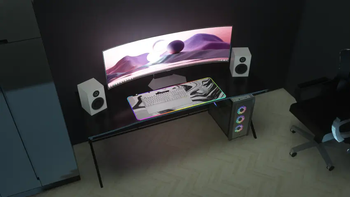
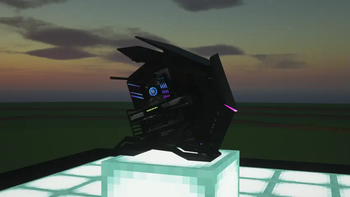
About this Mod
IdeaMineCreator is no longer active. This project has been discontinued.
Thank you for your support, and wishing you all the best.





Information:
Welcome to Gaming Furniture Mod, it's the only mod comes from Patreon that you can now decorate your own gaming setup as a gamer. You can now download it for low textures (x128 textures) which is available in Curseforge.
If you love and want the highest quality (textures from x256, x512 and x1024) for this mod and the emissive textures fix, get it now only on:
 or Ko-fi (for coming soon!)
It adds:
- Adds in 10+ blocks, including OBJ models (PCs, monitors, laptops, LED RGBs,...) to decorate your own gaming setup.
- Some computers, laptops,... can be turned on/off.
- Many more!!
Requires:
- Forge: Optifine
- Fabric: Iris Shaders, Sodium, Indium & Continuity
- NeoForge: Unfortunately, NeoForge doesn't have any native mods that add support for emissive textures. You can use this method to get the emissive textures (big thanks to Deftesthawk from CurseForge for that!): Sinytra Connector, Continuity, Iris Shaders, Sodium (NeoForge Version) or Embeddium
Need Helpppp!
Join me on my Discord. You can ask me if some problems or errors that impact you while using my mod, I'll find and solve them. Otherwise, you can also make some suggestions to help me create together, which is importantly part of society as well as you'll get some updates and announcements.
I hope you enjoy using my mod, and don't hesitate to send screenshot on X (formerly Twitter) or Discord, or make you own showcases including my mod on social media. Thank you so much and have a wonderful day!
This mod made by IdeaMineCreator (NhatCKQ in Vietnamese) from MCreator. Do not re-upload my mod without permission!
Available Versions
How to Install Gaming Furniture on Your Client
Install the Mod Loader Locally
Install fabric for your local Minecraft version.
Download the Matching File
Choose the Gaming Furniture file for fabric and Minecraft 1.21.1.
Install Mod
Place the .jar file in your local .minecraft/mods folder and restart Minecraft. No server-side installation is required.
Compatibility
Mod Loaders
Minecraft Versions
1.21.1, 1.20.1, 1.16.5
Server-side
✗ UnsupportedRecommended RAM
4 GB(min. 3 GB)Frequently Asked Questions
Does Gaming Furniture need to be installed on the Minecraft server?
No. Modrinth marks Gaming Furniture as unsupported on the server side. Install it only in your local Minecraft mods folder. Your server can remain unchanged unless the mod page lists an additional dependency.
Which version and loader does Gaming Furniture require?
Use a file for fabric, forge, neoforge and your exact Minecraft version. Supported versions include 1.21.1, 1.20.1, 1.16.5. Files for different loaders are not interchangeable.
Gaming Furniture is not working – what should I check?
First check the Minecraft version, loader version and required dependencies. Put the .jar file in your local .minecraft/mods folder and remove older duplicates. Because this mod is client-side, adding server RAM will not fix it.
Similar Mods

![[ETF] Entity Texture Features](https://cdn.modrinth.com/data/BVzZfTc1/af683d206d50b05258d865b0d6e4aa2f2cee12f2_96.webp)
![[EMF] Entity Model Features](https://cdn.modrinth.com/data/4I1XuqiY/6e5bbd0d06b1741bfdab6c0cfab6de8fdaf0064c_96.webp)



Minecraft Server for Your Group
Gaming Furniture stays on your client. Host a compatible world for your group.