
GregTech CE Unofficial
GregTech CE 1.12 fork continuing progression and development
Screenshots
About this Mod
GregTech CE Unofficial (GTCEu) is a 1.12.2 mod which aims to improve upon GTCE to provide the ultimate 1.12.2 GT experience.
A (very, VERY) brief list of some new features:
- Greatly improved performance and optimization from GTCE. Most users should enjoy improved RAM usage, FPS and TPS
- Fixed many GTCE bugs (invisible blocks, infinite amps)
- Improved player experience and QoL. Example: Different stone types of ores don't clog player inventories
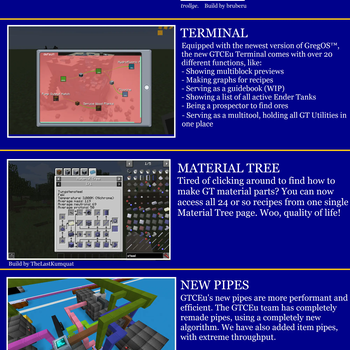
- Completely reworked and improved fluid pipes and energy cables
- New item pipe system with huge throughputs and configurable logistics
- World generation improvements. Better performance, rebalanced ores. New virtual fluid veins for harvesting
- New content integrated from Shadows of Greg, Gregicality, GT5 Unofficial, TecTech, Nomifactory, GT New Horizons, GT IMPACT and more
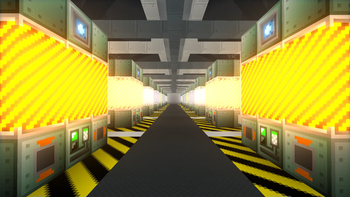
- Fancy rendering effects including emissive textures and bloom
- Content added at every single tier of the game. No stone left unturned, this is a completely different GregTech experience from GTCE
And many, many, many more things...
Check out the Changelog for a full list of changes in version 2.0
GregTech CE: Unofficial requires CodeChickenLib.

Available Versions
How to Install GregTech CE Unofficial on Your Server
Order Server
Order a Minecraft Java server with at least 3 GB RAM (4 GB recommended).
Set forge Loader
In the panel under "Egg", select the forge loader and matching Minecraft version (1.12.2).
Install Mod
Open the mod browser in the dashboard and search for "GregTech CE Unofficial". Click "Install" – done! Alternatively, upload the .jar via SFTP to the /mods folder.
Compatibility
Mod Loaders
Minecraft Versions
1.12.2
Server-side
✓ RequiredRecommended RAM
4 GB(min. 3 GB)Frequently Asked Questions
GregTech CE Unofficial server crashes on startup – what to do?
Most common cause: wrong forge version or insufficient RAM. Check the server log (latest.log) for "OutOfMemoryError" or "Mixin" errors. With Mado Hosting: ensure at least 3 GB RAM is allocated and the loader matches the mod version (1.12.2). You can switch loaders with one click in the panel.
Is GregTech CE Unofficial compatible with forge?
GregTech CE Unofficial officially supports forge for Minecraft 1.12.2. The Mado dashboard automatically detects incompatible loader combinations.
Server lagging with GregTech CE Unofficial – how to optimize performance?
Recommended RAM: 4 GB (per 8 players). Use /spark profiler to check if GregTech CE Unofficial consumes the most tick time. Common fixes: reduce server view-distance to 8-10, install "performant" or "starlight" as supplementary mods on Forge. With Mado Hosting, your server runs on NVMe SSDs with dedicated CPU cores for minimal latency.
Similar Mods


Rent Modded Server
Install GregTech CE Unofficial with just one click on your server.