
Half-Life HEV Suit Voice System
Adds HEV Suit sound effects from Half-Life and a somewhat accurate recreation of the HL1 hud.
Screenshots
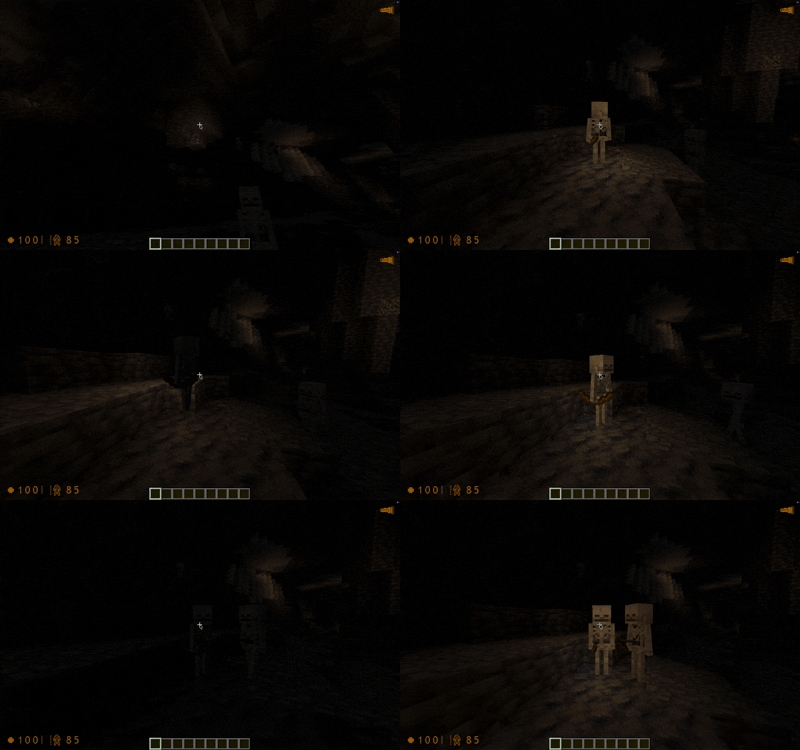


About this Mod
HEV Suit Sound System
Adds Half-Life 1 hud and full hev suit sound effects to minecraft with a bunch of additional features
Audible Alerts
The suit contains most sound effects and as close of triggers as i could think of for it.
These play whenever a trigger is met and plays the respective sound effect from Half Life.
Here are some of the main ones
- Fractures (when falling)
- Health Alerts (when your health reaches a threshold)
- Blood loss (whenever an arrow hits you instead of bullets)
- Lacerations (general mob attacks)
- Environment
- Geiger counter in basalt biomes
- Poison and Withering
- Lightning strikes
- Heat from fire and lava
and more!
There is additionally a bunch of disabled by default lines that you can enable by opening the config menu with H. These typically are either lines that were unused in the main game or reused to fit a new purpose in minecraft.
HUD
The hud is a somewhat accurate recreation of the hud from GoldSrc. You can toggle specific hud elements and theme it with the config menu (press h!).
Flashlight
There is a built in flashlight, it requires LambDynamicLights to work. You can toggle it with G. There is also a experimental half life 2 style that you can toggle from in the configuration menu.
Copyright
The code is MIT licensed, sound effects and hud elements are owned by Valve Corporation, all rights go to them.
If they wish for this project to be taken down, it will be.
Available Versions
How to Install Half-Life HEV Suit Voice System on Your Client
Install the Mod Loader Locally
Install fabric for your local Minecraft version.
Download the Matching File
Choose the Half-Life HEV Suit Voice System file for fabric and Minecraft 26.3.
Install Mod
Place the .jar file in your local .minecraft/mods folder and restart Minecraft. No server-side installation is required.
Compatibility
Mod Loaders
Minecraft Versions
26.3, 26.2, 26.1.2 (+62 more)
Server-side
✗ UnsupportedRecommended RAM
4 GB(min. 3 GB)Frequently Asked Questions
Does Half-Life HEV Suit Voice System need to be installed on the Minecraft server?
No. Modrinth marks Half-Life HEV Suit Voice System as unsupported on the server side. Install it only in your local Minecraft mods folder. Your server can remain unchanged unless the mod page lists an additional dependency.
Which version and loader does Half-Life HEV Suit Voice System require?
Use a file for fabric, quilt and your exact Minecraft version. Supported versions include 26.3, 26.2, 26.1.2. Files for different loaders are not interchangeable.
Half-Life HEV Suit Voice System is not working – what should I check?
First check the Minecraft version, loader version and required dependencies. Put the .jar file in your local .minecraft/mods folder and remove older duplicates. Because this mod is client-side, adding server RAM will not fix it.
Similar Mods





Minecraft Server for Your Group
Half-Life HEV Suit Voice System stays on your client. Host a compatible world for your group.