
Hwyla
Hwyla (Here's What You're Looking At) is a UI improvement mod aimed at providing block information directly in-game. It is also a fork of Waila.
Screenshots
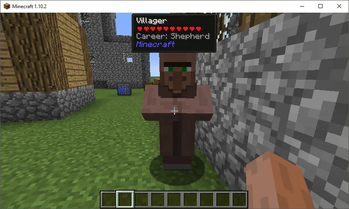
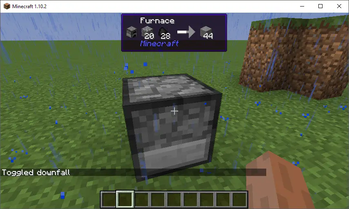
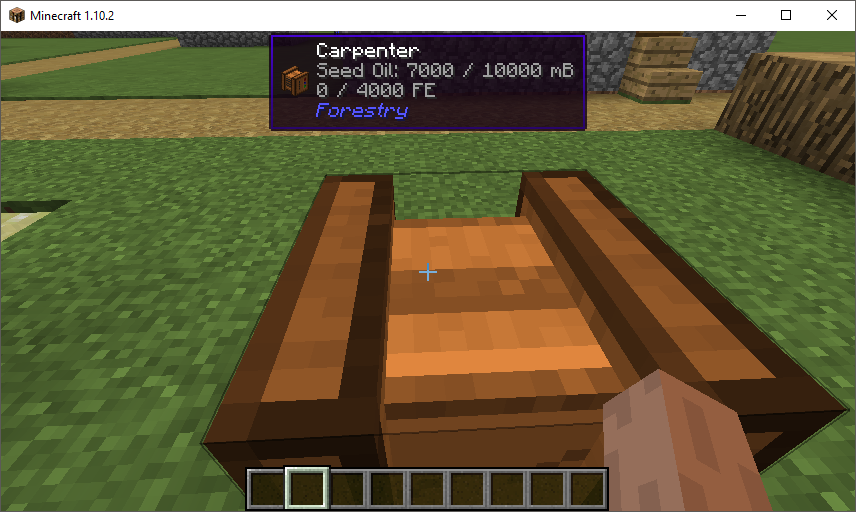
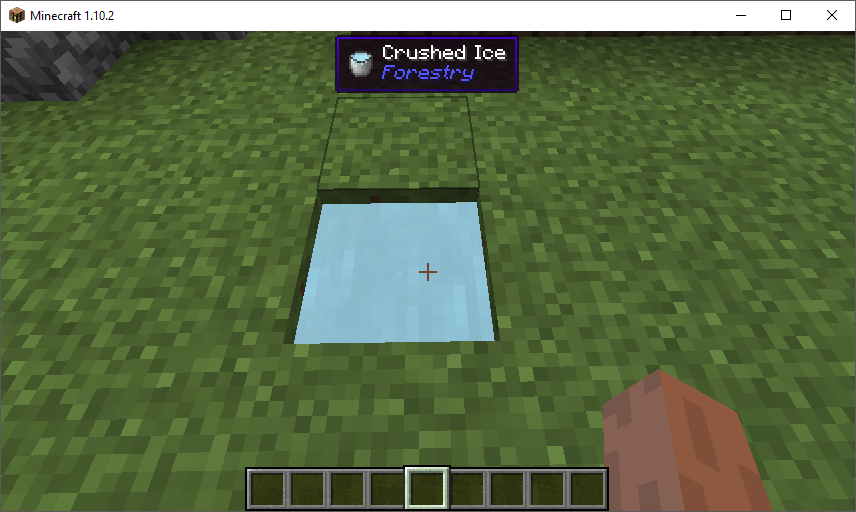
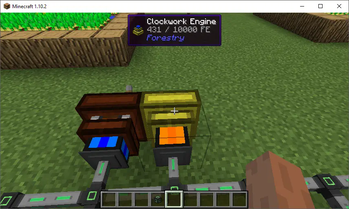
About this Mod
Here's What You're Looking At
HWYLA (Pronounced "Hwhy-la", similar to "Coo-Hwhip")
Hwyla is available for both Forge and Fabric.
A fork of WAILA by ProfMobius. This fork is permitted under the CC BY-NC-SA 4.0 license.
All plugins/addons/compatibilities created with the official mod are 100% compatible with this fork.
Changes
You can find a list of most changes right here.
Notable Lesser Known Features
- By default, Numpad 3 and Numpad 4 can be used to lookup the recipe of blocks in the world in JEI. This requires JEI to be installed to function.
- You can change the colors and text formatting of the tooltip in-game by navigating to the in-game config, opening the "Waila" options screen, and selecting "Format content...".
- If you are having issues with tooltip handlers added by mods, you can run
/dumphandlerswhich will produce a text file with all registered handlers and what types they are registered to. - As of 1.12, the Narrator can be toggled for the tooltip. This will use the system's text-to-speech library to tell you what you're looking at.
- If you feel that having the item being displayed in the tooltip is redundant, it can be disabled.
Modpack Permissions
You can use Hwyla in modpacks.
Archival notice
This mod is abandoned and has been uploaded for archival purposes. It was originally created by TehNut on Nov 9, 2016. It has been uploaded to Modrinth under the ModrinthArchives account with permission from the original author.

Available Versions
How to Install Hwyla on Your Server
Order Server
Order a Minecraft Java server with at least 3 GB RAM (4 GB recommended).
Set fabric Loader
In the panel under "Egg", select the fabric loader and matching Minecraft version (1.16.5).
Install Mod
Open the mod browser in the dashboard and search for "Hwyla". Click "Install" – done! Alternatively, upload the .jar via SFTP to the /mods folder.
Compatibility
Mod Loaders
Minecraft Versions
1.16.5, 1.16.4, 1.16.3 (+36 more)
Server-side
~ OptionalRecommended RAM
4 GB(min. 3 GB)Frequently Asked Questions
Hwyla server crashes on startup – what to do?
Most common cause: wrong fabric version or insufficient RAM. Check the server log (latest.log) for "OutOfMemoryError" or "Mixin" errors. With Mado Hosting: ensure at least 3 GB RAM is allocated and the loader matches the mod version (1.16.5). You can switch loaders with one click in the panel.
Is Hwyla compatible with fabric and forge?
Hwyla officially supports fabric, forge for Minecraft 1.16.5, 1.16.4, 1.16.3. Note: Forge and Fabric mods are NOT cross-compatible – pick one loader and stick with it. The Mado dashboard automatically detects incompatible loader combinations.
Server lagging with Hwyla – how to optimize performance?
Recommended RAM: 4 GB (per 8 players). Use /spark profiler to check if Hwyla consumes the most tick time. Common fixes: reduce server view-distance to 8-10, install "performant" or "starlight" as supplementary mods on Forge. With Mado Hosting, your server runs on NVMe SSDs with dedicated CPU cores for minimal latency.
Similar Mods



Rent Modded Server
Install Hwyla with just one click on your server.
Details
- License
- Creative Commons Attribution Non Commercial Share Alike 4.0 International
- Server-side
- Optional