Improved Sign Editing
🪵 Better sign editing functionality. Shift to the next and previous line during typing.
About this Mod


Improved Sign Editing is a client-side mod which adds some QoL changes to the process of writing text on signs in-game. Whenever text is typed on a sign, and the next word doesn't fit, it automatically shifts to the next line. No need for guessing whether the next part fits. Also works the other way around, when using backspace, it goes back to the previous line. Functionality can be toggled in the config or in-game via the button.


All available config options:
Show Spoiler
enableImprovedEditing default true
A global toggle whether the improved editing functionality should be enabled.
showImprovedEditingButton default true
Whether the Improved/Normal Editing button should be visible on the sign edit screen.

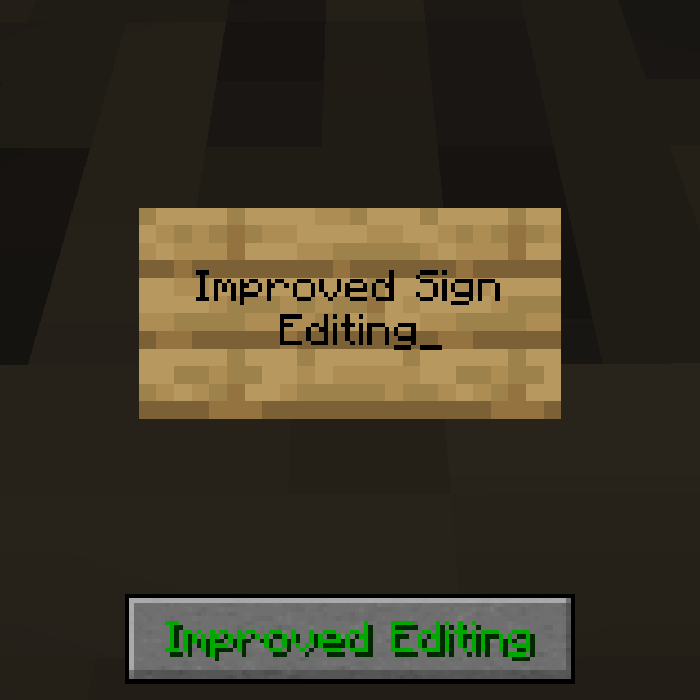
When typing the text on a sign, it automatically shifts to the next line when the current word doesn't fit:
Show Spoiler

Similarly, when using backspace, it goes to the previous line:
Show Spoiler

There is a button on the screen to enable/disable the improved editing for finer control. Can be disabled in the config:
Show Spoiler


You may freely use this mod in any modpack, as long as the download remains hosted within the CurseForge or Modrinth ecosystem.
Serilum.com contains an overview and more information on all mods available.
For issues, ideas, suggestions or anything else there is the Github repo. Thanks!
Available Versions
How to Install Improved Sign Editing on Your Client
Install the Mod Loader Locally
Install fabric for your local Minecraft version.
Download the Matching File
Choose the Improved Sign Editing file for fabric and Minecraft 26.3.
Install Mod
Place the .jar file in your local .minecraft/mods folder and restart Minecraft. No server-side installation is required.
Compatibility
Mod Loaders
Minecraft Versions
26.3, 26.2, 26.1.2 (+20 more)
Server-side
✗ UnsupportedRecommended RAM
4 GB(min. 3 GB)Frequently Asked Questions
Does Improved Sign Editing need to be installed on the Minecraft server?
No. Modrinth marks Improved Sign Editing as unsupported on the server side. Install it only in your local Minecraft mods folder. Your server can remain unchanged unless the mod page lists an additional dependency.
Which version and loader does Improved Sign Editing require?
Use a file for fabric, forge, neoforge, quilt and your exact Minecraft version. Supported versions include 26.3, 26.2, 26.1.2. Files for different loaders are not interchangeable.
Improved Sign Editing is not working – what should I check?
First check the Minecraft version, loader version and required dependencies. Put the .jar file in your local .minecraft/mods folder and remove older duplicates. Because this mod is client-side, adding server RAM will not fix it.
Similar Mods

![[ETF] Entity Texture Features](https://cdn.modrinth.com/data/BVzZfTc1/af683d206d50b05258d865b0d6e4aa2f2cee12f2_96.webp)
![[EMF] Entity Model Features](https://cdn.modrinth.com/data/4I1XuqiY/6e5bbd0d06b1741bfdab6c0cfab6de8fdaf0064c_96.webp)



Minecraft Server for Your Group
Improved Sign Editing stays on your client. Host a compatible world for your group.