
Iris & Oculus Flywheel Compat
Enable Flywheel's optimizations when using shaderpacks.
About this Mod
Version Compatibility:
| Create Version | NeoForge/Forge | Fabric |
|---|---|---|
| 6.0.9 | 2.1.0 | ❌ |
| 6.0.0 - 6.0.9 | 2.0.5 | ❌ |
| 5.0 | 1.X | 1.X |
Features:
- Render Create's entities using Flywheel Instancing with shaderpack enabled.
- Supports most shaderpacks without patching.
- Supports PBR.
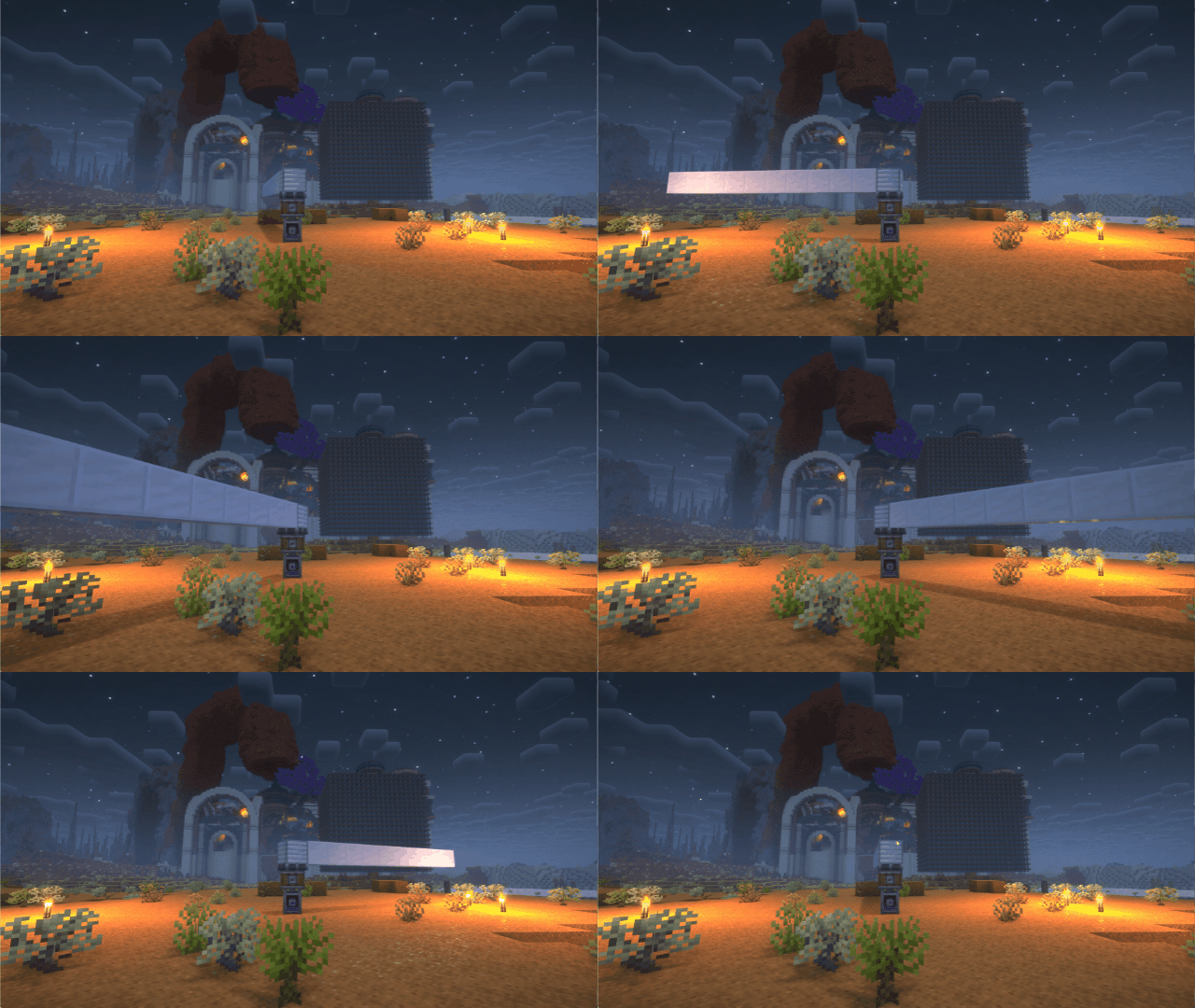
If you have any suggestions or issues, please raise them on the GitHub issue page.
What's this?
Flywheel will disable its optimizations when you are using shaderpacks.
This mod forces Flywheel's optimizations to be enabled.
For those using shaderpack and mods depend on Flywheel, this mod can significantly improve fps.
If you don't use shaderpack, this mod has no effect. Because Flywheel's optimizations are enabled by default.
Compatibility
The shaders that have been tested are:
- BSL
- Complementary
- Complementary Reimagined
- SEUS renewed
- Sildurs Vibrant Shaders
- AstraLex
- Photon
- Kapa
- Nostalgia
- Rethinking Voxels
- SEUS PTGI HRR
There are some shaderpacks that are also supported, but not listed above, so you can test them by yourself.
This mod only supports some specific versions of Iris or Oculus !!!
| Create Version | NeoForge/Forge | Fabric |
|---|---|---|
| 6.0.9 | 2.1.0 | ❌ |
| 6.0.0 - 6.0.9 | 2.0.5 | ❌ |
| 5.0 | 1.X | 1.X |
| Iris or Oculus | This Mod |
|---|---|
| >= 1.8.1 | 2.0.0 |
| >= 1.6.13 | 0.2.2 |
| >= 1.6.5 | 0.2.1 |
| >= 1.6.2 | 0.2.0 |
| >= 1.5 and <= 1.6.1 | 0.1.9 |
| >= 1.4 and < 1.5 | 0.1.7~0.1.8 |
| <1.4 | 0.1.6 below |
Principle
Flywheel uses a method called GPU Instancing to render entities. It is very efficient when rendering a large number of repeating entities (e.g. gears in Create mod). But when you use iris and enable shaderpack, this optimization is disabled. Because flywheel needs to use its own shader to render these entities and flywheel's shader will no longer work when you enable shaderpack.
This mod will automatically merge flywheel's shader with the shader in shaderpack when shaderpack is enabled to be able to render entities using Instancing.
When you have a large number of entities to render, there is a huge CPU bottleneck with the original rendering method. This means that the better your GPU is, the bigger the FPS improvement from Flywheel.
How to use it?
Install Flywheel(Create has embedded flywheel so you don't need to install it separately now) and Iris (Oculus if you use forge).
Install this mod.
Available Versions
How to Install Iris & Oculus Flywheel Compat on Your Client
Install the Mod Loader Locally
Install fabric for your local Minecraft version.
Download the Matching File
Choose the Iris & Oculus Flywheel Compat file for fabric and Minecraft 1.21.1.
Install Mod
Place the .jar file in your local .minecraft/mods folder and restart Minecraft. No server-side installation is required.
Compatibility
Mod Loaders
Minecraft Versions
1.21.1, 1.20.6, 1.20.5 (+11 more)
Server-side
✗ UnsupportedRecommended RAM
4 GB(min. 3 GB)Frequently Asked Questions
Does Iris & Oculus Flywheel Compat need to be installed on the Minecraft server?
No. Modrinth marks Iris & Oculus Flywheel Compat as unsupported on the server side. Install it only in your local Minecraft mods folder. Your server can remain unchanged unless the mod page lists an additional dependency.
Which version and loader does Iris & Oculus Flywheel Compat require?
Use a file for fabric, forge, neoforge and your exact Minecraft version. Supported versions include 1.21.1, 1.20.6, 1.20.5. Files for different loaders are not interchangeable.
Iris & Oculus Flywheel Compat is not working – what should I check?
First check the Minecraft version, loader version and required dependencies. Put the .jar file in your local .minecraft/mods folder and remove older duplicates. Because this mod is client-side, adding server RAM will not fix it.
Similar Mods


Minecraft Server for Your Group
Iris & Oculus Flywheel Compat stays on your client. Host a compatible world for your group.