
Just Enough Book
Just Enough Book (JEB) – Minecraft Recipe Book Mod
Screenshots
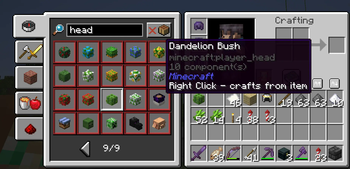
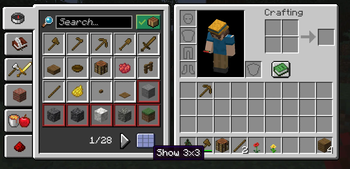
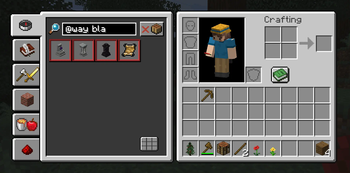
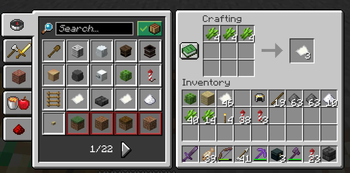
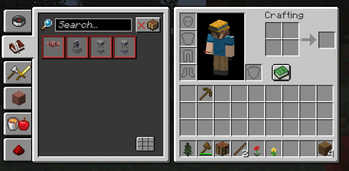
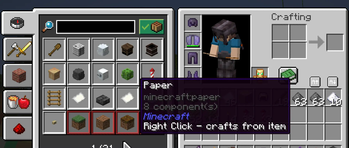
About this Mod
| Bugs & News | All Projects | Support Me |
|---|---|---|

|

|

|

This mod slightly improves the standard Minecraft recipe book. It’s a lightweight alternative to mods like JEI (Just Enough Items).
The new mod by Max Bel.
You can buy me a coffee if you’d like :) — https://ko-fi.com/maxbel
🔔 See major new features and fixes in versions 1.0.6–1.0.11
Special JEB mod version 1.0.11-ATM10 (NeoForge 1.21-1.21.1) has been released for compatibility testing with the "All The Mods 10" modpack.
Please remove the "FastWorkbench" mod before launching.
IN BETA 1.0.5 - 1.20.1,1.21.4,1.21.5!!!
✨ Added some performance optimizations.
🖱️ You can now middle-click (MMB) an item to instantly view its ingredients.
🔍 Or just type ~[item_id] in the search bar to see what it’s made from!
You can view not only craftable items, but all items. By right-clicking any item, you can see what can be crafted from it (or just add # to the beginning of the search string).
You can search by item name, tag name, or tooltip text. And of course, you can place items to craft the recipe!
Items are ungrouped (displayed as individual animated buttons), which makes browsing them more convenient.
This is a client-side mod. On any pure vanilla server, it will still show all recipes — even the ones normally hidden from you.
If it doesn’t — try pressing the "Load all recipes" button.
It also has a server-side component: if installed on a server, it will send all server's recipes using the standard method, allowing you to see recipes from any mod.
IN BETA 1.0.4!!!
🔍 New Features
Mod Element Search:
You can now search for items and recipes by mod using the syntax:
@[mod name[ element name]]
Hide 3x3 Recipes:
A new toggle button allows you to hide 3x3 crafting recipes in the inventory view.
Favorites System:
Hover over an item and press A to add it to your favorites.
While in the favorites tab, pressing A again removes the item.
Available Versions
How to Install Just Enough Book on Your Server
Order Server
Order a Minecraft Java server with at least 3 GB RAM (4 GB recommended).
Set fabric Loader
In the panel under "Egg", select the fabric loader and matching Minecraft version (26.3).
Install Mod
Open the mod browser in the dashboard and search for "Just Enough Book". Click "Install" – done! Alternatively, upload the .jar via SFTP to the /mods folder.
Compatibility
Mod Loaders
Minecraft Versions
26.3, 26.2, 26.1.2 (+13 more)
Server-side
~ OptionalRecommended RAM
4 GB(min. 3 GB)Frequently Asked Questions
Just Enough Book server crashes on startup – what to do?
Most common cause: wrong fabric version or insufficient RAM. Check the server log (latest.log) for "OutOfMemoryError" or "Mixin" errors. With Mado Hosting: ensure at least 3 GB RAM is allocated and the loader matches the mod version (26.3). You can switch loaders with one click in the panel.
Is Just Enough Book compatible with fabric and forge and neoforge?
Just Enough Book officially supports fabric, forge, neoforge for Minecraft 26.3, 26.2, 26.1.2. Note: Forge and Fabric mods are NOT cross-compatible – pick one loader and stick with it. The Mado dashboard automatically detects incompatible loader combinations.
Server lagging with Just Enough Book – how to optimize performance?
Recommended RAM: 4 GB (per 8 players). Use /spark profiler to check if Just Enough Book consumes the most tick time. Common fixes: reduce server view-distance to 8-10, install "performant" or "starlight" as supplementary mods on Forge. With Mado Hosting, your server runs on NVMe SSDs with dedicated CPU cores for minimal latency.
Similar Mods


Rent Modded Server
Install Just Enough Book with just one click on your server.