LambdaBetterGrass
A Minecraft mod which adds better grass and snow to the game.
Screenshots
About this Mod
LambdaBetterGrass



An actual better grass and snow mod for Fabric.
📖 What's this mod?
Have you ever used the MCPatcher/OptiFine better grass feature?
I did, and I've hated it immediately.
The main issue is that it's too rough even at Fancy settings.
That's why I made my own mod to fix this issue and provide an alternative to one of the OptiFine features on the Fabric ecosystem!
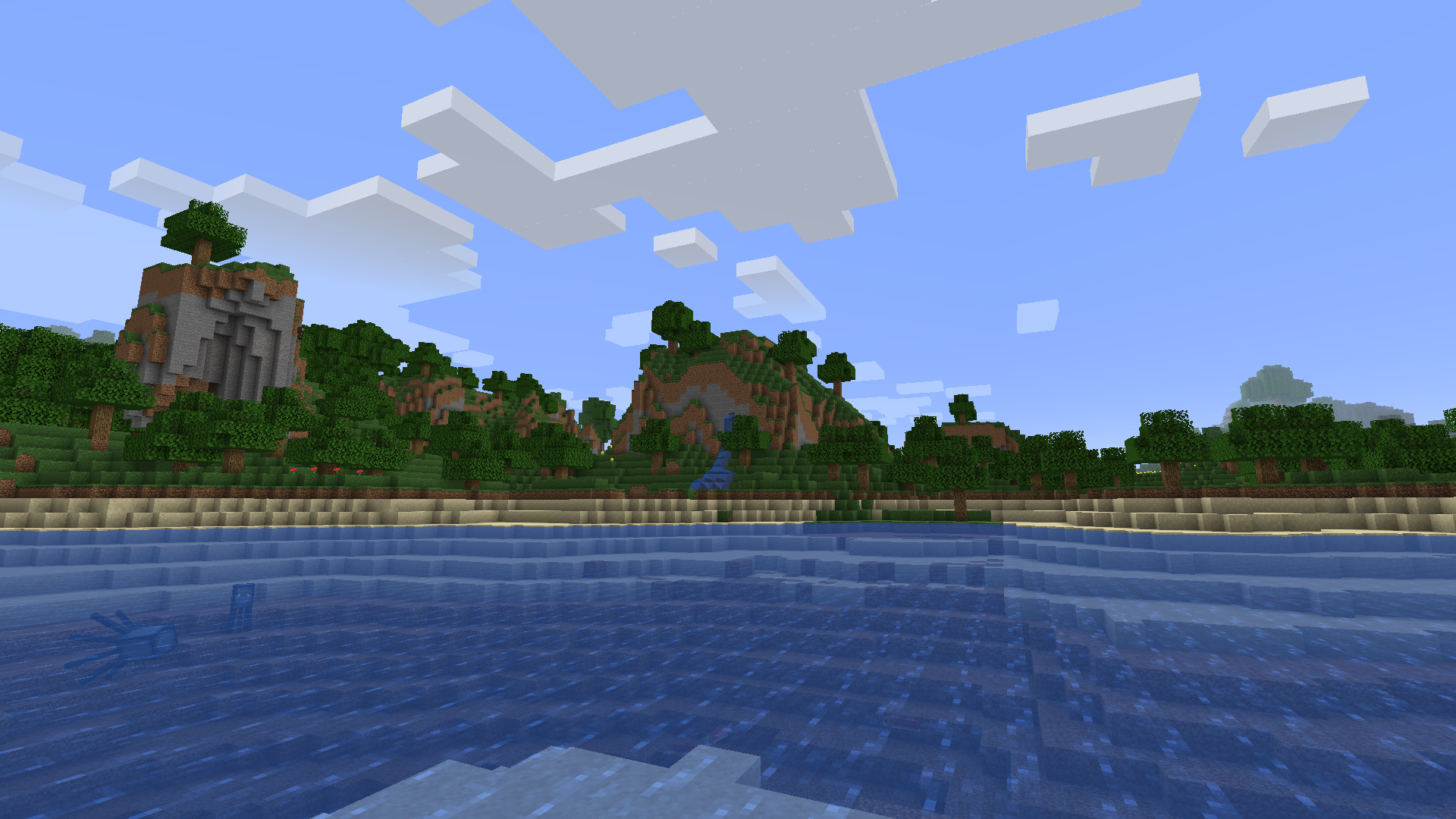
Grass blocks will now connect, and the nearby grass blocks will be smoothed.
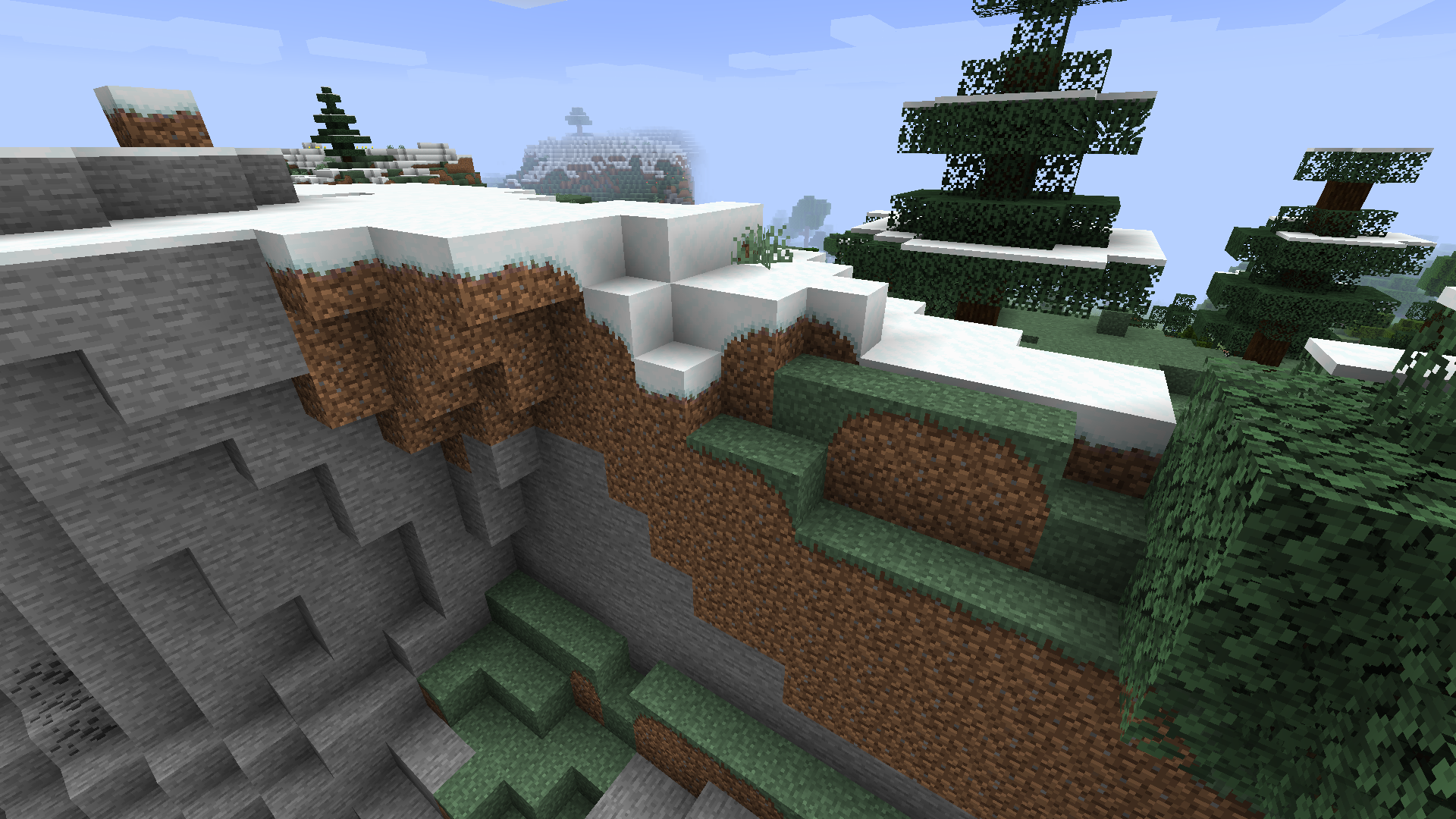
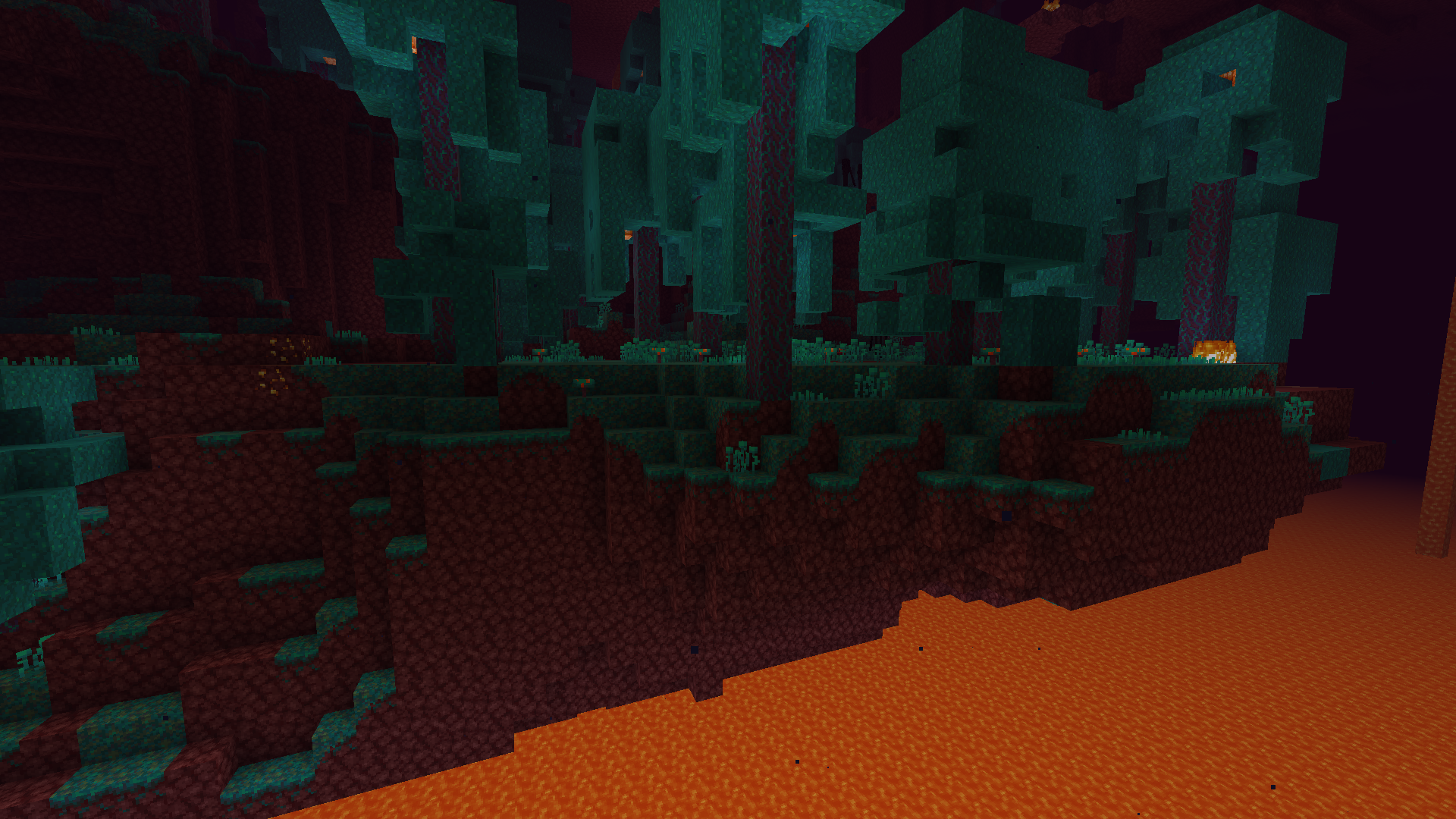
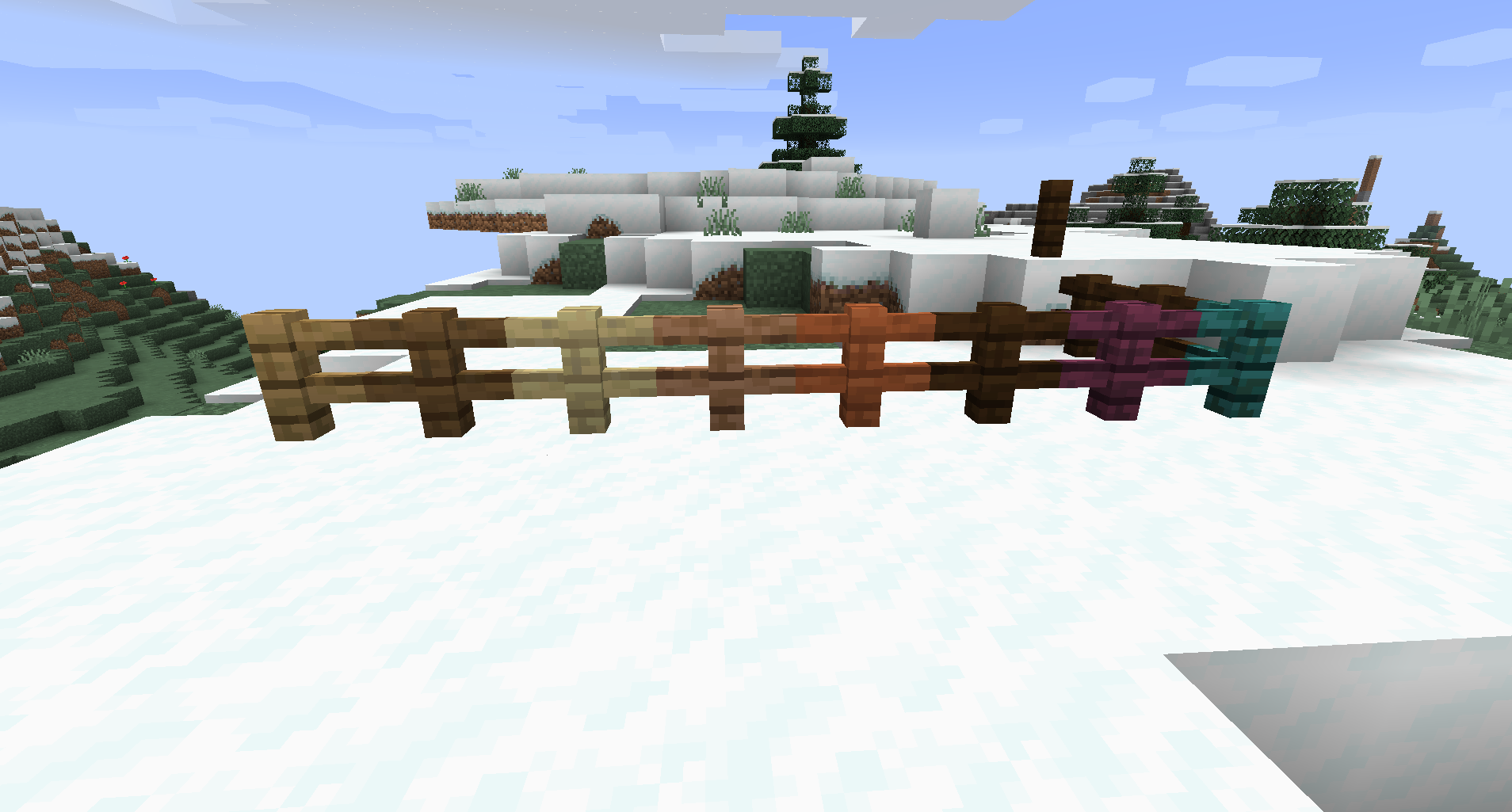
Better snow with the optional included resource pack: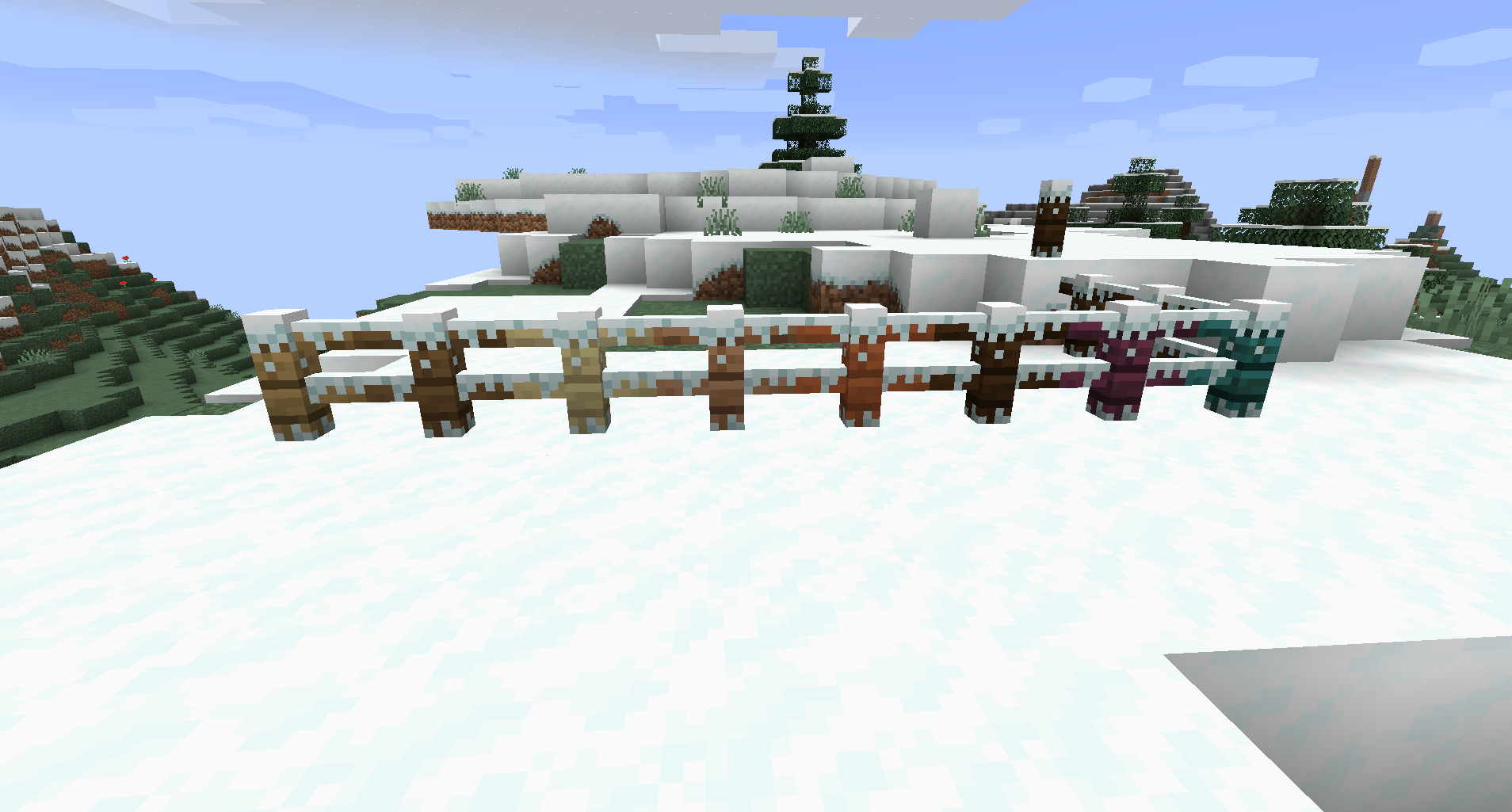
Better "snow" with the optional included resource pack in lush caves (credits to cavebiomes by SuperCoder79):
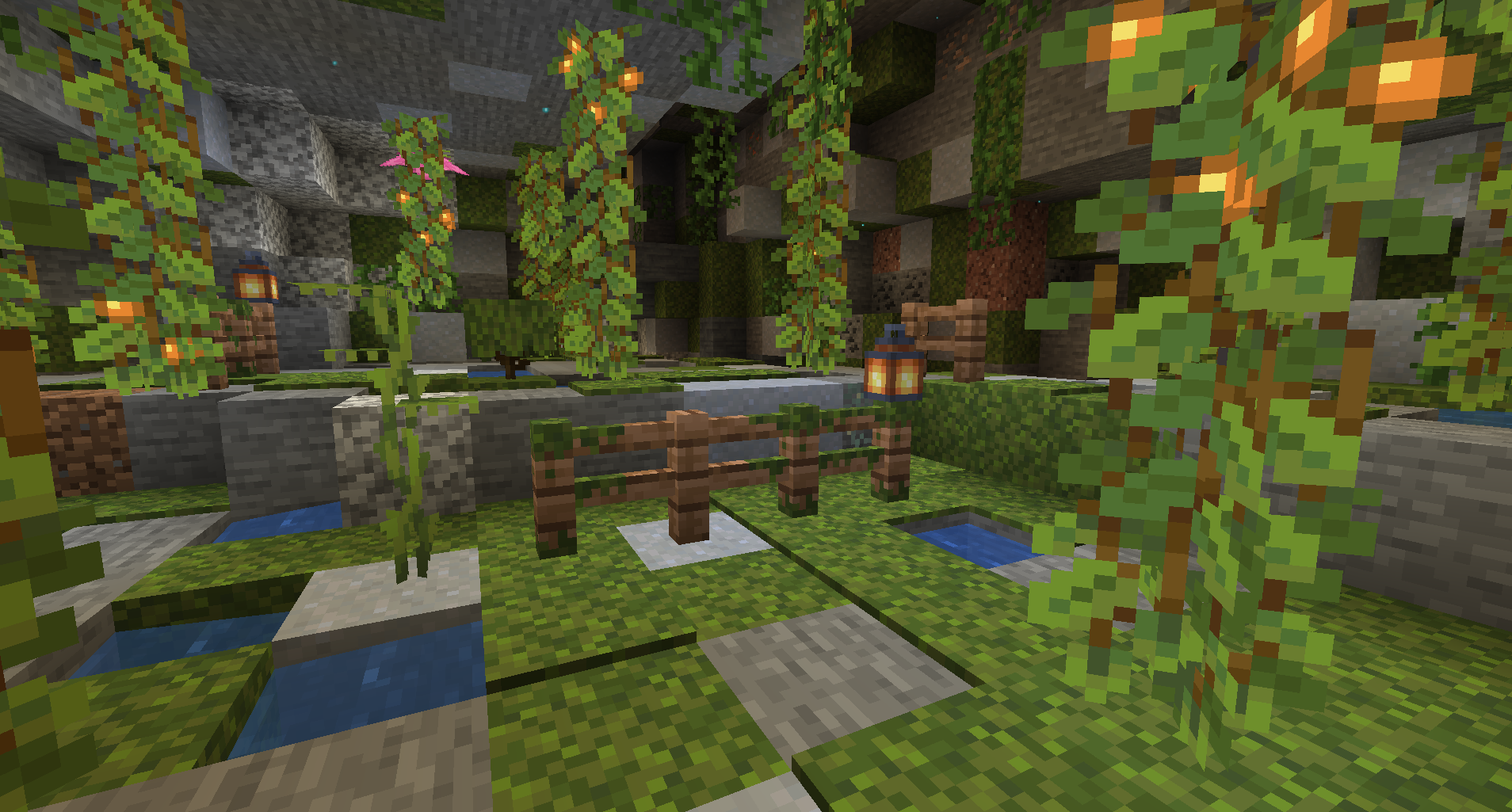
Better "snow" system used for sculk vein, here with the optional included resource pack for custom fences:
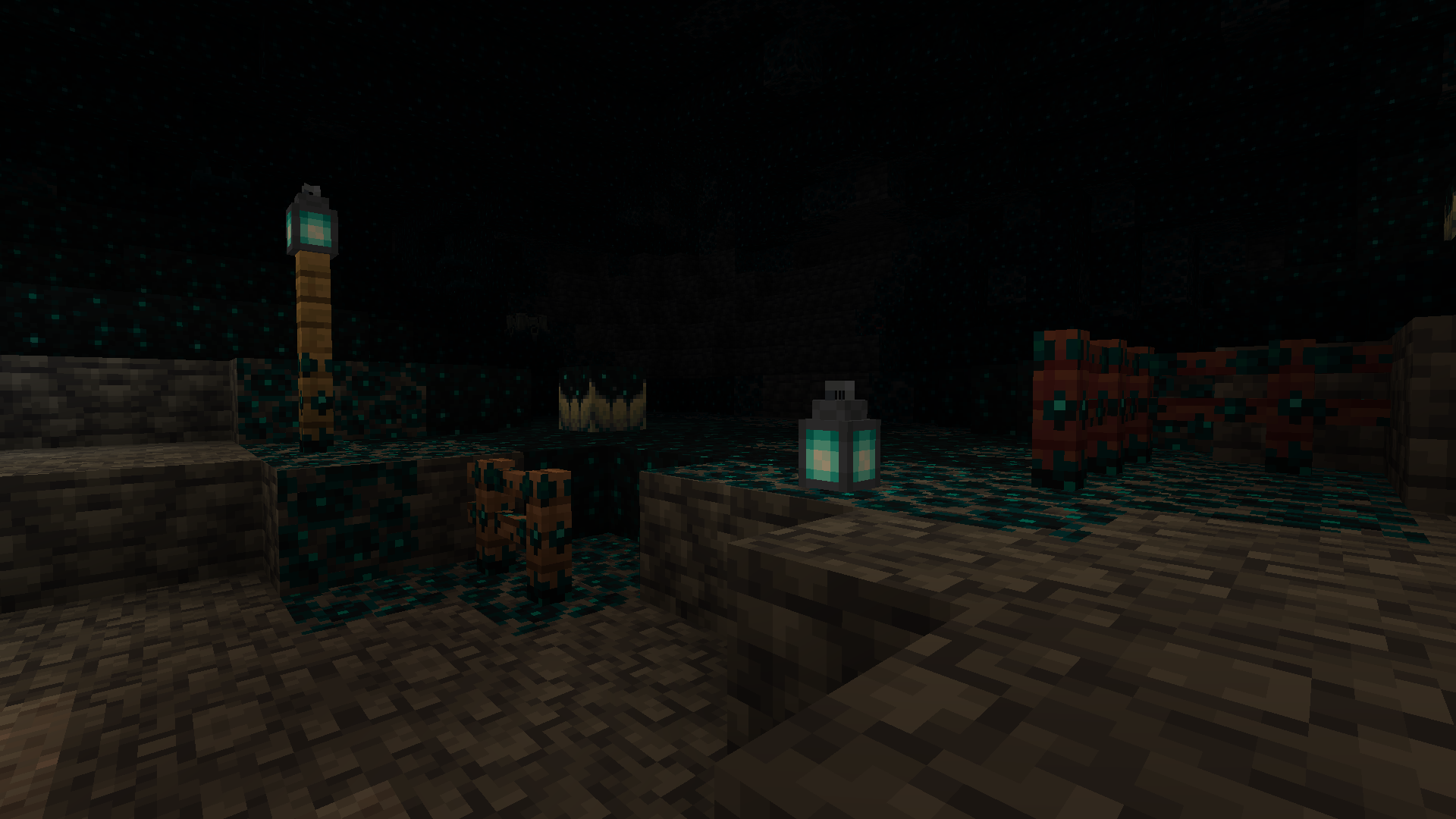
Configuration screen: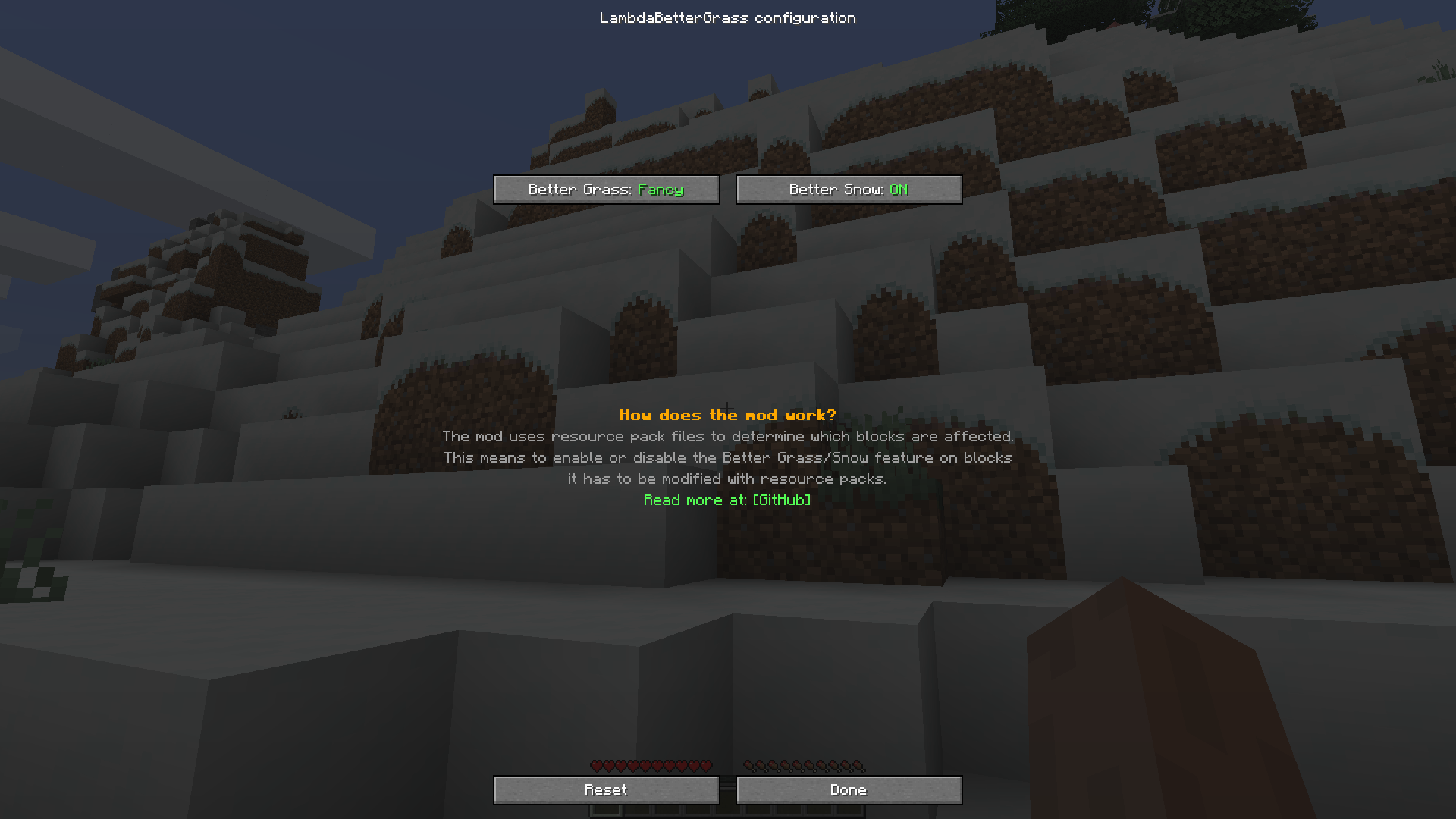
Searching other mods to replace OptiFine? Check out this list!
✅ Features:
- Connect grass blocks
- Connect mycelium blocks
- Connect podzol blocks
- Connect grass path blocks
- Connect crimson nylium blocks
- Connect warped nylium blocks
- Add snow layer to many non-full blocks when Better Snow is enabled
- Add moss layer to many non-full blocks when Better Snow is enabled
- Add sculk vain layer to many non-full blocks when Better Snow is enabled
- Add an optional built-in resource pack to better adapt the mod with Vanilla's look.
- API for resource pack creators and modders to add new block connection following the better grass rule or new alternate models for blocks following the better snow rule.
- And more!
📖 Usage
Using this mod is very simple!
Install it in your mods folder along with Fabric API and ModMenu.
You will notice that some blocks like grass blocks will connect together, if you want to try other options or want to have the same look as OptiFine you can look into the settings screen of the mod via ModMenu.
❓ For resource packs creators and developers
Please check out this documentation.
📖 Compatibility
- Sodium is compatible.
- Canvas is compatible.
- Continuity is compatible.
- OptiFabric is obviously incompatible.
Available Versions
How to Install LambdaBetterGrass on Your Client
Install the Mod Loader Locally
Install fabric for your local Minecraft version.
Download the Matching File
Choose the LambdaBetterGrass file for fabric and Minecraft 26.3.
Install Mod
Place the .jar file in your local .minecraft/mods folder and restart Minecraft. No server-side installation is required.
Compatibility
Mod Loaders
Minecraft Versions
26.3, 26.2, 26.2-rc-2 (+45 more)
Server-side
✗ UnsupportedRecommended RAM
4 GB(min. 3 GB)Frequently Asked Questions
Does LambdaBetterGrass need to be installed on the Minecraft server?
No. Modrinth marks LambdaBetterGrass as unsupported on the server side. Install it only in your local Minecraft mods folder. Your server can remain unchanged unless the mod page lists an additional dependency.
Which version and loader does LambdaBetterGrass require?
Use a file for fabric, quilt and your exact Minecraft version. Supported versions include 26.3, 26.2, 26.2-rc-2. Files for different loaders are not interchangeable.
LambdaBetterGrass is not working – what should I check?
First check the Minecraft version, loader version and required dependencies. Put the .jar file in your local .minecraft/mods folder and remove older duplicates. Because this mod is client-side, adding server RAM will not fix it.
Similar Mods

![[ETF] Entity Texture Features](https://cdn.modrinth.com/data/BVzZfTc1/af683d206d50b05258d865b0d6e4aa2f2cee12f2_96.webp)
![[EMF] Entity Model Features](https://cdn.modrinth.com/data/4I1XuqiY/6e5bbd0d06b1741bfdab6c0cfab6de8fdaf0064c_96.webp)



Minecraft Server for Your Group
LambdaBetterGrass stays on your client. Host a compatible world for your group.