
Lavender
A Guidebook API and alternative to Patchouli
Screenshots
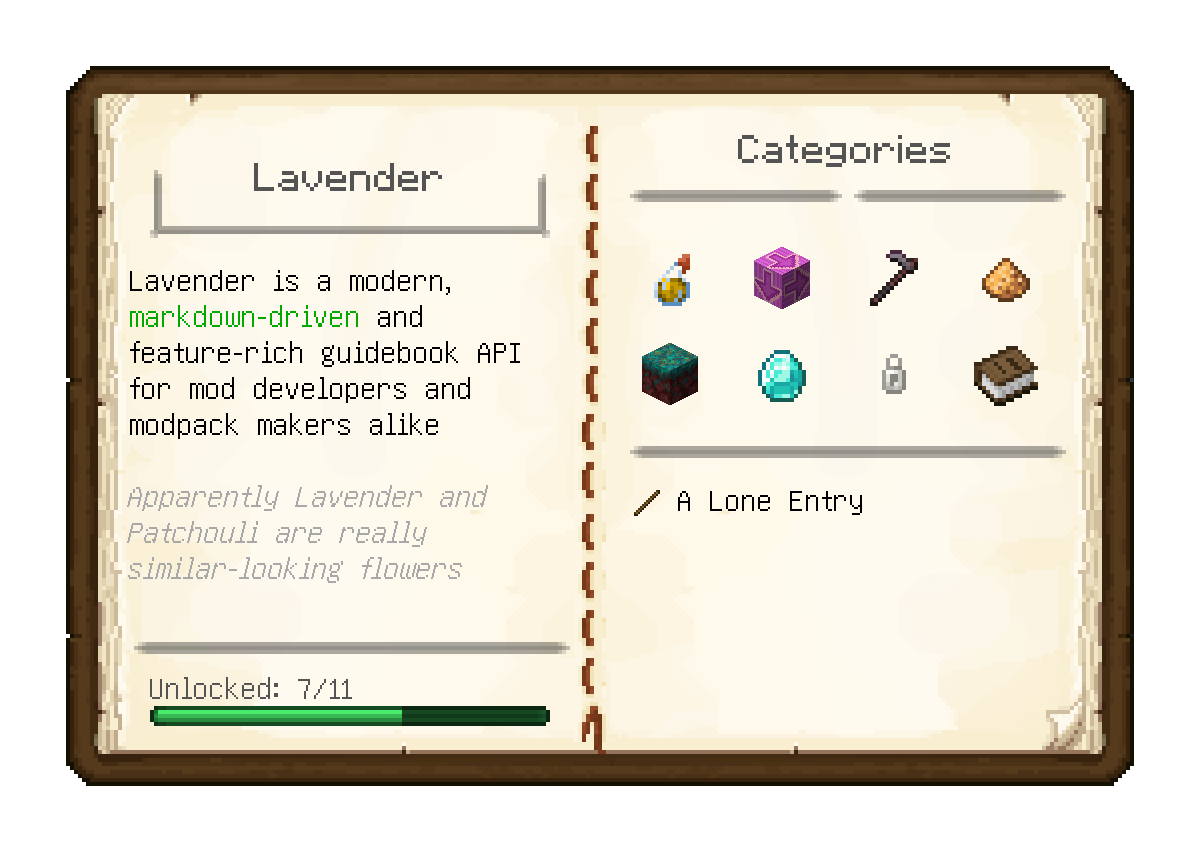
About this Mod
Lavender is tool allowing modders, modpack makers and everybody else to create player guides and other in-game documentation in the form of easy-to-read, intuitive guide books.
Everything is written using easy to learn, familiar and, most importantly, readable markdown with a bunch of special syntax to seamlessly integrate with the game. This is augmented with support for powerful macros and the entirety of the owo-ui framework at your fingertips
Further, for the first time in any guidebook mod (we believe), all books can be viewed in-game when placed in the offhand - extremely useful for referencing an entry while carrying out its instructions
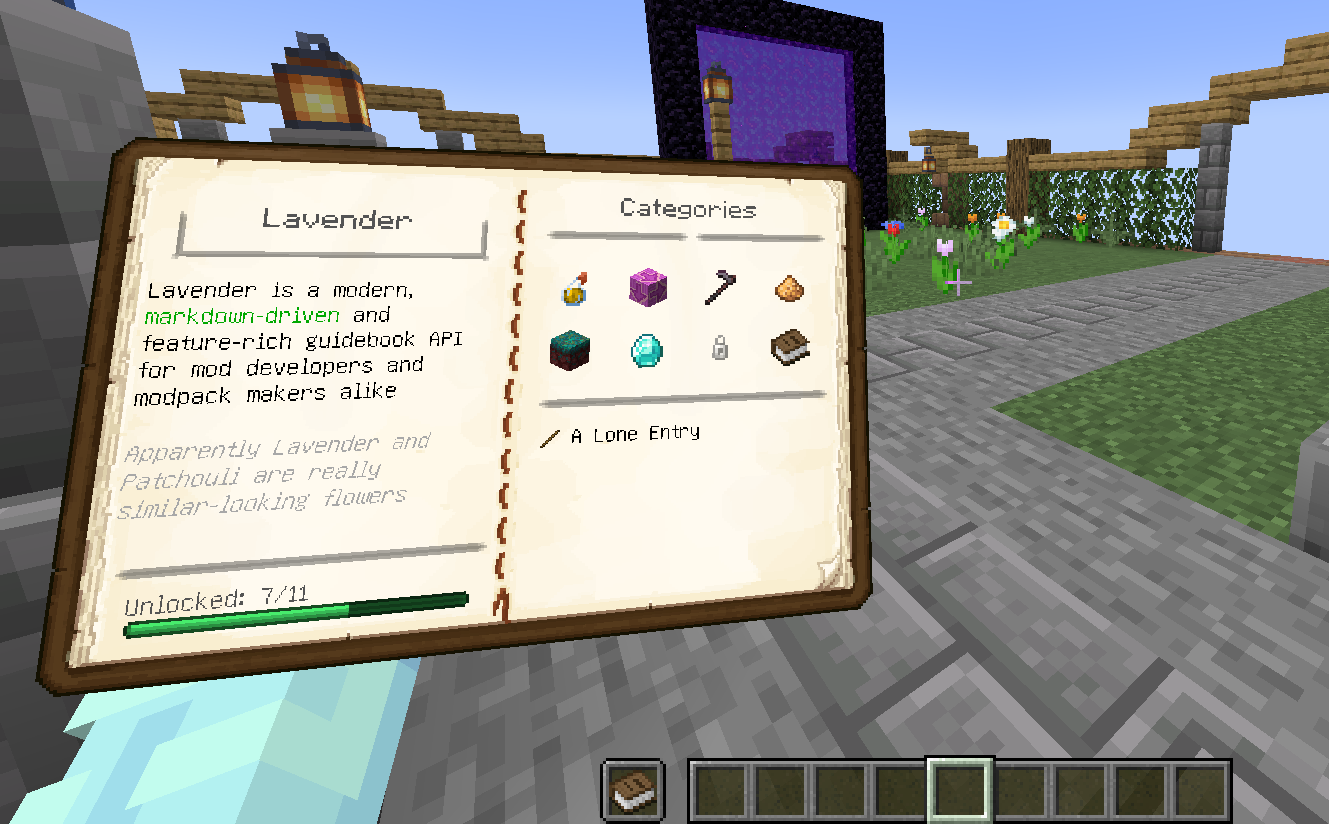
Features
- Fully data-driven book authoring with near-instant hot reloading
- Optional grouping of entries into categories for easy discovery
- Deep linking between entries and categories
- Structure/Multiblock visualization and building assistance
- Gradual content unlocking, backed by the game's advancement system
- Built-in support for visualizing all vanilla recipe types and an easy framework for implementing custom ones
- Localization support
- Individual bookmarks for each save
- Support for extending another mod's books, extremely useful for seamlessly integrating your addon's documentation
Getting started
To start making your own Lavender book right now, complete the setup and then follow Getting Started in the comprehensive documentation over at https://docs.wispforest.io.
For reference, it might be helpful to check out Affinity's Wispen Testament as a solid example book made using Lavender
Credits
- The Patchouli team for making the original mod that inspired Lavender
- chyzman for inspiring a range of features, notably offhand viewing
Available Versions
How to Install Lavender on Your Server
Order Server
Order a Minecraft Java server with at least 3 GB RAM (4 GB recommended).
Set fabric Loader
In the panel under "Egg", select the fabric loader and matching Minecraft version (1.21.4).
Install Mod
Open the mod browser in the dashboard and search for "Lavender". Click "Install" – done! Alternatively, upload the .jar via SFTP to the /mods folder.
Compatibility
Mod Loaders
Minecraft Versions
1.21.4, 1.21.3, 1.21.2 (+8 more)
Server-side
✓ RequiredRecommended RAM
4 GB(min. 3 GB)Frequently Asked Questions
Lavender server crashes on startup – what to do?
Most common cause: wrong fabric version or insufficient RAM. Check the server log (latest.log) for "OutOfMemoryError" or "Mixin" errors. With Mado Hosting: ensure at least 3 GB RAM is allocated and the loader matches the mod version (1.21.4). You can switch loaders with one click in the panel.
Is Lavender compatible with fabric and quilt?
Lavender officially supports fabric, quilt for Minecraft 1.21.4, 1.21.3, 1.21.2. The Mado dashboard automatically detects incompatible loader combinations.
Server lagging with Lavender – how to optimize performance?
Recommended RAM: 4 GB (per 8 players). Use /spark profiler to check if Lavender consumes the most tick time. Common fixes: reduce server view-distance to 8-10, install "performant" or "starlight" as supplementary mods on Forge. With Mado Hosting, your server runs on NVMe SSDs with dedicated CPU cores for minimal latency.
Similar Mods



Rent Modded Server
Install Lavender with just one click on your server.