
Lazy Chunk Load
The vanilla chunk loading system schedules a massive number of chunks around the player all at once, causing instant server CPU overload and TPS collapse
Screenshots

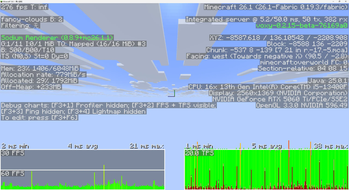
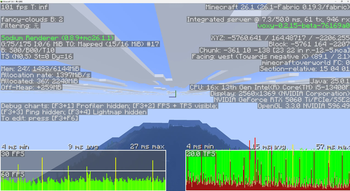
About this Mod
Lazy Chunk Load
The vanilla chunk loading system schedules a massive number of chunks around the player all at once, causing instant server CPU overload and TPS collapse. Lazy Chunk Load improves this process: it controls chunk loading speed like a faucet — automatically turning down when the CPU is busy and opening up when idle — so exploring new terrain no longer stutters.
What This Mod Does
🚶 Anti-Lag Exploration
With this mod installed, the server automatically adjusts chunk loading frequency based on current CPU usage. Full speed when usage is low, automatically slows down when usage spikes — TPS stays rock-solid throughout.
- It doesn't make chunk loading faster — it makes it smoother. Trade a bit of instant speed for a stutter-free experience.
- True prevention, not an after-the-fact fix.
🔄 Background Preloading
When you're standing still, the mod automatically uses idle CPU to preload ungenerated chunks around you.
Priority: chunks under your feet first, then in your line of sight, then to the sides and behind.
- Enabled by default, works while idling.
- Automatically pauses when the CPU is busy — never steals resources.
- Status output to log every 5 seconds.
🛡️ Additional Protections
- Login Warmup: No limits for the first 10 seconds after joining a world, ensuring initial terrain loads quickly.
- Save Safety: Automatically pauses all chunk loading during world saves to prevent save stalling.
- Emergency Bypass: When the player steps on an unloaded chunk, all limits are bypassed and the chunk loads immediately.
- Hotspot Chunk Tracking: Frequently-accessed chunks are marked as hotspots; preload extends their retention time.
- Dimension Whitelist/Blacklist: Restrict preloading scope via
dimension_blacklist/dimension_whitelistto avoid wasting CPU in custom dimensions.
Installation
Drop it into your mods folder — no configuration needed to work out of the box. Server-side only; clients do not need to install it.
Singleplayer works perfectly fine too.
| Platform | Supported Versions |
|---|---|
| Fabric | 1.21.x |
| Fabric | 26.1+ |
| Forge | 1.20.1 |
| NeoForge | 1.21.1 |
💡 Fully compatible with optimization mods like C2ME, Lithium, and VulkanMod. Does not modify chunk generation algorithms — only adjusts loading rhythm.
🗺️ Automatically detects Chunky pre-generation tasks and lifts CPU limits during generation for full speed; restores automatically when complete.
Monitoring
Every 5 seconds a status line is logged to logs/latest.log:
[LazyChunkLoad] Tick:1200 CPU:45% Sched:3/t Warmup:N Preload:ON Main:OK
| Field | Meaning |
|---|---|
Tick |
Current tick count |
CPU |
CPU usage percentage |
Sched |
Chunks loaded last tick |
Warmup |
Y=Warming up / N=Normal |
Preload |
ON=Active / OFF=Disabled / PAUSED=CPU too high |
Main |
OK=Full speed / SLOW=Throttled |
Configuration
The config file is located at config/lazychunkload.json (auto-generated, takes effect immediately on changes).
If you just want to use the mod normally, you don't need to read any of this — the defaults are already best practice.
📝 Full Configuration Reference (click to expand)
| Option | Default | Description |
|---|---|---|
cpu_threshold |
0.85 | CPU usage threshold for throttling (0~1, higher = more lenient) |
warmup_ticks |
200 | How many ticks after login to skip limits (20 ticks = 1 second) |
preload_enabled |
true | Enable background preloading |
preload_radius |
64 | Preload radius (in chunks) |
preload_delay_seconds |
1 | Seconds of standing still before preloading begins |
distance_weight |
0.5 | Distance priority weight (closer = more priority) |
direction_weight |
0.4 | Direction priority weight (forward-facing = more priority) |
aging_weight |
0.1 | Aging priority weight (long-unloaded = more priority) |
direction_multiplier |
5.0 | Direction bonus multiplier |
aging_factor_ms |
10000 | How many milliseconds count as "aged" |
log_loading |
false | Log detailed info to console |
performance_tips |
true | Output debug log when CPU or MSPT exceeds threshold (no longer sent to chat) |
There is also a runtime config at config/lazychunkload-runtime.json:
| Option | Default | Description |
|---|---|---|
limit_enabled |
false | Set to true to completely disable CPU limits (full speed) |
tips_disabled |
false | Set to true to disable chat performance tips |
How It Works
- Checks CPU usage once per tick (1-second cache, near-zero overhead).
- CPU below 85%: chunks load normally, no restrictions.
- CPU above 85%: chunk loading frequency is automatically reduced — the higher the CPU, the stronger the limit, but even in the worst case, at least one pass is allowed every 0.2 seconds — ensuring terrain never gets permanently stuck.
- When you're standing still: background scanning of ungenerated chunks around you, loaded in prioritized batches.
- When you're exploring: stepping on an empty chunk triggers an immediate emergency bypass with no limits applied.
Available Versions
How to Install Lazy Chunk Load on Your Server
Order Server
Order a Minecraft Java server with at least 3 GB RAM (4 GB recommended).
Set fabric Loader
In the panel under "Egg", select the fabric loader and matching Minecraft version (26.2).
Install Mod
Open the mod browser in the dashboard and search for "Lazy Chunk Load". Click "Install" – done! Alternatively, upload the .jar via SFTP to the /mods folder.
Compatibility
Mod Loaders
Minecraft Versions
26.2, 26.1.2, 26.1.1 (+13 more)
Server-side
✓ RequiredRecommended RAM
4 GB(min. 3 GB)Frequently Asked Questions
Lazy Chunk Load server crashes on startup – what to do?
Most common cause: wrong fabric version or insufficient RAM. Check the server log (latest.log) for "OutOfMemoryError" or "Mixin" errors. With Mado Hosting: ensure at least 3 GB RAM is allocated and the loader matches the mod version (26.2). You can switch loaders with one click in the panel.
Is Lazy Chunk Load compatible with fabric and forge and neoforge?
Lazy Chunk Load officially supports fabric, forge, neoforge for Minecraft 26.2, 26.1.2, 26.1.1. Note: Forge and Fabric mods are NOT cross-compatible – pick one loader and stick with it. The Mado dashboard automatically detects incompatible loader combinations.
Server lagging with Lazy Chunk Load – how to optimize performance?
Recommended RAM: 4 GB (per 8 players). Use /spark profiler to check if Lazy Chunk Load consumes the most tick time. Common fixes: reduce server view-distance to 8-10, install "performant" or "starlight" as supplementary mods on Forge. With Mado Hosting, your server runs on NVMe SSDs with dedicated CPU cores for minimal latency.
Similar Mods


Rent Modded Server
Install Lazy Chunk Load with just one click on your server.