
Linear Sensitivity
Make Sensitivity linear.
Screenshots

About this Mod
Have you ever
- Wonder "Why is 200% sensitivity not twice as fast as 100%" ?
- Change your DPI and can't find optimal sens ?
- Find Minecraft's sensitivity setting is terrible ?
Then Fear Not!
Linear Sensitivity is for you!
Normally, Minecraft handles mouse sensitivity as a cubic function: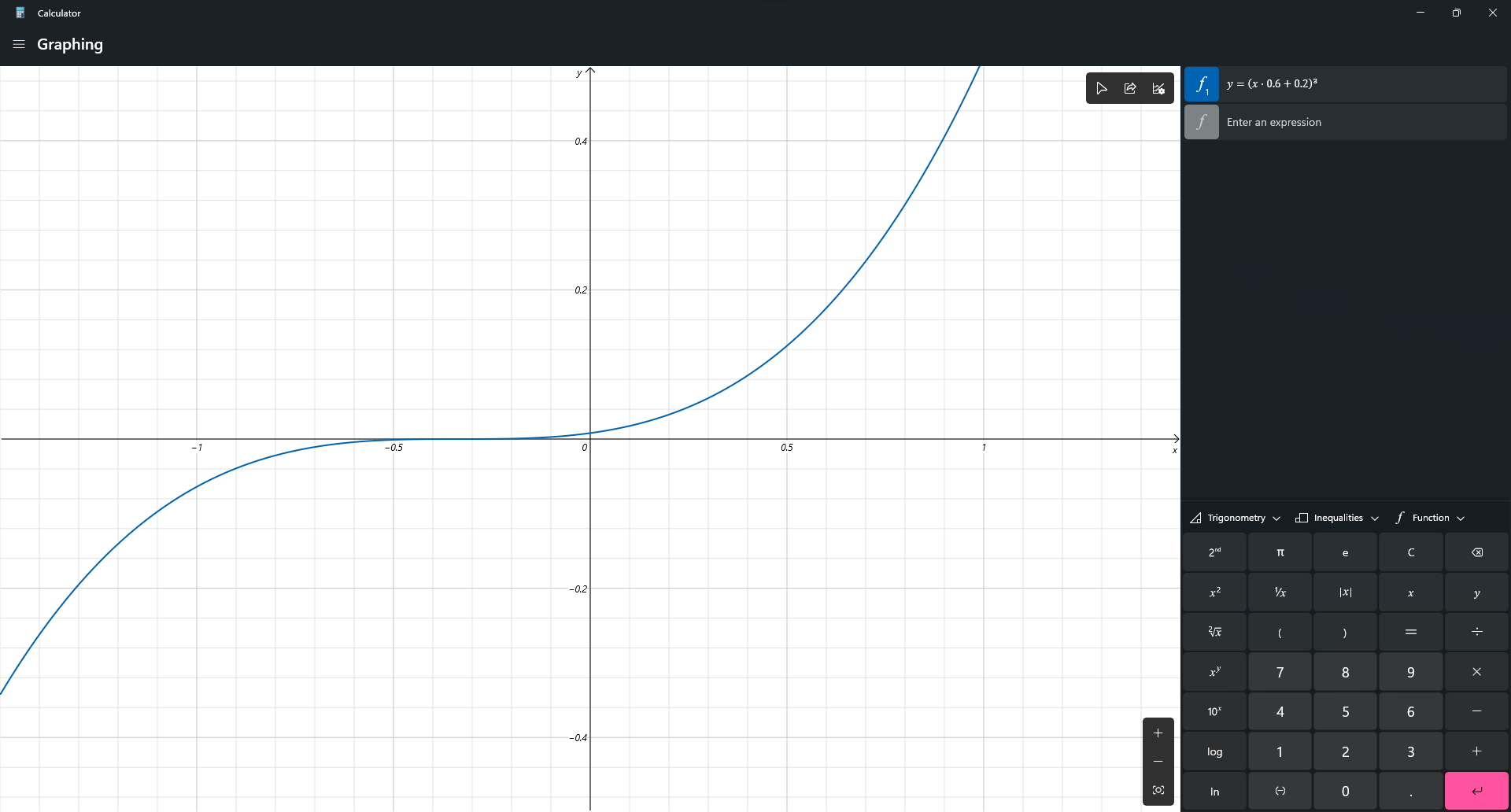
This mod change it. Instead of a cubic function, the sensitivity will be processed in a linear scale. So now, if you change your DPI from 400 up-to 1600, and your sens from 200% down-to 50%, you will feel exactly the same!
Bonus Feature:
/sens to change your sensitivity (Max: 1, Min: 0), based on advSensitivity. It supports Float value so you can make your sens 8 digits, like: 0.0000001 (Why you need so many '0'?)
Why I create this mod?
Long time ago, when I modify Timeless and Classic mod (the original on 1.18.2 one, not TAC:Z), I find zoom sensitivity is so wrong (it's faster than I expect). After 3 hours digging through the code, I found that the way Minecraft process mouse sens is so weird compared to other games. Therefore, I decide to create a mod to change it. After all, I'm a CS player who have fun when creating config files instead of actually playing the game.
Technical detail
I use a single mixin class to change a variable in updateMouse() method.
Planning
- Custom /m_yaw and /m_pitch like CS2, bonus, /fov
Credit
- Feature Image: Mebig
Available Versions
How to Install Linear Sensitivity on Your Client
Install the Mod Loader Locally
Install fabric for your local Minecraft version.
Download the Matching File
Choose the Linear Sensitivity file for fabric and Minecraft 1.21.11.
Install Mod
Place the .jar file in your local .minecraft/mods folder and restart Minecraft. No server-side installation is required.
Compatibility
Mod Loaders
Minecraft Versions
1.21.11, 1.21.10, 1.21.9 (+16 more)
Server-side
✗ UnsupportedRecommended RAM
4 GB(min. 3 GB)Frequently Asked Questions
Does Linear Sensitivity need to be installed on the Minecraft server?
No. Modrinth marks Linear Sensitivity as unsupported on the server side. Install it only in your local Minecraft mods folder. Your server can remain unchanged unless the mod page lists an additional dependency.
Which version and loader does Linear Sensitivity require?
Use a file for fabric, forge and your exact Minecraft version. Supported versions include 1.21.11, 1.21.10, 1.21.9. Files for different loaders are not interchangeable.
Linear Sensitivity is not working – what should I check?
First check the Minecraft version, loader version and required dependencies. Put the .jar file in your local .minecraft/mods folder and remove older duplicates. Because this mod is client-side, adding server RAM will not fix it.
Similar Mods





Minecraft Server for Your Group
Linear Sensitivity stays on your client. Host a compatible world for your group.