
Lucky Block
Modern implementation of the classic lucky block mod: break the lucky block, get something random. Easily create your own lucky blocks
Screenshots
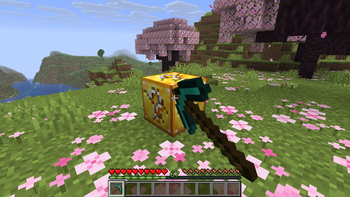
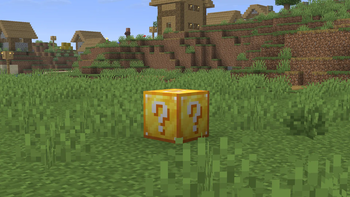

About this Mod





Lucky Blocks are magical boxes that give random drops upon being broken, ranging from huge explosions to harmless items to overpowered goods.
This core mod serves to recreate the original Lucky Block Mod by Alex Socha, containing many similar drops and experiences. Despite the similarities, this mod is not affiliated with the original Lucky Block Mod. This mod exists because modern support for the old mod is practically non-existent.

- Wishing wells (explosions, potatoes, ores)
- Animals (jeb_ sheep, wolves, cats)
- Villagers with custom trades
- Traps (anvil, lava, water)
- Hero items (OP gear)
- And many, many more
This mod implements over 100 drops

Like the older Lucky Block Mod, this one supports addons, which add in their own custom types of Lucky Blocks.
These addons are provided via a .zip file, and are placed within the.minecraft/addons
folder of the game (which you will have to create yourself).
Available Versions
How to Install Lucky Block on Your Server
Order Server
Order a Minecraft Java server with at least 3 GB RAM (4 GB recommended).
Set fabric Loader
In the panel under "Egg", select the fabric loader and matching Minecraft version (26.2).
Install Mod
Open the mod browser in the dashboard and search for "Lucky Block". Click "Install" – done! Alternatively, upload the .jar via SFTP to the /mods folder.
Compatibility
Mod Loaders
Minecraft Versions
26.2, 1.21.1
Server-side
✓ RequiredRecommended RAM
4 GB(min. 3 GB)Frequently Asked Questions
Lucky Block server crashes on startup – what to do?
Most common cause: wrong fabric version or insufficient RAM. Check the server log (latest.log) for "OutOfMemoryError" or "Mixin" errors. With Mado Hosting: ensure at least 3 GB RAM is allocated and the loader matches the mod version (26.2). You can switch loaders with one click in the panel.
Is Lucky Block compatible with fabric and neoforge?
Lucky Block officially supports fabric, neoforge for Minecraft 26.2, 1.21.1. The Mado dashboard automatically detects incompatible loader combinations.
Server lagging with Lucky Block – how to optimize performance?
Recommended RAM: 4 GB (per 8 players). Use /spark profiler to check if Lucky Block consumes the most tick time. Common fixes: reduce server view-distance to 8-10, install "performant" or "starlight" as supplementary mods on Forge. With Mado Hosting, your server runs on NVMe SSDs with dedicated CPU cores for minimal latency.
Similar Mods





Rent Modded Server
Install Lucky Block with just one click on your server.