
Mob Plaques
Neat, tiny attribute displays for all mobs with great customization!
Screenshots
About this Mod









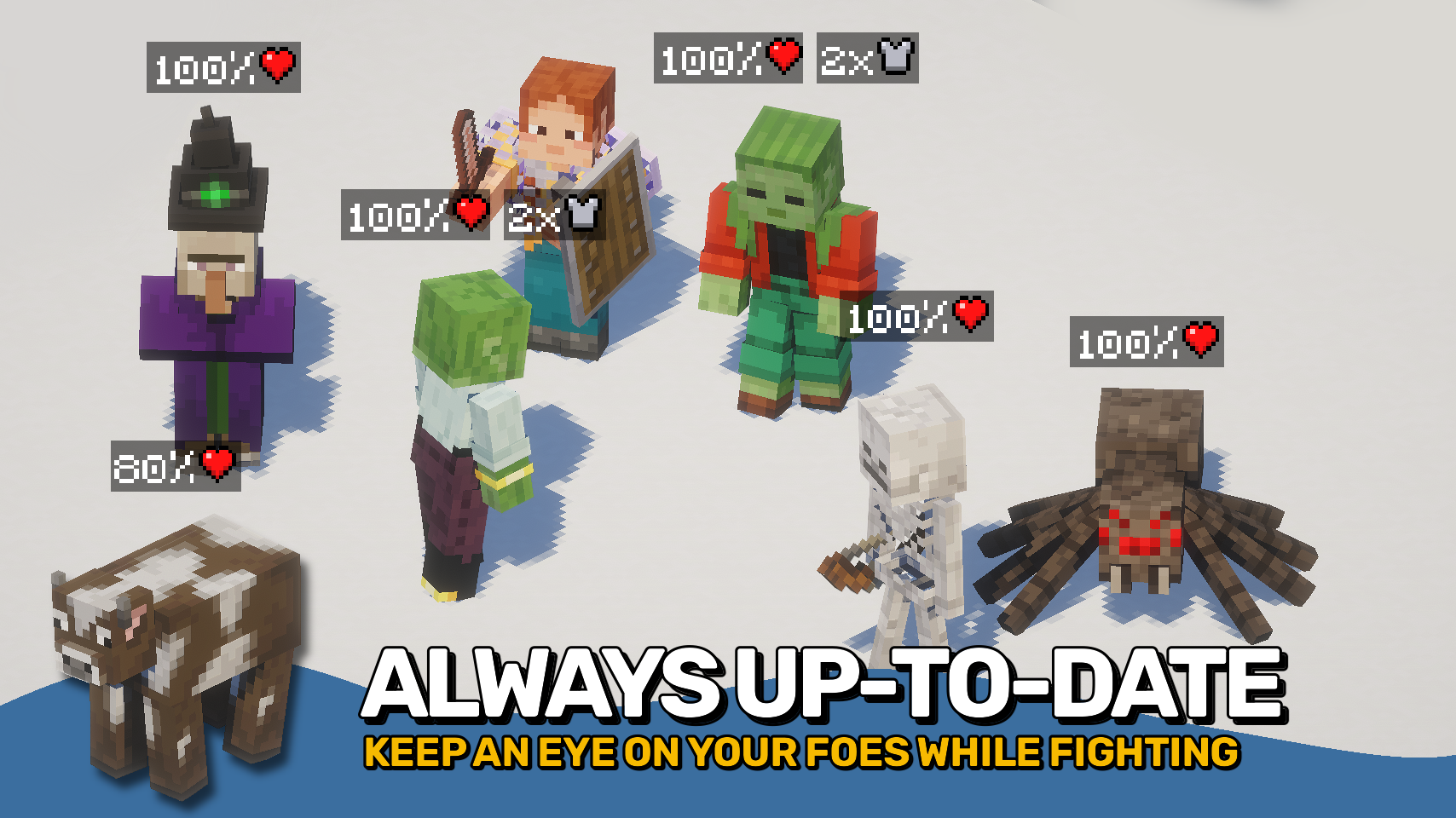
Mob Plaques adds compact status displays above mobs, letting you quickly see important information without cluttering your screen. Health, armor, armor toughness, and air supply are shown using familiar Minecraft-style icons that feel right at home in the game. ❤️
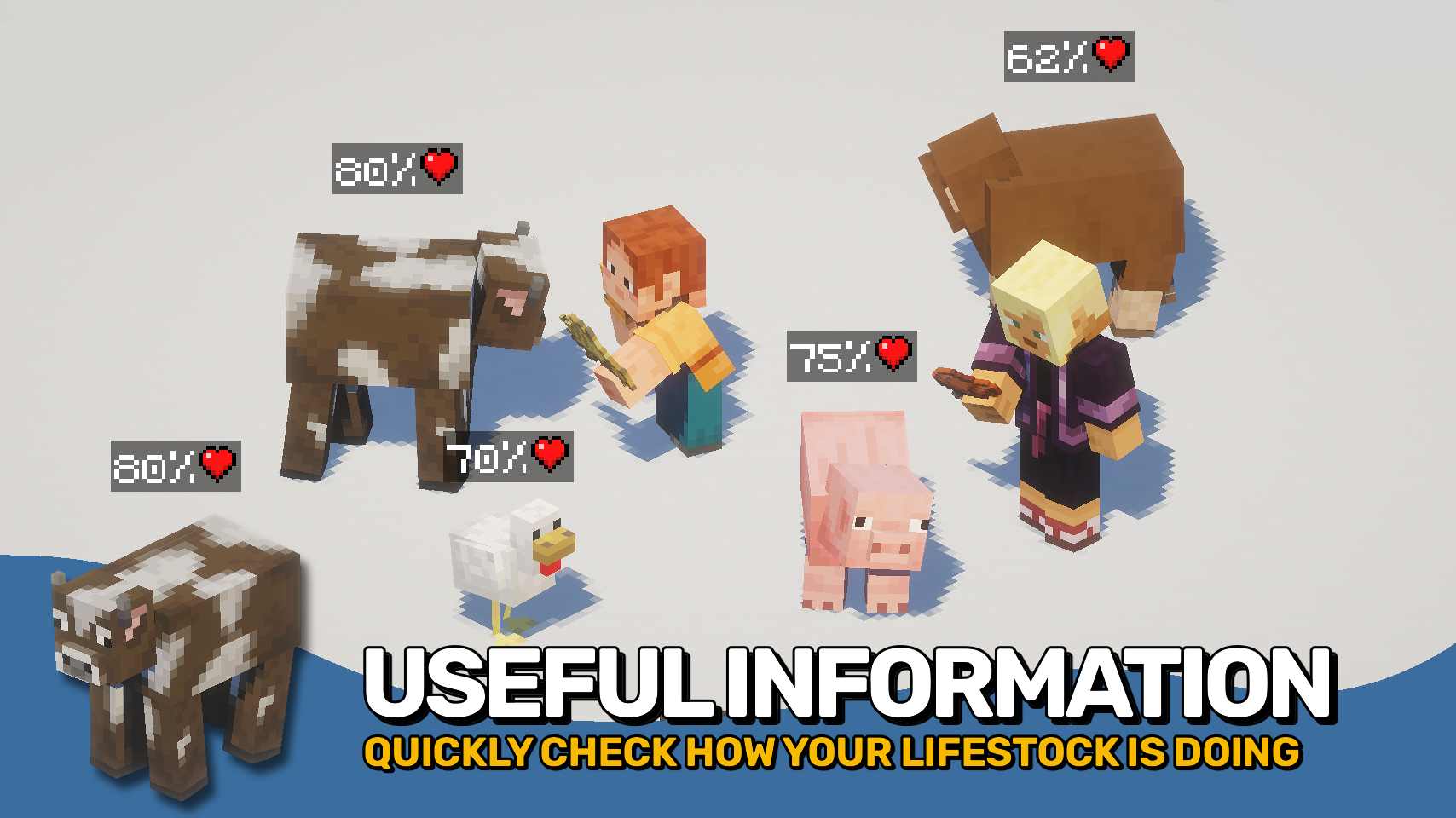
Whether you're fighting monsters, managing animals, exploring underwater, or taking on bosses, the mod helps you judge a mob's condition at a glance. The plaques stay small and unobtrusive while still providing the information that matters most. 🛡️
This mod is designed to fit a wide range of playstyles, with flexible visibility options, support for many different entity types, and an in-game toggle whenever you want a cleaner view. 👁️

- ❤️ Health Plaques: Display mob health above entities using familiar Minecraft heart icons.
- 🛡️ Armor & Toughness: See armor and armor toughness values without guessing.
- 🫧 Air Supply Display: Track remaining air when mobs are underwater and running out of breath.
- 🎯 Focus Mode: Optionally show plaques only for the entity you are looking at.
- 🐺 Flexible Entities: Display plaques for mobs, monsters, bosses, players, mounts, tamed animals, and more.
- 🪄 Distance Scaling: Scale plaques based on proximity for better readability.
- 👁️ Visibility Options: Adjust render distance, scaling, positioning, brightness, wall visibility, and other display settings.
- ⌨️ Quick Toggle Keybind: Enable or disable all plaques at any time with a configurable keybind.


⏩ INSTALLATION REQUIRED ON CLIENT
⏩ REQUIRES PUZZLES LIB TO BE INSTALLED (FABRIC & NEOFORGE)
⏩ REQUIRES FABRIC API TO BE INSTALLED (FABRIC)
⏩ REQUIRES FORGE CONFIG API PORT TO BE INSTALLED (FABRIC)

If available for a mod, configuration is possible directly from in-game using the mod menu (requires Mod Menu by Prospector to be installed on Fabric).
For manual configuration using an external text editor all files are found at .minecraft/config, named as MOD_ID-client.toml, MOD_ID-common.toml, or MOD_ID-server.toml, depending on the type of config. Not all types might exist for a mod, if any at all.

🌟 Thanks to satyrnidae for creating Wolf Armor and Storage, whose wolf information display inspired the creation of this mod.
🌟 Several configuration options and customization ideas were inspired by Vazkii's excellent Neat mod.
 |
 |
|
 |
 |
|
 |
 |
|
 |
 |
|
 |
 |

© 2026 @heyitsfuzs. All rights reserved. This page was last edited on 11 September 2026, at 06:44 (UTC).
Available Versions
How to Install Mob Plaques on Your Client
Install the Mod Loader Locally
Install fabric for your local Minecraft version.
Download the Matching File
Choose the Mob Plaques file for fabric and Minecraft 26.3.
Install Mod
Place the .jar file in your local .minecraft/mods folder and restart Minecraft. No server-side installation is required.
Compatibility
Mod Loaders
Minecraft Versions
26.3, 26.2, 26.1.2 (+18 more)
Server-side
✗ UnsupportedRecommended RAM
4 GB(min. 3 GB)Frequently Asked Questions
Does Mob Plaques need to be installed on the Minecraft server?
No. Modrinth marks Mob Plaques as unsupported on the server side. Install it only in your local Minecraft mods folder. Your server can remain unchanged unless the mod page lists an additional dependency.
Which version and loader does Mob Plaques require?
Use a file for fabric, forge, neoforge and your exact Minecraft version. Supported versions include 26.3, 26.2, 26.1.2. Files for different loaders are not interchangeable.
Mob Plaques is not working – what should I check?
First check the Minecraft version, loader version and required dependencies. Put the .jar file in your local .minecraft/mods folder and remove older duplicates. Because this mod is client-side, adding server RAM will not fix it.
Similar Mods
![[EMF] Entity Model Features](https://cdn.modrinth.com/data/4I1XuqiY/6e5bbd0d06b1741bfdab6c0cfab6de8fdaf0064c_96.webp)


Minecraft Server for Your Group
Mob Plaques stays on your client. Host a compatible world for your group.