ModMenu Badges Lib
More badge!!!
Screenshots

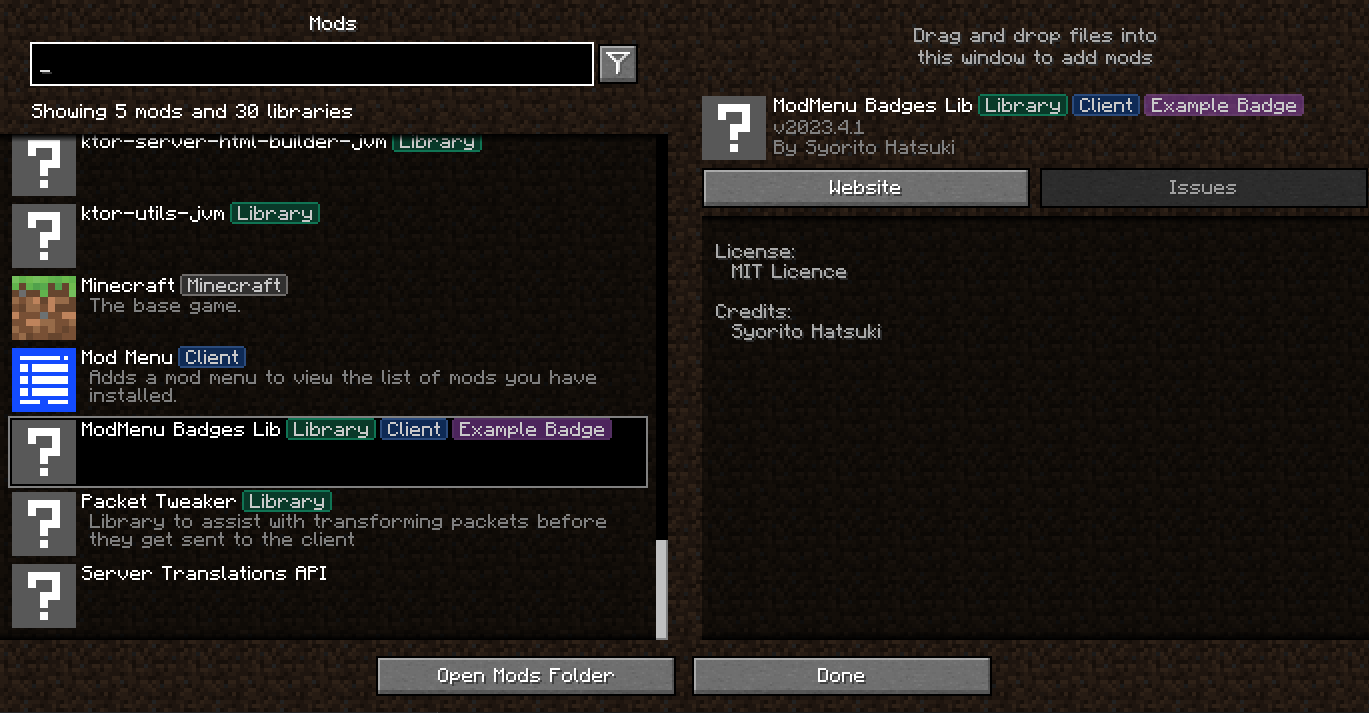
About this Mod








ModMenu Badges Lib
More badge!!!
Support
·
Report Bug
·
Request Feature
Table of Contents
About The Project

Just a simple library for adding your own badges to ModMenu.
For example, Tschipcraft uses it for the Data Pack badge in Dynamic Lights
Usage
Mod Developers
- Add Gradle dependency into
build.gradleorbuild.gradle.kts
repositories {
    maven("https://api.modrinth.com/maven")
}

dependencies {
    // Option 1: Include ModMenu Badges Lib to project for it available within your own jar (additional ~5kb)
    include(modImplementation("maven.modrinth", "modmenu-badges-libb", "<version>"))

    // Option 2: Depend on ModMenu Badges Lib, but require that users install it manually
    modImplementation("maven.modrinth", "modmenu-badges-lib", "<version>")
}
- Add the dependency recommend in your fabric.mod.json
"recommends": {
"modmenu-badges-lib": "*"
}
- Open ModMenu Badges Generator add copy result to our
fabric.mod.json.
Alternative color code generator: https://argb-int-calculator.netlify.app
{
  ...
  "custom": {
    "mcb": [
      {
        // Badge text
        "name": "Example Badge",
        // Fill color
        "fillColor": -2003942227,
        // Outline color
        "outlineColor": -2003084874
      },
      {
        //Next badge
      }
    ]
  },
  ...
}
Modpack developers
- Create
modmenu-extra-badges.jsonfile in root of your
modpack instance (.minecraft folder or else depend on launcher ) - Use example below to edit all how you want
Color values generating tool https://syorito-hatsuki.github.io/modmenu-badges-lib/
{
  // Mod ID
  "modmenu-badges-lib": {
    // Sort badges by alphabet [Default: false]
    "sort": true,
    // Overwrite all badges with new, aka delete all [Default: false]
    "overwrite": true,
    // List of modmenu-badges-lib badges
    "badges": [
      {
        // Name is only required value.
        // Other values will be generated by it if missed
        "name": "Another House"
      },
      {
        // Required
        "name": "COLORFUL",
        // Optional
        "labelColor": -16711936,
        // Optional
        "fillColor": -16776961,
        // Optional
        "outlineColor": -65536,
        // Optional
        "delete": false
      },
    ]
  },
  // Deleting default Minecraft Badge
  "minecraft": {
    "badges": [
      {
        "delete": true,
        "name": "Minecraft"
      },
    ]
  }
}
Roadmap
- Search by badge
- Own online badge editor with real-time preview
See the open issues for a full list of proposed
features (and known issues).
Contributing
Contributions are what make the open source community such an amazing place to learn, inspire, and create. Any
contributions you make are greatly appreciated.
If you have a suggestion that would make this better, please fork the repo and create a pull request. You can also
simply open an issue with the tag "enhancement".
Don't forget to give the project a star! Thanks again!
- Fork the Project
- Create your Feature Branch (
git checkout -b feature/AmazingFeature) - Commit your Changes (
git commit -m 'Add some AmazingFeature') - Push to the Branch (
git push origin feature/AmazingFeature) - Open a Pull Request
License
Distributed under the MIT License. See LICENSE.txt for more information.
Available Versions
How to Install ModMenu Badges Lib on Your Client
Install the Mod Loader Locally
Install fabric for your local Minecraft version.
Download the Matching File
Choose the ModMenu Badges Lib file for fabric and Minecraft 26.3.
Install Mod
Place the .jar file in your local .minecraft/mods folder and restart Minecraft. No server-side installation is required.
Compatibility
Mod Loaders
Minecraft Versions
26.3, 26.2, 26.1.2 (+27 more)
Server-side
✗ UnsupportedRecommended RAM
4 GB(min. 3 GB)Frequently Asked Questions
Does ModMenu Badges Lib need to be installed on the Minecraft server?
No. Modrinth marks ModMenu Badges Lib as unsupported on the server side. Install it only in your local Minecraft mods folder. Your server can remain unchanged unless the mod page lists an additional dependency.
Which version and loader does ModMenu Badges Lib require?
Use a file for fabric and your exact Minecraft version. Supported versions include 26.3, 26.2, 26.1.2. Files for different loaders are not interchangeable.
ModMenu Badges Lib is not working – what should I check?
First check the Minecraft version, loader version and required dependencies. Put the .jar file in your local .minecraft/mods folder and remove older duplicates. Because this mod is client-side, adding server RAM will not fix it.
Similar Mods



Minecraft Server for Your Group
ModMenu Badges Lib stays on your client. Host a compatible world for your group.