
MoonClient
Moon Client is now a feature-complete, stable, and highly polished platform ready for both casual play and high-stakes PvP!
Screenshots
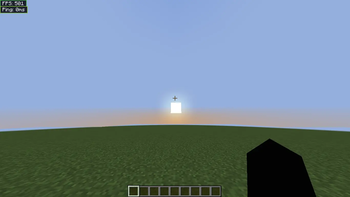
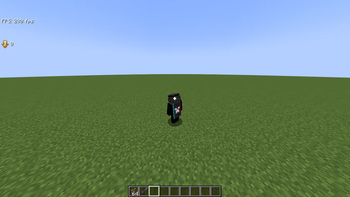
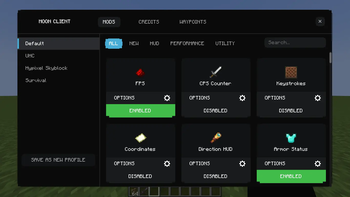
About this Mod
The Moon Client is an advanced Fabric 1.21.11 client that combines top-tier aesthetic quality with best-in-class performance features. The heart of the project is its Smoothest UI that offers double layer mod menu as well as full interactive HUD editor complete with drag-and-drop placement and module label customization.
The client includes over 40 integrated mods divided into four groups: Performance, Visual, Utility, and Information. Performance in combat gets a boost through custom crosshair pixel editor with coloring according to reach distance and the amazing 360° Freelook mod built around the body of the player. Exploring the world will be easier than ever with the advanced 3D Waypoints functionality that includes beacon beams, distance labels, filter by dimension feature, and adjustable tiers of the Zoom mod.
Real-life information will be displayed using information HUD mods dedicated to tracking FPS, CPS, coordinates, keystrokes, and armor status. Visually, the client features such premium features as 3D item physics, HitColors customization, and enchantment glint effect refinement. Technical features include JSON configuration system, entity culling optimization, and Mixins with minimum latency.
Available Versions
How to Install MoonClient on Your Client
Install the Mod Loader Locally
Install fabric for your local Minecraft version.
Download the Matching File
Choose the MoonClient file for fabric and Minecraft 1.21.11.
Install Mod
Place the .jar file in your local .minecraft/mods folder and restart Minecraft. No server-side installation is required.
Compatibility
Mod Loaders
Minecraft Versions
1.21.11, 1.21.8, 1.21.4 (+3 more)
Server-side
✗ UnsupportedRecommended RAM
4 GB(min. 3 GB)Frequently Asked Questions
Does MoonClient need to be installed on the Minecraft server?
No. Modrinth marks MoonClient as unsupported on the server side. Install it only in your local Minecraft mods folder. Your server can remain unchanged unless the mod page lists an additional dependency.
Which version and loader does MoonClient require?
Use a file for fabric, legacy-fabric and your exact Minecraft version. Supported versions include 1.21.11, 1.21.8, 1.21.4. Files for different loaders are not interchangeable.
MoonClient is not working – what should I check?
First check the Minecraft version, loader version and required dependencies. Put the .jar file in your local .minecraft/mods folder and remove older duplicates. Because this mod is client-side, adding server RAM will not fix it.
Similar Mods


Minecraft Server for Your Group
MoonClient stays on your client. Host a compatible world for your group.