
Nyctophobia Dread
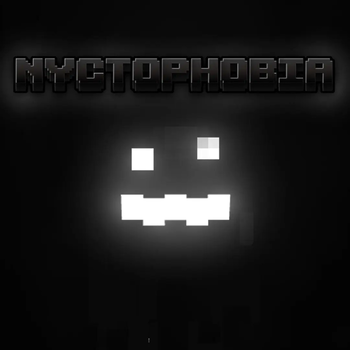
A datapack that adds a new horrifying creature to minecrafts caves and dark spaces
Screenshots
About this Mod
Nyctophobia
- This Datapack is Smithed Compatible!
Fear the dark, enter the caves, but be careful. Carry a light, it hunts in the dark.
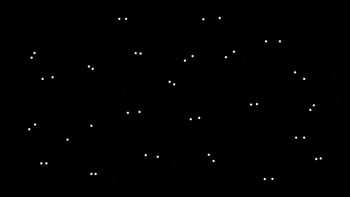
This data pack adds a mysterious new monster that will stalk you in the dark, stay too long and it will attack.
The creature will try its best to avoid you seeing its body, it will disappear when you get night vision, and when it enters light
As soon as you enter your world you will be plagued with TRUE darkness. Light level 0 is now pitch black, giving the creature a perfect home.
If you are using optifine or sodium, download the version of the resourcepack under the datapack with "[OPTIFINE]", attempting to load the default resourcepack with sodium or optifine will give you an error.
For the fullest experience, if you are using optifine, try setting the minimum light level in your shader to the lowest it can go to make dark areas pitch black.
Please do not ask for dynamic lights support as I have already decided im not adding it
Recommended Settings
Brightness - Low (Somewhere around 25 - 50)
📠 Commands
Set Difficulty:
/function nycto:difficulty/(difficulty)
Give Creature:
/function nycto:grue/give
💀 Difficulties
Easy - Creature takes longer to arrive
Normal (Recommended) - Creature takes normal time to arrive
Hard - Creature arrives sooner than normal. Give you slowness upon arrival
Credits
Programming and Models - HAK0TA538
Sound Design - At Dead of Night
Datapack based on Grue Mod
True Darkness Shader - Shock_Micro
Available Versions
How to Install Nyctophobia Dread on Your Server
Order Server
Order a Minecraft Java server with at least 3 GB RAM (4 GB recommended).
Set datapack Loader
In the panel under "Egg", select the datapack loader and matching Minecraft version (1.21).
Install Mod
Open the mod browser in the dashboard and search for "Nyctophobia Dread". Click "Install" – done! Alternatively, upload the .jar via SFTP to the /mods folder.
Compatibility
Mod Loaders
Minecraft Versions
1.21, 1.20.4, 1.20.3 (+30 more)
Server-side
✓ RequiredRecommended RAM
4 GB(min. 3 GB)Frequently Asked Questions
Nyctophobia Dread server crashes on startup – what to do?
Most common cause: wrong datapack version or insufficient RAM. Check the server log (latest.log) for "OutOfMemoryError" or "Mixin" errors. With Mado Hosting: ensure at least 3 GB RAM is allocated and the loader matches the mod version (1.21). You can switch loaders with one click in the panel.
Is Nyctophobia Dread compatible with datapack and fabric and forge and quilt?
Nyctophobia Dread officially supports datapack, fabric, forge, quilt for Minecraft 1.21, 1.20.4, 1.20.3. Note: Forge and Fabric mods are NOT cross-compatible – pick one loader and stick with it. The Mado dashboard automatically detects incompatible loader combinations.
Server lagging with Nyctophobia Dread – how to optimize performance?
Recommended RAM: 4 GB (per 8 players). Use /spark profiler to check if Nyctophobia Dread consumes the most tick time. Common fixes: reduce server view-distance to 8-10, install "performant" or "starlight" as supplementary mods on Forge. With Mado Hosting, your server runs on NVMe SSDs with dedicated CPU cores for minimal latency.
Similar Mods
![[EMF] Entity Model Features](https://cdn.modrinth.com/data/4I1XuqiY/6e5bbd0d06b1741bfdab6c0cfab6de8fdaf0064c_96.webp)


Rent Modded Server
Install Nyctophobia Dread with just one click on your server.