
Ok Boomer
A no-nonsense zoom mod for cool kids that want to look really close at explosions
Screenshots
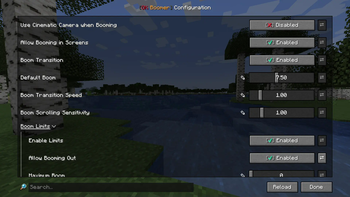
About this Mod
Ok Boomer is just what it says on the tin - a no-nonsense zoom mod (or, as we call it around here boom mod). Press the boom keybind (C by default) to zoom into your game and scroll to adjust the level of booming.
But then again this is not just your ordinary boom mod - open any screen, like your inventory, press ctrl + shift and your boom keybind at the same time and watch as everything you see enlarges. Yes you got that right, booming into screens is the secondary feature Ok Boomer offers. We were quite close to saying you can "boom everywhere", but then again you can't boom into the loading screen (yet?).
Features
- Smooth, adjustable in-game zoom
- The (probably?) world's first in-screen zoom
- Impeccable humor
- High customizability where it matters - including the option to disable all limits, in either direction
- At least two extra, somewhat hidden features for you to discover
Credits
- chyzman for inspiring screen booming and the two easter-egg features
- Ennui for her incredible work on Ok Zoomer, which quite unsurprisingly inspired the name of this mod
- The Twemoji Project for making their emoji freely available - from which the icon of this mod has been assembled
Available Versions
How to Install Ok Boomer on Your Client
Install the Mod Loader Locally
Install fabric for your local Minecraft version.
Download the Matching File
Choose the Ok Boomer file for fabric and Minecraft 1.21.11.
Install Mod
Place the .jar file in your local .minecraft/mods folder and restart Minecraft. No server-side installation is required.
Compatibility
Mod Loaders
Minecraft Versions
1.21.11, 1.21.10, 1.21.9 (+17 more)
Server-side
✗ UnsupportedRecommended RAM
4 GB(min. 3 GB)Frequently Asked Questions
Does Ok Boomer need to be installed on the Minecraft server?
No. Modrinth marks Ok Boomer as unsupported on the server side. Install it only in your local Minecraft mods folder. Your server can remain unchanged unless the mod page lists an additional dependency.
Which version and loader does Ok Boomer require?
Use a file for fabric, quilt and your exact Minecraft version. Supported versions include 1.21.11, 1.21.10, 1.21.9. Files for different loaders are not interchangeable.
Ok Boomer is not working – what should I check?
First check the Minecraft version, loader version and required dependencies. Put the .jar file in your local .minecraft/mods folder and remove older duplicates. Because this mod is client-side, adding server RAM will not fix it.
Similar Mods





Minecraft Server for Your Group
Ok Boomer stays on your client. Host a compatible world for your group.