Particle Moths
Adds moths to your world using particles.
About this Mod
Particle Moths
Adds moths to Minecraft using particles.
Spawning
Moths don't technically spawn because they're actually particles. However, for the sake of simplicity I will refer to this "adding of particles" as spawning.
Caves
Moths will attempt to spawn in a radius around the player, with the size being defined in the config. If the place where moths attempt to spawn has rain or is in water, then the moths won't spawn.
Blocks
Moths also have a chance to spawn by certain light-emitting blocks. Similarly to the cave spawning, if a moth tries to spawn in rain or water, it won't be spawned.
Blocks That Spawn Moths
- Regular Torches (Includes soul torches)
- Lanterns
- Spawn Moths When Lit
- Redstone Torches
- Redstone Lamps
- Candles
Configuration
You must use Mod Menu to access the config screen.
Below are all the settings available, which give the user almost complete control over the mod.
All Configuration Settings
- Spawn Moths
- Glowing Moths
- Specific Velocities - If true, the speed of the Moths will be calculated individually on each axis.
- (X, Y, Z) Velocity - The speed moths will travel at on each axis.
- Moth Count
- Spawn Probability - The chance that a moth will spawn.
- (X, Y, Z) Spawn Distance - The uppermost distance moths can spawn from the player.
- (Negative & Positive) Height Limit - The lowermost and uppermost that moths can spawn.
- Spawn By Blocks
- Block Spawn Probability
- (X, Y, Z) Block Spawn Distance - The uppermost distance that moths can spawn from blocks.
- [Toggles for the blocks that moths can spawn at. (List seen above.)]
Gifs
Configuration: 100 Block Spawn Probability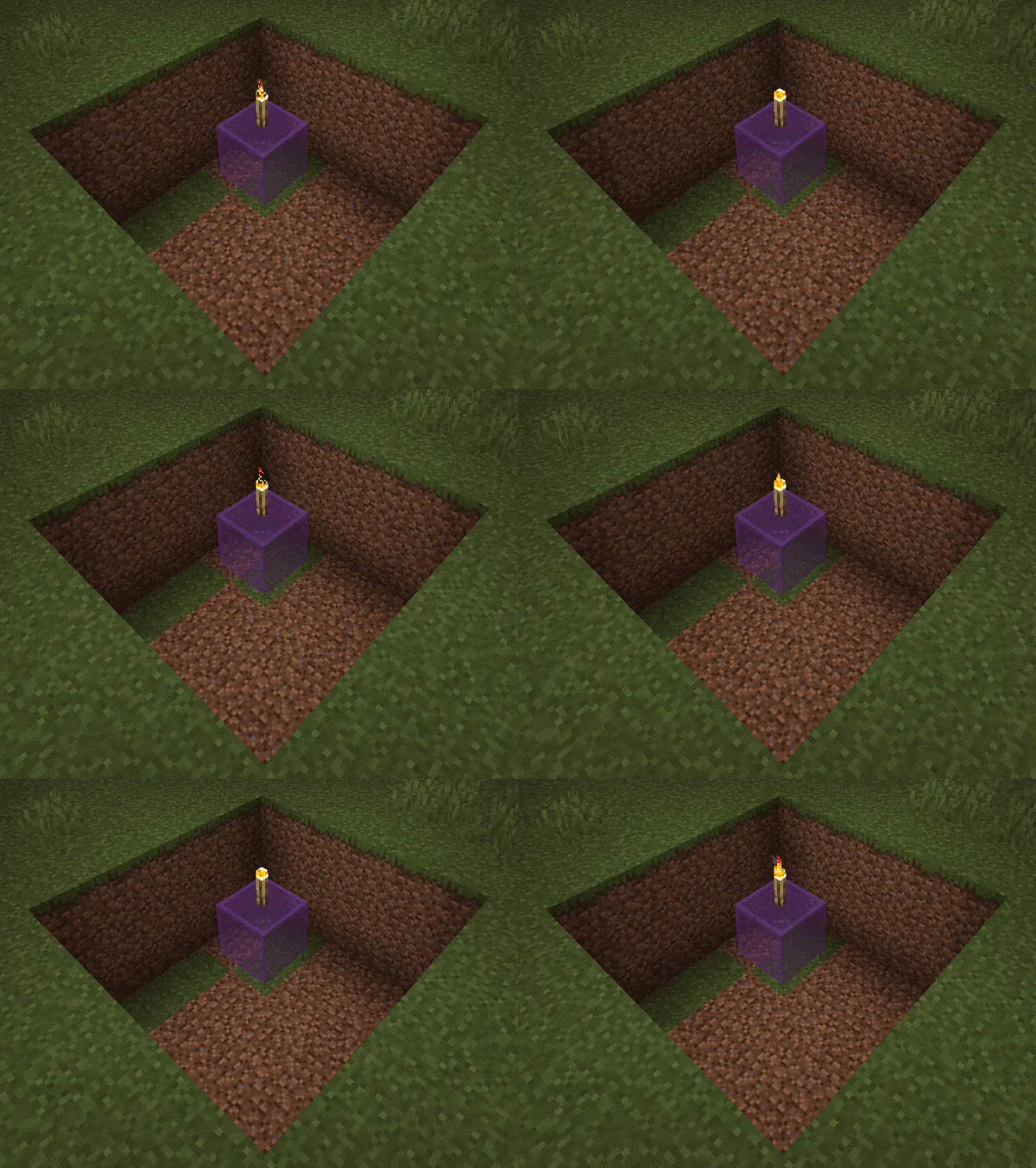
Configuration: Glowing moths are on. Moth Count and Spawn Probability are both 50.
Available Versions
How to Install Particle Moths on Your Client
Install the Mod Loader Locally
Install fabric for your local Minecraft version.
Download the Matching File
Choose the Particle Moths file for fabric and Minecraft 1.21.5.
Install Mod
Place the .jar file in your local .minecraft/mods folder and restart Minecraft. No server-side installation is required.
Compatibility
Mod Loaders
Minecraft Versions
1.21.5, 1.21.4, 1.21.3 (+8 more)
Server-side
✗ UnsupportedRecommended RAM
4 GB(min. 3 GB)Frequently Asked Questions
Does Particle Moths need to be installed on the Minecraft server?
No. Modrinth marks Particle Moths as unsupported on the server side. Install it only in your local Minecraft mods folder. Your server can remain unchanged unless the mod page lists an additional dependency.
Which version and loader does Particle Moths require?
Use a file for fabric, neoforge, quilt and your exact Minecraft version. Supported versions include 1.21.5, 1.21.4, 1.21.3. Files for different loaders are not interchangeable.
Particle Moths is not working – what should I check?
First check the Minecraft version, loader version and required dependencies. Put the .jar file in your local .minecraft/mods folder and remove older duplicates. Because this mod is client-side, adding server RAM will not fix it.
Similar Mods

![[ETF] Entity Texture Features](https://cdn.modrinth.com/data/BVzZfTc1/af683d206d50b05258d865b0d6e4aa2f2cee12f2_96.webp)
![[EMF] Entity Model Features](https://cdn.modrinth.com/data/4I1XuqiY/6e5bbd0d06b1741bfdab6c0cfab6de8fdaf0064c_96.webp)



Minecraft Server for Your Group
Particle Moths stays on your client. Host a compatible world for your group.