
PurpurClient
Fixes client-side vanilla bugs
Screenshots

About this Mod

PurpurClient
PurpurClient is a Fabric client mod that aims to fix various client-side bugs in the game. A lot of these bugfixes end up in the vanilla game eventually, but for those who can't wait, this mod is for you.
PurpurClient is designed to work together with Purpur servers (hence the name), but most features can still be used with any server type, as these are fixes to vanilla bugs that are not caused by Purpur itself.
If you have any questions, please join us in our Discord at https://purpurmc.org/discord.

Current Features in 1.20.2:
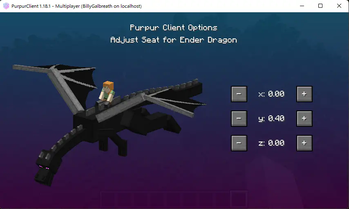
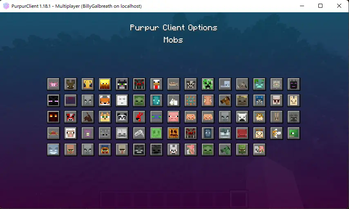
- Customizable mob passenger offsets
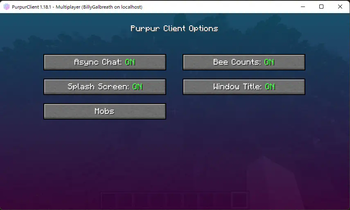
- Adds bee counts inside beehives to debug screen¹
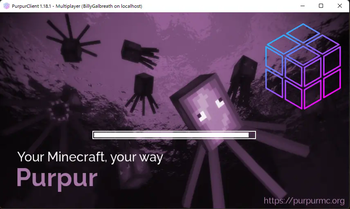
- Fancy Purpur-themed Loading Screen (can be disabled in the config)
- Fancy Window Title that changes based on what kind of server you're in (translations can be PR'd)
- Displays Custom Enchantments instead of stripping them from the client
- Removes the client-side limit of 255 levels
¹ only works when connected to Purpur servers
Past Features (to get an idea of what this mod has done and will do in the future):
- Asynchronous chat processing (removed since Mojang's new chat system is confusing)
- Fix rain particles appearing under water MC-131770
- Fix sky darkening when riding minecart not on tracks MC-51150
- Fix chat stutter MC-218167
- Fix warnings in logs about invalid flying attributes Purpur-744
- Fix debug markers ignoring the blue and red values that are set MC-234030 (Shows as Unresolved even though it's been fixed)
- Fix client preemptively removing item entities from the world (MC-???)
Note: PurpurClient adds a fancy animated splash screen on game startup alongside a better window title message. Both of these can be disabled in the config if preferred.
Donate
We accept donations via GitHub Sponsors and the OpenCollective.


Available Versions
How to Install PurpurClient on Your Client
Install the Mod Loader Locally
Install fabric for your local Minecraft version.
Download the Matching File
Choose the PurpurClient file for fabric and Minecraft 1.21.5.
Install Mod
Place the .jar file in your local .minecraft/mods folder and restart Minecraft. No server-side installation is required.
Compatibility
Mod Loaders
Minecraft Versions
1.21.5, 1.21.4, 1.21.3 (+11 more)
Server-side
✗ UnsupportedRecommended RAM
4 GB(min. 3 GB)Frequently Asked Questions
Does PurpurClient need to be installed on the Minecraft server?
No. Modrinth marks PurpurClient as unsupported on the server side. Install it only in your local Minecraft mods folder. Your server can remain unchanged unless the mod page lists an additional dependency.
Which version and loader does PurpurClient require?
Use a file for fabric and your exact Minecraft version. Supported versions include 1.21.5, 1.21.4, 1.21.3. Files for different loaders are not interchangeable.
PurpurClient is not working – what should I check?
First check the Minecraft version, loader version and required dependencies. Put the .jar file in your local .minecraft/mods folder and remove older duplicates. Because this mod is client-side, adding server RAM will not fix it.
Similar Mods


Minecraft Server for Your Group
PurpurClient stays on your client. Host a compatible world for your group.