
SeamlessChunks
Smoother chunk loading with network-aware send rates, multiplayer fair share, and in-game tuning.
Screenshots
About this Mod
SeamlessChunks makes chunk loading feel smoother on Minecraft 1.21.1–1.21.11 and 26.1–26.3 for Fabric and NeoForge.
Instead of sticking to vanilla send limits, this mod speeds up the server chunk pipeline, boosts how fast the client can receive and render chunks, and automatically adjusts when conditions change — low ping on LAN gets a more aggressive send rate, while high ping or packet back-pressure slows things down to stay stable. Scheduling and priority work can run on a dedicated worker pool so multi-core CPUs help without fighting vanilla worldgen threads.
What it does
- Faster chunk sending — higher configurable send rates, optional light-wait bypass, and extra chunk-cache passes
- Network adaptation — scales send speed based on ping and unacknowledged batch pressure
- Multiplayer fair share — reduces per-player send pressure when TPS drops or more players are online
- Smart chunk priority — sends chunks in your view direction and predicted movement path first
- Multithreaded scheduling — worker pool (Auto / Manual) for priority scoring and planning; auto-throttles when TPS drops. Does not replace vanilla worldgen threads or run Level/Entity work off-thread
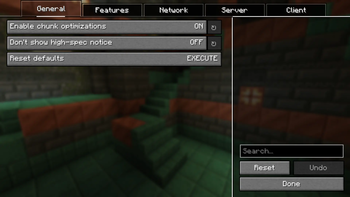
- In-game settings — click the SC button on the title screen (next to Singleplayer) or in the pause menu (next to Back to Game)
- Compatibility mode — gentler behavior when other chunk mods are installed
Initial World Generation Performance
Initial world generation can also be significantly faster than Vanilla Minecraft.
Example benchmark
- CPU: Intel Core i5-7200U (2 Cores / 4 Threads)
- Memory: 16 GB
- Test: First-time world generation
| Version | Time |
|---|---|
| Vanilla Minecraft | 35 s |
| SeamlessChunks | 22 s |
Result
- 13 seconds faster
- 37% shorter initial world generation time
- Up to 1.59× faster than Vanilla in this test
In this benchmark, Vanilla displayed the "Loading Terrain" screen for several seconds before spawning. With SeamlessChunks, that screen was nearly eliminated, allowing the player to enter the world much sooner.
Results depend on hardware, world seed, render distance, and other installed mods. Performance improvements may vary.
Client & server
Works on both client and server. For dedicated servers, install on the server for the main improvements. Clients are optional but recommended for the settings UI and client-side optimizations. Singleplayer only needs the mod on your client.
Requirements
- Minecraft 1.21.1 – 1.21.11, 26.1 – 26.3 (use the jar built for your exact game version; the 26.1 build targets 26.1.2)
- Java 21+ (1.21.x) or 25+ (26.x)
- Architectury API
- YetAnotherConfigLib (YACL) (settings UI)
- Fabric API (Fabric only)
Configuration
Settings can be changed in-game via Mod Menu / the NeoForge mods list, the pause-menu SC button, or in config/seamlesschunks.properties. Requires YetAnotherConfigLib (YACL).
Useful keys for the new worker pool: workerPoolEnabled, workerPoolMode (auto / manual), workerPoolThreads (Manual mode, 1–16).
Beta: Test on a backup world before using it on important saves. Some changes apply after rejoining a world.
Available Versions
How to Install SeamlessChunks on Your Server
Order Server
Order a Minecraft Java server with at least 3 GB RAM (4 GB recommended).
Set fabric Loader
In the panel under "Egg", select the fabric loader and matching Minecraft version (26.3).
Install Mod
Open the mod browser in the dashboard and search for "SeamlessChunks". Click "Install" – done! Alternatively, upload the .jar via SFTP to the /mods folder.
Compatibility
Mod Loaders
Minecraft Versions
26.3, 26.2, 26.1.2 (+13 more)
Server-side
✓ RequiredRecommended RAM
4 GB(min. 3 GB)Frequently Asked Questions
SeamlessChunks server crashes on startup – what to do?
Most common cause: wrong fabric version or insufficient RAM. Check the server log (latest.log) for "OutOfMemoryError" or "Mixin" errors. With Mado Hosting: ensure at least 3 GB RAM is allocated and the loader matches the mod version (26.3). You can switch loaders with one click in the panel.
Is SeamlessChunks compatible with fabric and neoforge?
SeamlessChunks officially supports fabric, neoforge for Minecraft 26.3, 26.2, 26.1.2. The Mado dashboard automatically detects incompatible loader combinations.
Server lagging with SeamlessChunks – how to optimize performance?
Recommended RAM: 4 GB (per 8 players). Use /spark profiler to check if SeamlessChunks consumes the most tick time. Common fixes: reduce server view-distance to 8-10, install "performant" or "starlight" as supplementary mods on Forge. With Mado Hosting, your server runs on NVMe SSDs with dedicated CPU cores for minimal latency.
Similar Mods


Rent Modded Server
Install SeamlessChunks with just one click on your server.