Cobblemon - Show Held Items
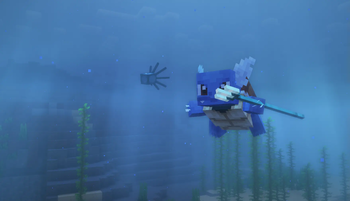
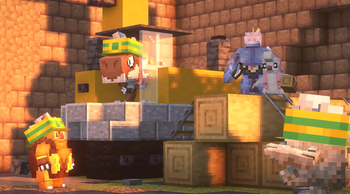
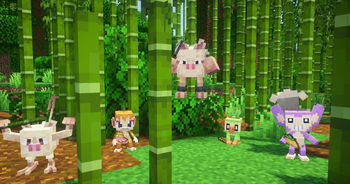
Shows your Pokémon's held items in the world.
Screenshots
About this Mod
⚠️ As of Cobblemon 1.7 this mod is no longer supported! ⚠️
The feature the this mod provides has been ported into Cobblemon as of version 1.7! 🎉
Cobblemon - Show Held Items
This is a side mod for Cobblemon so it will not do anything without Cobblemon installed.
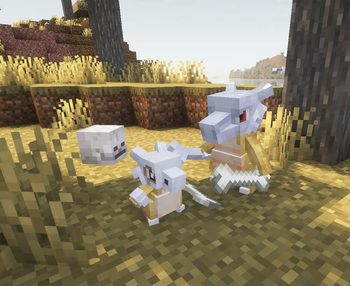
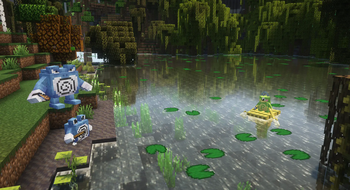
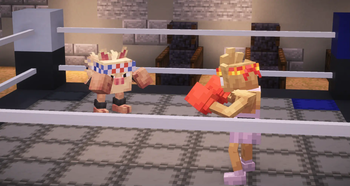
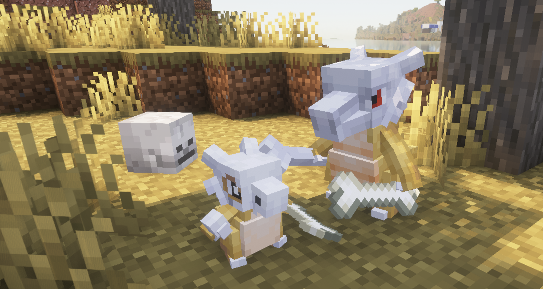
This mod allows Pokémon's Held Items render in the world.
When joining a server that does not have this mod installed, only your own Pokémon's items will be rendered.

Technical Information
Server Configuration
The items that are hidden or shown as hats/glasses can be controlled by the server by adding a data pack to the server that replaces the "hidden_items.json", "wearable_eye_items.json" or "wearable_hat_items.json" item tag file. Hidden items will still be visible to the Pokémon's owner.
The path for hidden items is:datapacks\[YOUR_SERVER'S_DATAPACK]\data\show-held-items\tags\item\hidden_items.json
These are the default settings of the file:
{
  "replace": true,
  "values": [
    "#cobblemon:held/is_held_item",
    "#cobblemon:berries"
  ]
}
Any modded or vanilla items can be added here.
The paths for eye items and hats are:datapacks\[YOUR_SERVER'S_DATAPACK]\data\show-held-items\tags\item\wearable_eye_items.jsondatapacks\[YOUR_SERVER'S_DATAPACK]\data\show-held-items\tags\item\wearable_hat_items.json
Here is an example using Villager Hats and Simple Hats:
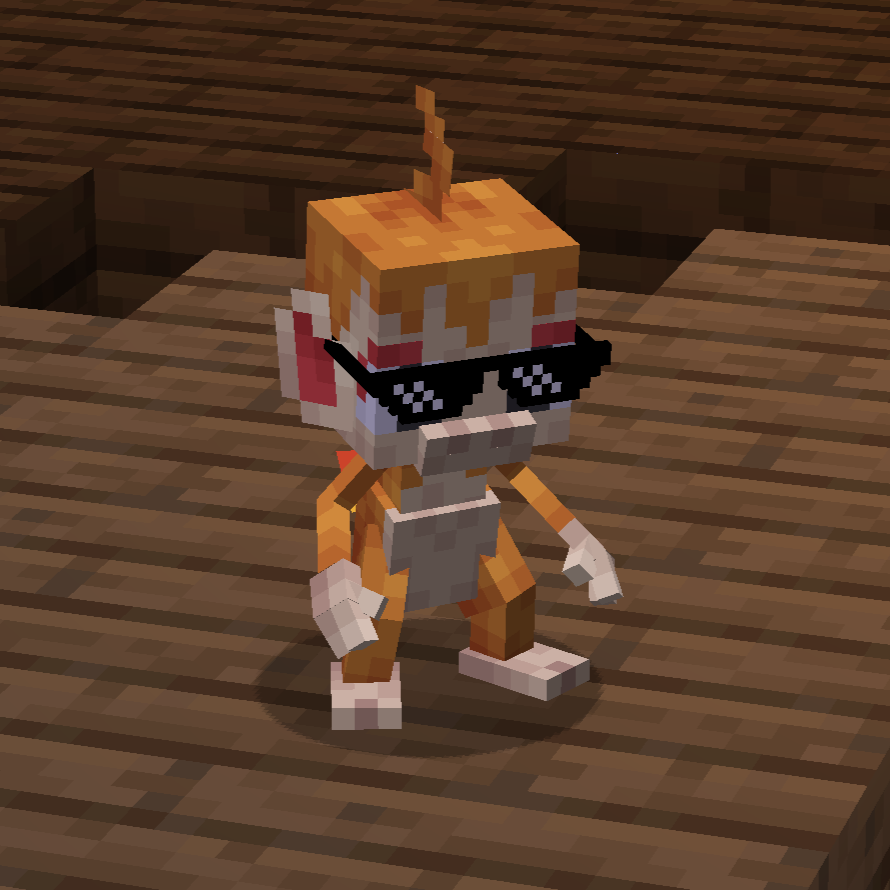
wearable_eye_items.json:
{
  "replace": false,
  "values": [
    "simplehats:clockface",
    "simplehats:sunglasses",
  ]
}
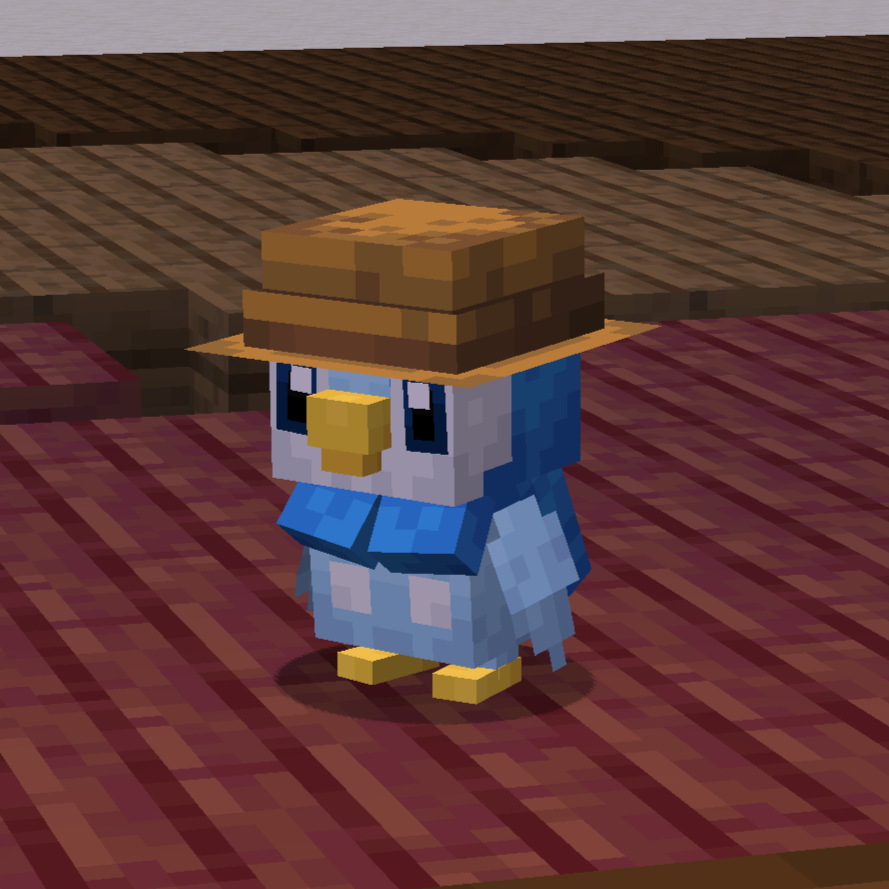
wearable_hat_items.json:
{
  "replace": false,
  "values": [
    "#villagerhats:hats"
  ]
}
Compatibility With Other Models
If there are Pokemon that do not render their held item or if you would like to have custom Fakemon show their held items, you can add a locator in the model named "held_item" or "held_item_fixed".
The "held_item" locator will render held items the same way that players render items. This is most effective for items like the spyglass, trident and other tools.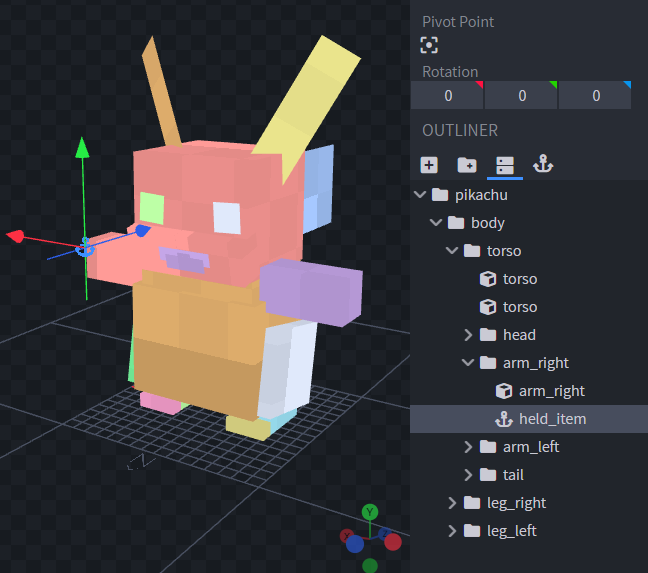
Sometimes it doesnt look quite right to have an item held the same way as the player. So for bird or dog-like pokemon, it may be best to use "held_item_fixed". This will render the flat default item model.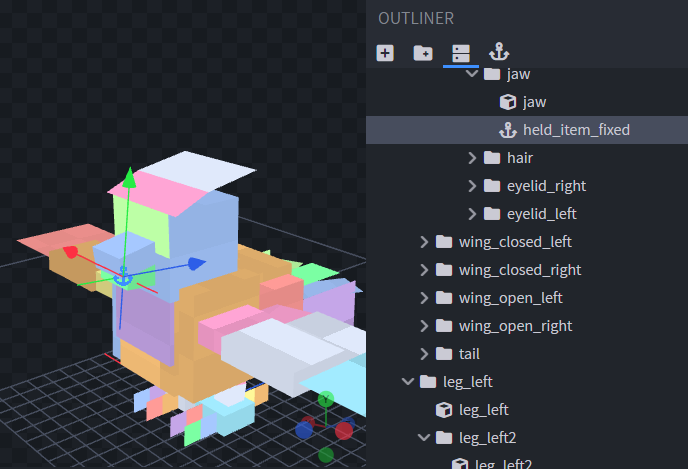
To change the rotation of the item, simply change the rotation of the locator.
To support wearable hat or eye items add locators "held_item_head" and "held_item_eyes" onto the model either near the eyes or on top of the head.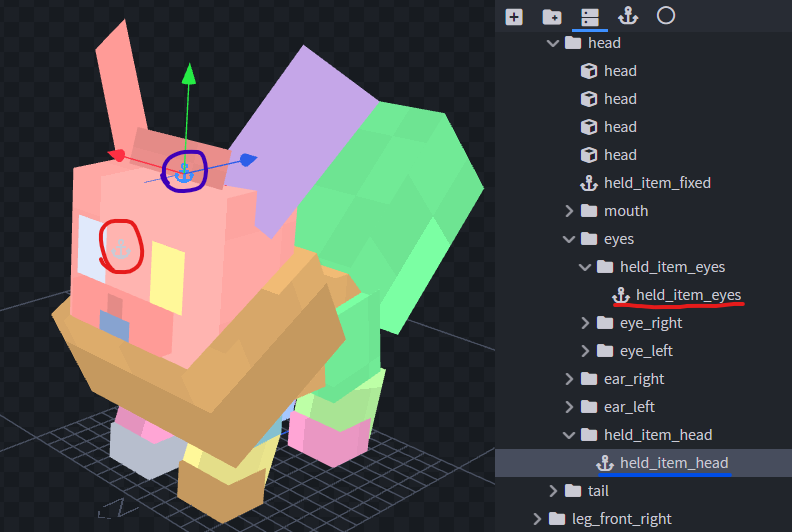
If the held item isn't quite the right size you can add modifiers to the locators using Null Objects. Give the Null Object the name of the locator you wish to modify followed by square brackets and a scale value, e.g., "held_item_head[scale=2.25]".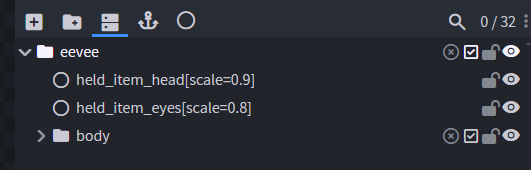
If you have any other concerns or questions, you can inquire here.
Thank you!
Available Versions
How to Install Cobblemon - Show Held Items on Your Server
Order Server
Order a Minecraft Java server with at least 3 GB RAM (4 GB recommended).
Set fabric Loader
In the panel under "Egg", select the fabric loader and matching Minecraft version (1.21.1).
Install Mod
Open the mod browser in the dashboard and search for "Cobblemon - Show Held Items". Click "Install" – done! Alternatively, upload the .jar via SFTP to the /mods folder.
Compatibility
Mod Loaders
Minecraft Versions
1.21.1, 1.20.1
Server-side
~ OptionalRecommended RAM
4 GB(min. 3 GB)Frequently Asked Questions
Cobblemon - Show Held Items server crashes on startup – what to do?
Most common cause: wrong fabric version or insufficient RAM. Check the server log (latest.log) for "OutOfMemoryError" or "Mixin" errors. With Mado Hosting: ensure at least 3 GB RAM is allocated and the loader matches the mod version (1.21.1). You can switch loaders with one click in the panel.
Is Cobblemon - Show Held Items compatible with fabric?
Cobblemon - Show Held Items officially supports fabric for Minecraft 1.21.1, 1.20.1. The Mado dashboard automatically detects incompatible loader combinations.
Server lagging with Cobblemon - Show Held Items – how to optimize performance?
Recommended RAM: 4 GB (per 8 players). Use /spark profiler to check if Cobblemon - Show Held Items consumes the most tick time. Common fixes: reduce server view-distance to 8-10, install "performant" or "starlight" as supplementary mods on Forge. With Mado Hosting, your server runs on NVMe SSDs with dedicated CPU cores for minimal latency.
Similar Mods

![[ETF] Entity Texture Features](https://cdn.modrinth.com/data/BVzZfTc1/af683d206d50b05258d865b0d6e4aa2f2cee12f2_96.webp)
![[EMF] Entity Model Features](https://cdn.modrinth.com/data/4I1XuqiY/6e5bbd0d06b1741bfdab6c0cfab6de8fdaf0064c_96.webp)



Rent Modded Server
Install Cobblemon - Show Held Items with just one click on your server.