
Simple Custom Early Loading
Mod that allows to customize the Neoforge early loading
Screenshots
About this Mod
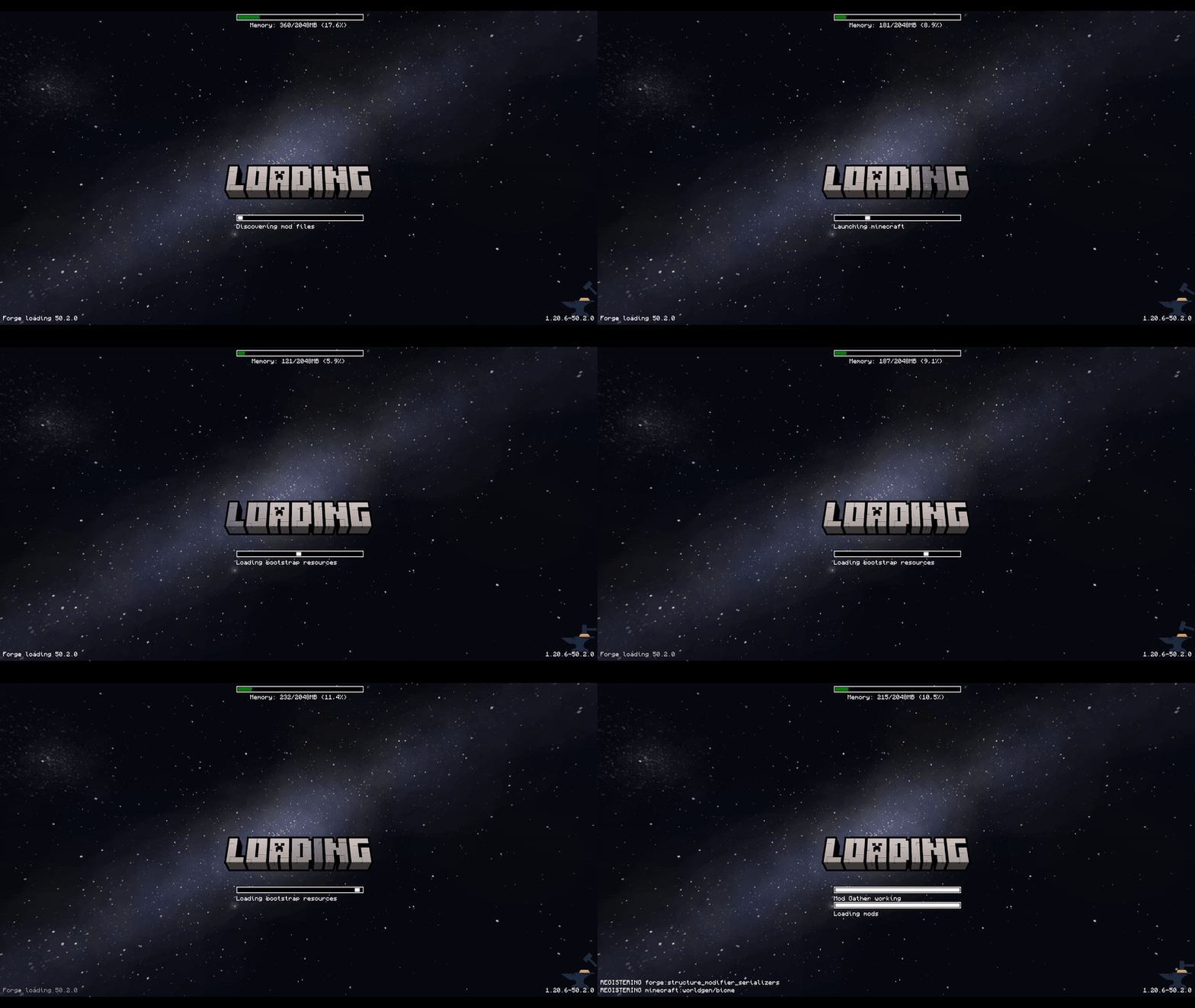
This mod allows the customization of Neoforge's early loading screen.


There is also a quite "hacky" version for Forge 1.20.1, 1.20.2, 1.20.4, 1.20.6.
I do not plan to continue supporting any other Forge versions due to technical reasons.
For newer versions, please use the NeoForge.
Currently, the window is not able to dynamically change its resolution when the window is resized.
I won't allow removing the Mojang logo.
Features:
- add and position custom images (see supported image formats)
- toggle and change the position of the progress bar
- toggle performance bar
- toggle NeoForge's fox
- toggle bottom left log
- toggle NeoForge's version (bottom right)
Installation - NeoForge:
- place the jar in the mods folder
- modify the
config/fml.tomlfile
# Early window provider
earlyWindowProvider = "SimpleCustomEarlyLoading"
# ... Other options ...
# Optionally set the window to be maximized
earlyWindowMaximized = true
Installation - Forge:
- place the jar in the mods folder
- forge version requires default
config/fml.tomlvalue
#Early window provider
earlyWindowProvider = "fmlearlywindow"
3 - Optional: update options.txt: darkMojangStudiosBackground:true
Unfortunately, the override is applied quite late, which may result in the original red early loading (or a white screen) to "flash" on the very game start. I can't do anything about that.
However, the red color of the original loading can be changed using darkMojangStudiosBackground:true in options.txt.
Supported image formats:
Animated images:
- APNG - must be created without unchanged pixels detection (each frame is rendered from scratch).
The animation will respect the image timing and repeat count.
Static images:
- JPEG baseline & progressive (12 bpc/arithmetic not supported, same as stock IJG lib
- PNG 1/2/4/8/16-bit-per-channel
- TGA (not sure what subset, if a subset)
- BMP non-1bpp, non-RLE
- PSD (composited view only, no extra channels, 8/16 bit-per-channel)
- GIF (renders only single static frame, use APNG instead)
- HDR (radiance rgbE format)
- PIC (Softimage PIC)
- PNM (PPM and PGM binary only)
Configuration / Source code
For configuration instructions and the source code check the GitHub repository.
Available Versions
How to Install Simple Custom Early Loading on Your Client
Install the Mod Loader Locally
Install forge for your local Minecraft version.
Download the Matching File
Choose the Simple Custom Early Loading file for forge and Minecraft 1.21.4.
Install Mod
Place the .jar file in your local .minecraft/mods folder and restart Minecraft. No server-side installation is required.
Compatibility
Mod Loaders
Minecraft Versions
1.21.4, 1.21.3, 1.21.2 (+6 more)
Server-side
✗ UnsupportedRecommended RAM
4 GB(min. 3 GB)Frequently Asked Questions
Does Simple Custom Early Loading need to be installed on the Minecraft server?
No. Modrinth marks Simple Custom Early Loading as unsupported on the server side. Install it only in your local Minecraft mods folder. Your server can remain unchanged unless the mod page lists an additional dependency.
Which version and loader does Simple Custom Early Loading require?
Use a file for forge, neoforge and your exact Minecraft version. Supported versions include 1.21.4, 1.21.3, 1.21.2. Files for different loaders are not interchangeable.
Simple Custom Early Loading is not working – what should I check?
First check the Minecraft version, loader version and required dependencies. Put the .jar file in your local .minecraft/mods folder and remove older duplicates. Because this mod is client-side, adding server RAM will not fix it.
Similar Mods

![[ETF] Entity Texture Features](https://cdn.modrinth.com/data/BVzZfTc1/af683d206d50b05258d865b0d6e4aa2f2cee12f2_96.webp)
![[EMF] Entity Model Features](https://cdn.modrinth.com/data/4I1XuqiY/6e5bbd0d06b1741bfdab6c0cfab6de8fdaf0064c_96.webp)



Minecraft Server for Your Group
Simple Custom Early Loading stays on your client. Host a compatible world for your group.