Simple Hats
Simple Hats is an expandable cosmetic hat mod that allows users to define their own hats with options such as variants, dyes, particle effects, and seasons.
Screenshots
About this Mod
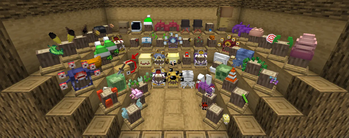
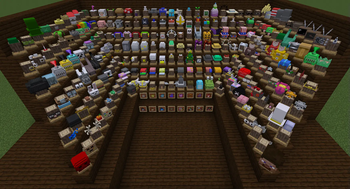
Simple Hats is a JSON-configurable cosmetic hat mod that allows users to define their own hats with various additional options such as variants, dye-ability, particle effects, and seasonality.
There are almost 300 custom hats included in the mod by default that users can add/remove/change as they like.
Other Features:
- Hats can be obtained from grab-bags (Open with right-click) that drop from hostile mobs, or found in various loot chests.
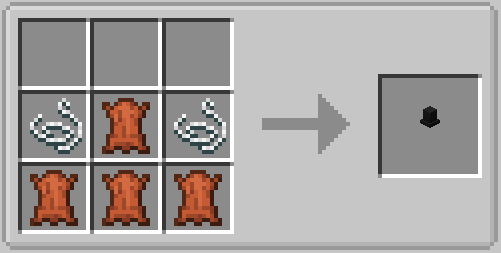
- Unwanted or duplicate hats can be recycled to craft new or upgraded bags in order to get new or rarer hats.
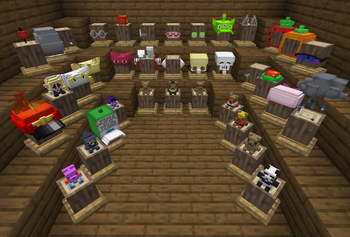
- Hats can be placed on a craft-able hat-stand to show them off.
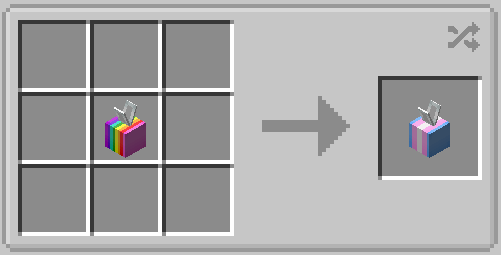
- Some hats have variant models/textures that can be cycled in the crafting grid.
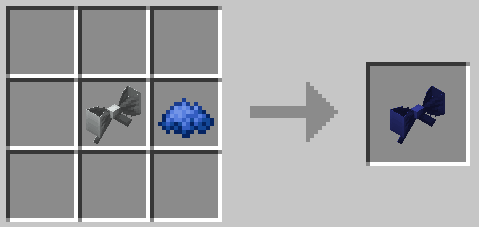
- Some hats are dyeable just like normal leather, and washed off in a cauldron.
- Some hats have different particle effects that can be seen in third person, or on another player.
- Additionally, there is a season system where during certain times of the year, special grab-bags drop from normal bags.
Dependencies (Fabric/NeoForge 1.21.1 and above):
- (Required) Accessories: Hats are equipped through Accessories
- (Required) owo-lib: Handles SimpleHats config files
Dependencies (Forge 1.20.4 and below):
- (Required) Curios: Hats are equipped in a cosmetic Curio slot
- (Optional) JEI: Simple Hats has compatibility for adding custom recipes to JEI
- (Optional) Optifine: If Optifine is installed, many hats will have emissive textures automatically enabled
Dependencies (Fabric 1.20.4 and below):
- (Required) Trinkets: Hats are equipped in Trinket's "Hat" slot
- (Required) Cloth Config: Used for non-JSON config options
Optional: - (Optional) Continuity or Optifine+Optifabric: If either are installed, many hats will have emissive textures automatically enabled
- (Optional) Mod Menu: Simple Hats has compatibility with Mod Menu to make config accessible in-game
Need to get in contact with me? Click the badge below:


Available Versions
How to Install Simple Hats on Your Server
Order Server
Order a Minecraft Java server with at least 3 GB RAM (4 GB recommended).
Set fabric Loader
In the panel under "Egg", select the fabric loader and matching Minecraft version (1.21.1).
Install Mod
Open the mod browser in the dashboard and search for "Simple Hats". Click "Install" – done! Alternatively, upload the .jar via SFTP to the /mods folder.
Compatibility
Mod Loaders
Minecraft Versions
1.21.1, 1.20.4, 1.20.1 (+4 more)
Server-side
✓ RequiredRecommended RAM
4 GB(min. 3 GB)Frequently Asked Questions
Simple Hats server crashes on startup – what to do?
Most common cause: wrong fabric version or insufficient RAM. Check the server log (latest.log) for "OutOfMemoryError" or "Mixin" errors. With Mado Hosting: ensure at least 3 GB RAM is allocated and the loader matches the mod version (1.21.1). You can switch loaders with one click in the panel.
Is Simple Hats compatible with fabric and forge and neoforge?
Simple Hats officially supports fabric, forge, neoforge for Minecraft 1.21.1, 1.20.4, 1.20.1. Note: Forge and Fabric mods are NOT cross-compatible – pick one loader and stick with it. The Mado dashboard automatically detects incompatible loader combinations.
Server lagging with Simple Hats – how to optimize performance?
Recommended RAM: 4 GB (per 8 players). Use /spark profiler to check if Simple Hats consumes the most tick time. Common fixes: reduce server view-distance to 8-10, install "performant" or "starlight" as supplementary mods on Forge. With Mado Hosting, your server runs on NVMe SSDs with dedicated CPU cores for minimal latency.
Similar Mods

![[ETF] Entity Texture Features](https://cdn.modrinth.com/data/BVzZfTc1/af683d206d50b05258d865b0d6e4aa2f2cee12f2_96.webp)
![[EMF] Entity Model Features](https://cdn.modrinth.com/data/4I1XuqiY/6e5bbd0d06b1741bfdab6c0cfab6de8fdaf0064c_96.webp)



Rent Modded Server
Install Simple Hats with just one click on your server.