
Simple Hp Bar
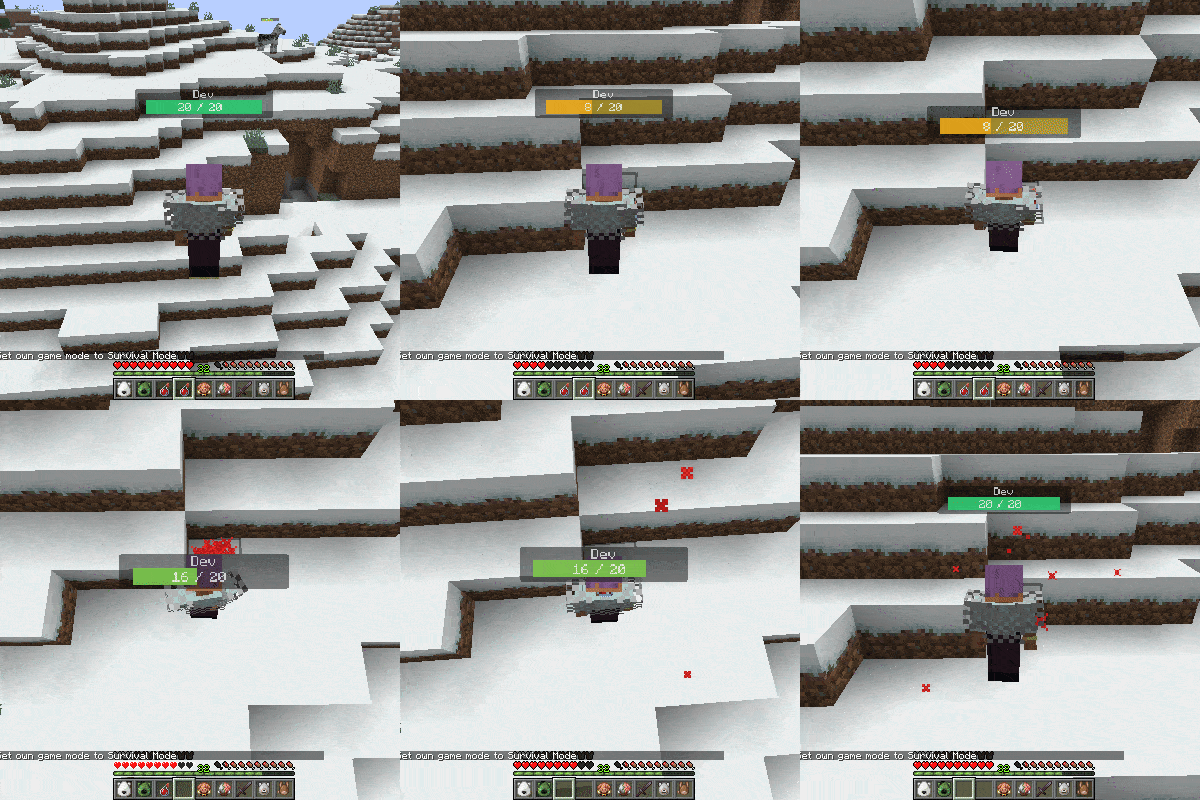
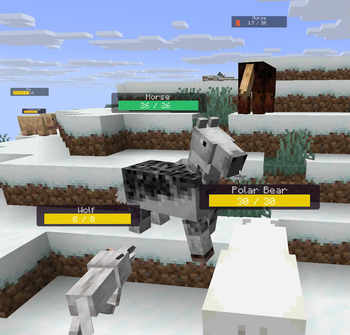
This mod adds highly customizable hp bars above the mobs and players.
Screenshots
About this Mod
This mod adds highly customizable hp bars above the mobs and players.
The health bar looks very simple, but has many inbuilt config options.
Configs will be generated after running the game at least once.
They can be found in the config/simplehpbar folder.
You can create as many config files as you want by copying one and rewriting the values in it, if you want mobs by your choice to have different bars.
By default only a default config will be generated that applies to every mob, one for some vanilla neutral mobs and one for some monsters (to show how whitelist/blacklist and other features works)
You can change the settings by the following
-max distance to render mobs
-position
-scale (width, height of everything)
-background (size, color, transparency, border-radius)
-hp bar (size, 3 colors for low-mid-high health value, transparency, border-radius)
-smooth hp bar for lost health (3 colors for low-mid-high health value, transparency, start time to change the smooth hp bar, decrease value)
-name (add text before the name, add text after the name, text-align, color, transparency, position, scale)
-current health text (add text before the health value, add text after the health value, text-align, color, transparency, position, scale)
-max health text (add text before the health value, add text after the health value, text-align, color, transparency, position, scale)
-health in percentage text (add text before the health percentage value, add text after the health percentage value, text-align, color, transparency, position, scale)
You can edit, create or delete configs in game within the editor that comes with this mod. (press H to open it by default)
Supported versions:
Forge 1.21.6 | 1.21.7 | 1.21.8
Fabric1.21.6 | 1.21.7 | 1.21.8
Neoforge 1.21.6 | 1.21.7 | 1.21.8
Only the latest minecraft version gets support.
Available Versions
How to Install Simple Hp Bar on Your Client
Install the Mod Loader Locally
Install fabric for your local Minecraft version.
Download the Matching File
Choose the Simple Hp Bar file for fabric and Minecraft 1.21.8.
Install Mod
Place the .jar file in your local .minecraft/mods folder and restart Minecraft. No server-side installation is required.
Compatibility
Mod Loaders
Minecraft Versions
1.21.8, 1.21.7, 1.21.6
Server-side
✗ UnsupportedRecommended RAM
4 GB(min. 3 GB)Frequently Asked Questions
Does Simple Hp Bar need to be installed on the Minecraft server?
No. Modrinth marks Simple Hp Bar as unsupported on the server side. Install it only in your local Minecraft mods folder. Your server can remain unchanged unless the mod page lists an additional dependency.
Which version and loader does Simple Hp Bar require?
Use a file for fabric, forge, neoforge and your exact Minecraft version. Supported versions include 1.21.8, 1.21.7, 1.21.6. Files for different loaders are not interchangeable.
Simple Hp Bar is not working – what should I check?
First check the Minecraft version, loader version and required dependencies. Put the .jar file in your local .minecraft/mods folder and remove older duplicates. Because this mod is client-side, adding server RAM will not fix it.
Similar Mods


Minecraft Server for Your Group
Simple Hp Bar stays on your client. Host a compatible world for your group.