
smart-fps-booster
Smart FPS Booster is a client-side Minecraft utility mod that helps manage performance by applying configurable optimization profiles and dynamically adjusting selected settings.
Screenshots


About this Mod
Smart FPS Booster
A client-side Minecraft performance utility mod that dynamically manages selected video and performance settings, provides real-time performance monitoring, and offers configurable optimization profiles.
CubeWright AI is coming soon—describe your mod idea and turn it into a buildable Minecraft project.
Smart FPS Booster does not modify Minecraft’s engine and does not guarantee specific FPS increases. Performance results depend on hardware, installed mods, and game settings.
Keybinds
| Key | Action |
|---|---|
| F8 | Open performance dashboard |
| F9 | Toggle dynamic optimization |
| F10 | Cycle profiles |
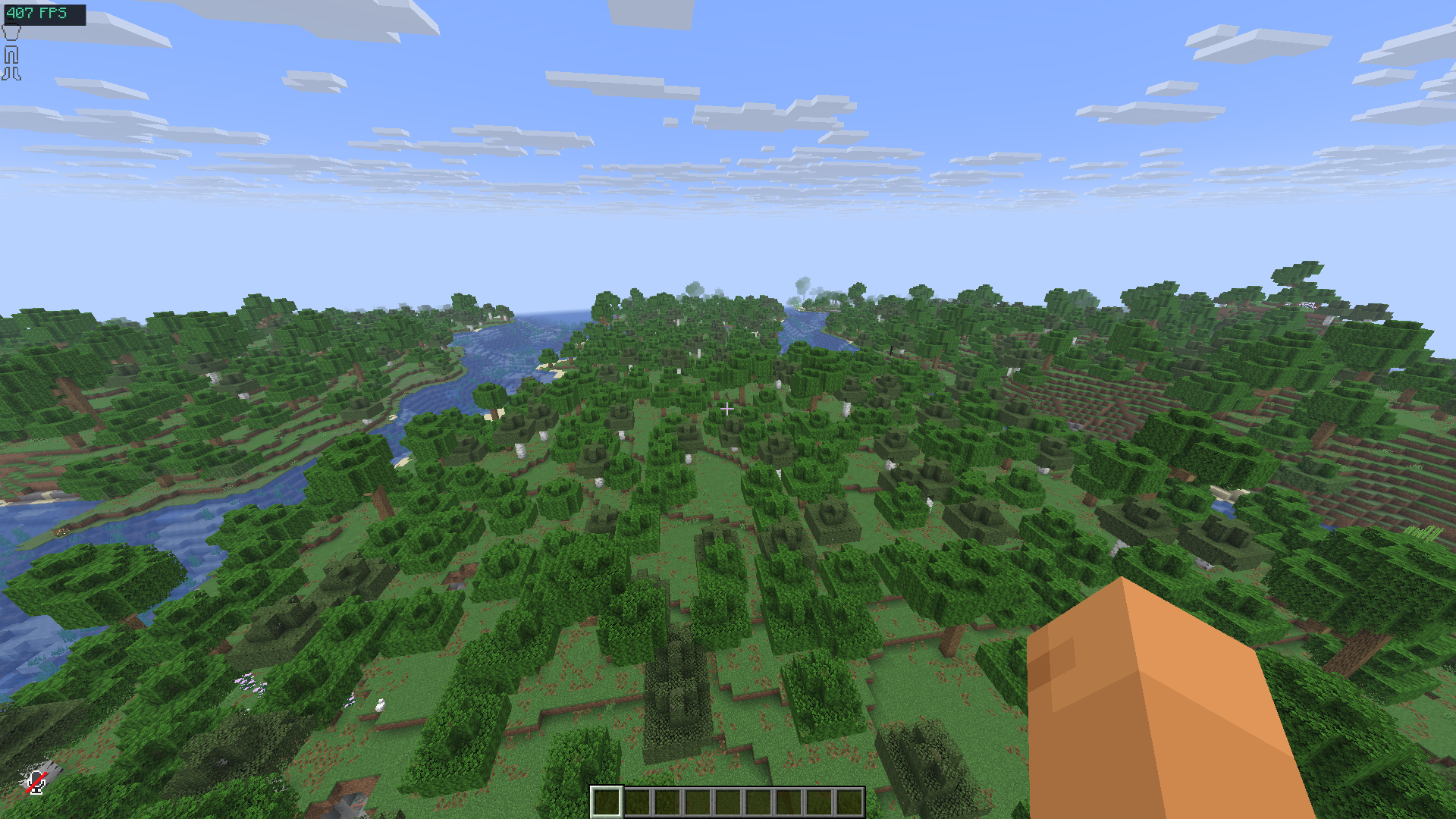
Why Smart FPS Booster?
Minecraft performance tuning often requires manual configuration and frequent adjustments depending on gameplay situations. Smart FPS Booster simplifies this process by:
- Applying predefined optimization profiles
- Dynamically adjusting supported client settings (optional)
- Displaying live performance data
- Integrating with popular optimization mods
The goal is to stabilize performance, reduce stuttering, and simplify configuration, especially on low-end or mid-range systems.
Intended For
- Players on low-end or mid-range PCs and laptops
- PvP players who prefer consistent frame timing
- Players experiencing FPS drops or stuttering
- Anyone who wants automated client-side performance management
Features
Optimization Profiles
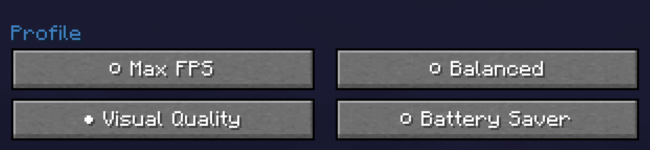
Four configurable profiles are included:
- Max FPS – prioritizes performance-oriented settings
- Balanced – default mix of visuals and performance
- Quality – higher visual settings with moderate optimization
- Battery Saver – reduces GPU/CPU load for laptops
Profiles modify only supported client-side video and performance settings.
Live Performance Dashboard
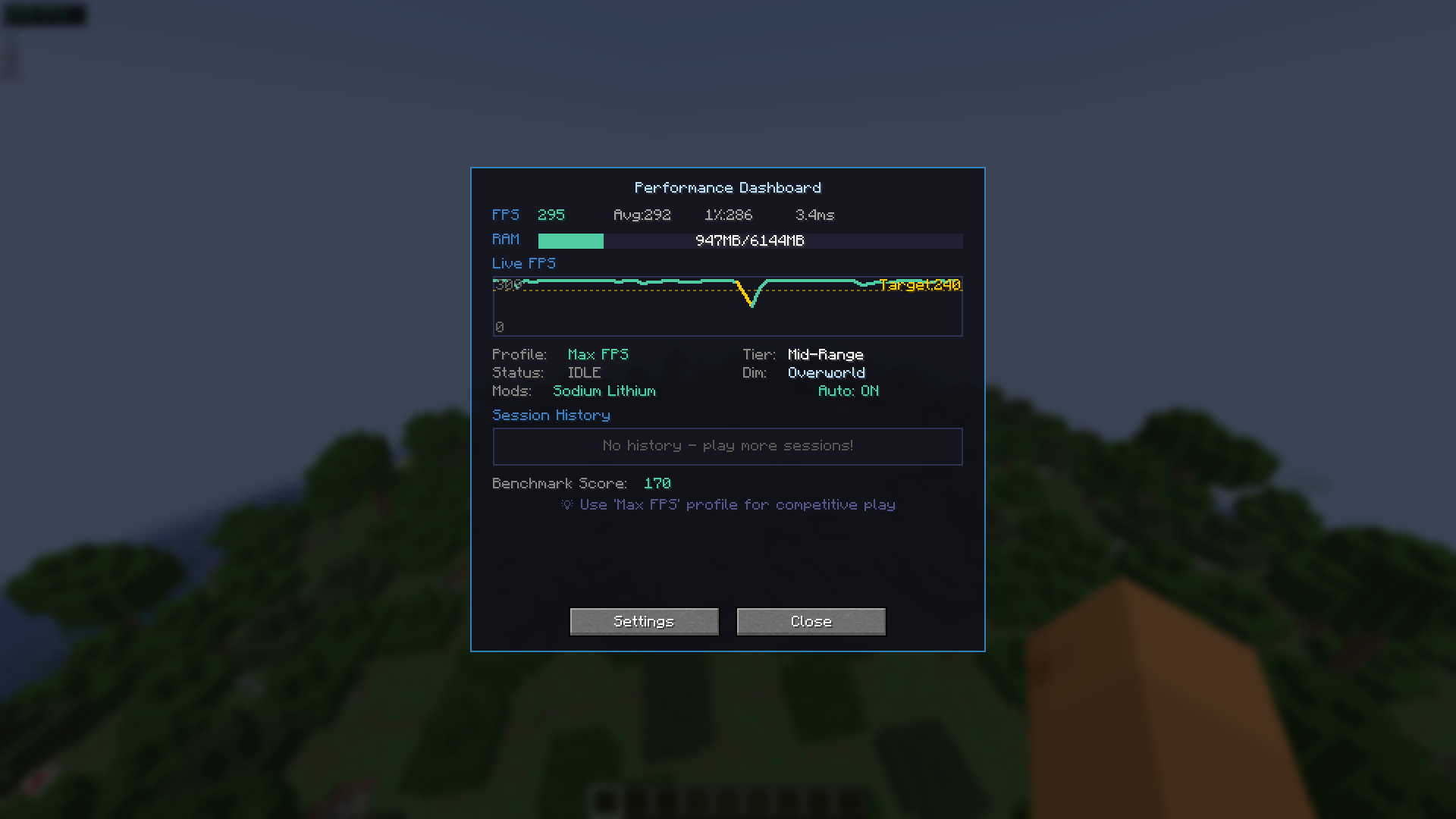
Accessible via F8:
- Current FPS display
- FPS history graph (last 60 seconds)
- Memory usage indicator
- Session history (up to 10 sessions)
- Hardware tier estimation
- Built-in benchmark tool
Dynamic Optimization (Optional)
When enabled, the mod can adjust selected settings based on:
- Player movement
- Combat situations
- Heavy visual scenes (particles, explosions, large farms)
- Current dimension (Overworld / Nether / End)
All changes remain within normal Minecraft client configuration options.
Setting Locks
You may prevent the mod from changing specific settings:
- Render Distance
- Graphics Mode
This allows optimization while preserving your preferred visual configuration.
Lag Spike Indicator
Optional visual alert when a sudden FPS drop is detected (brief red screen flash).
This is informational only and does not affect gameplay mechanics.
Mod Compatibility
Smart FPS Booster detects and adapts behavior when used with:
- Sodium
- Lithium
- Iris Shaders
- Mod Menu
Compatibility is automatic when these mods are present.
Installation
- Install Fabric Loader
- Install Fabric API
- Place the mod
.jarinto themodsfolder - Launch the game
Important Notes
- Client-side only
- Safe to use on servers
- Does not bypass hardware limitations
- Does not guarantee FPS improvements
- Designed to assist configuration and performance monitoring
License
MIT License
Developer
Created by devxkamlesh
Source code, issue tracker, and donation links are available on the project page.
Available Versions
How to Install smart-fps-booster on Your Client
Install the Mod Loader Locally
Install fabric for your local Minecraft version.
Download the Matching File
Choose the smart-fps-booster file for fabric and Minecraft 26.2.
Install Mod
Place the .jar file in your local .minecraft/mods folder and restart Minecraft. No server-side installation is required.
Compatibility
Mod Loaders
Minecraft Versions
26.2, 26.1.2, 26.1.1 (+18 more)
Server-side
✗ UnsupportedRecommended RAM
4 GB(min. 3 GB)Frequently Asked Questions
Does smart-fps-booster need to be installed on the Minecraft server?
No. Modrinth marks smart-fps-booster as unsupported on the server side. Install it only in your local Minecraft mods folder. Your server can remain unchanged unless the mod page lists an additional dependency.
Which version and loader does smart-fps-booster require?
Use a file for fabric and your exact Minecraft version. Supported versions include 26.2, 26.1.2, 26.1.1. Files for different loaders are not interchangeable.
smart-fps-booster is not working – what should I check?
First check the Minecraft version, loader version and required dependencies. Put the .jar file in your local .minecraft/mods folder and remove older duplicates. Because this mod is client-side, adding server RAM will not fix it.
Similar Mods


Minecraft Server for Your Group
smart-fps-booster stays on your client. Host a compatible world for your group.